

- January 3, 2008
- 890
- 556
- Home Country
-
 Germany
- Moderator
- #1
BackupSettings V1.2.2.13 released on 12.Oct.2014
--- SOURCE FILES : huha001/BackupSettings
• No more manual typing of user settings after a new reinstall of TV Server, Media Portal1
and MediaPortal2
• Allows to export / import all user settings of the TV server engine and all user setting
folders
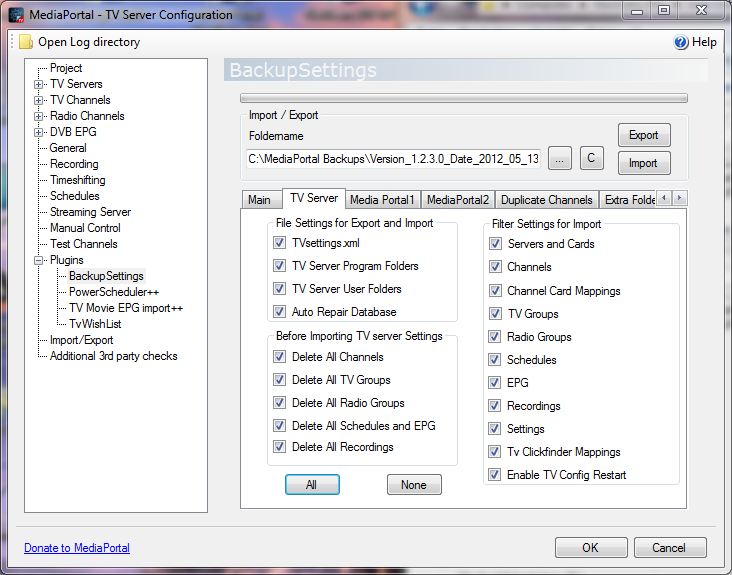
• This includes the settings of cards, LNB settings, TV channels, radio channels, tv groups,
radio groups, schedules, recordings, EPG data, general settings, recording settings and
plugin settings.
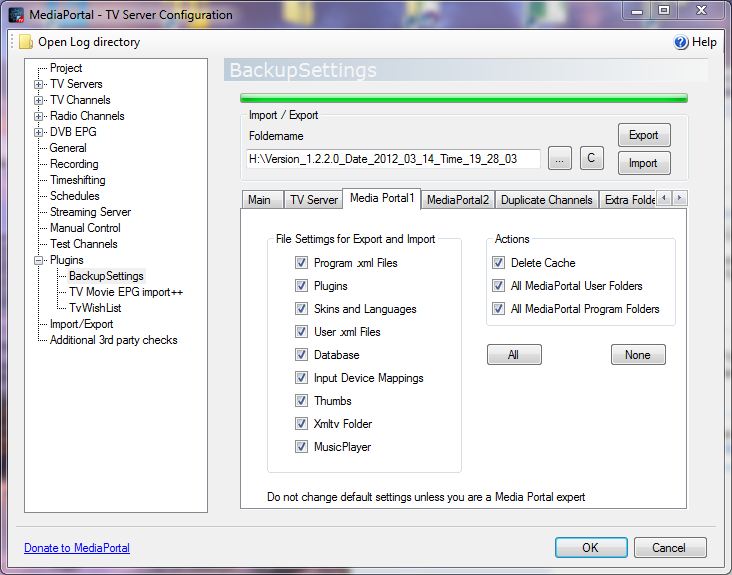
• It creates a backup / restore of the Media Portal configuration and program folders, settings,
plugins, skins, input device mappings, thumbs and the database folders
• The Tv server plugin does backup / restore your MediaPortal1 and MediaPortal2 (Client
and Server) Files
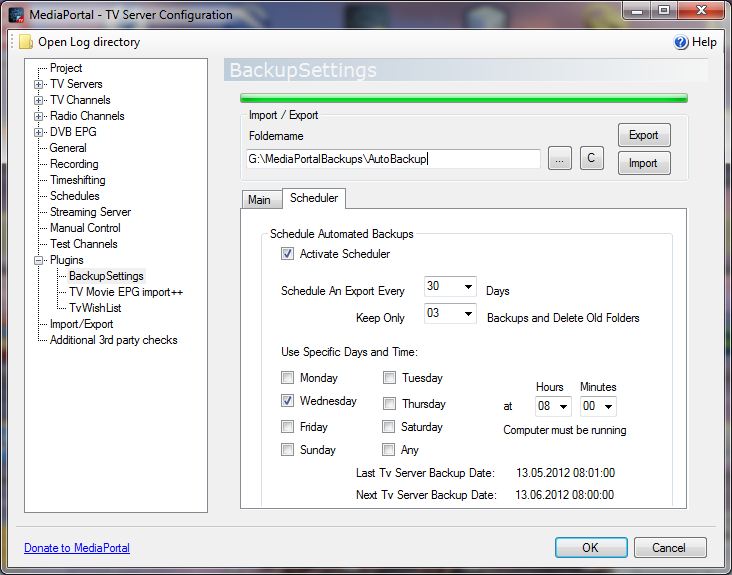
• An automated backup can be scheduled based on a time interval, where only the last exports
will be preserved
• The plugin can be used as a TV server plugin or a Media Portal client plugin for users
without TV server
Requirements:
MediaPortal/TV Server 1.0.1 -1.9
Windows XP SP3 , Vista SP2, Windows 7 or Windows 8.1 (32bit or 64 bit)
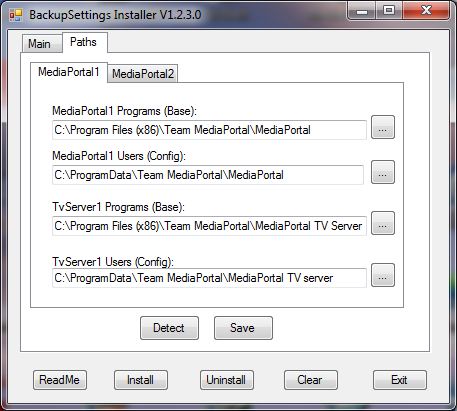
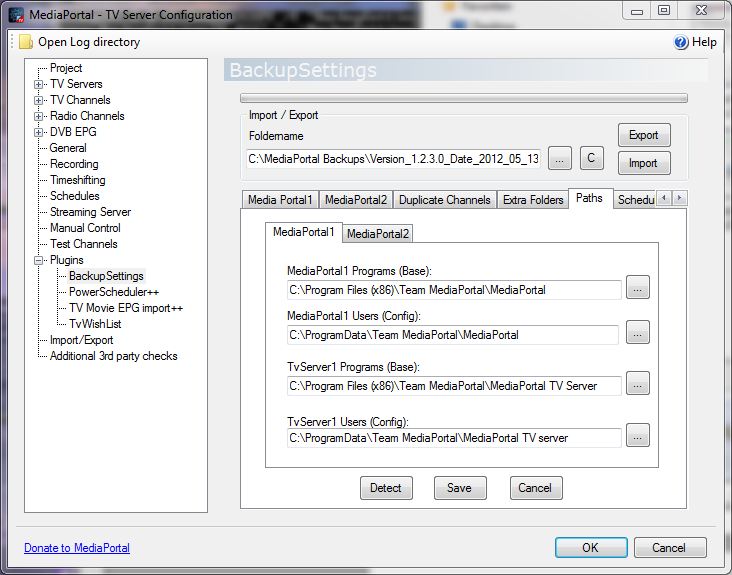
Standard installation paths
Installation for all users:
- Start the MediaPortal Extension Installer (MPEI) which can be found in your MediaPortal program directory and install BackupSettings
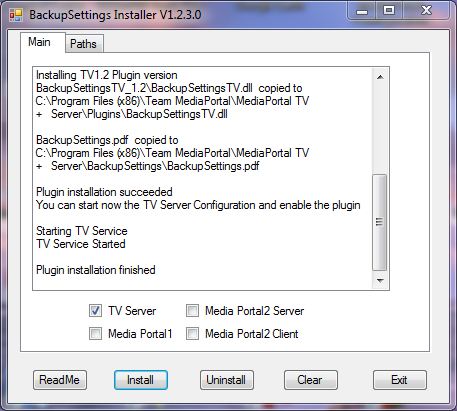
- In the BackupSettings Installer window click "Install" (make sure you read the manual)
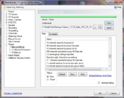
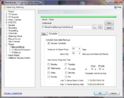
- After the installation exit the installer, finish, and enable the plugin in the TV server configuration if you have TV server installed (default for most users) or in the MediaPortal -> Other Plugins section if you have a Client only installation
For Users with a TV Server only Installation: The MPEI installer will unzip all files in the
%PROGRAMDATA%\Team MediaPortal\MediaPortal\Installer\BackupSettings folder. If
you have a computer with a TV server only installation you can copy this folder to the TV
server and install it there.
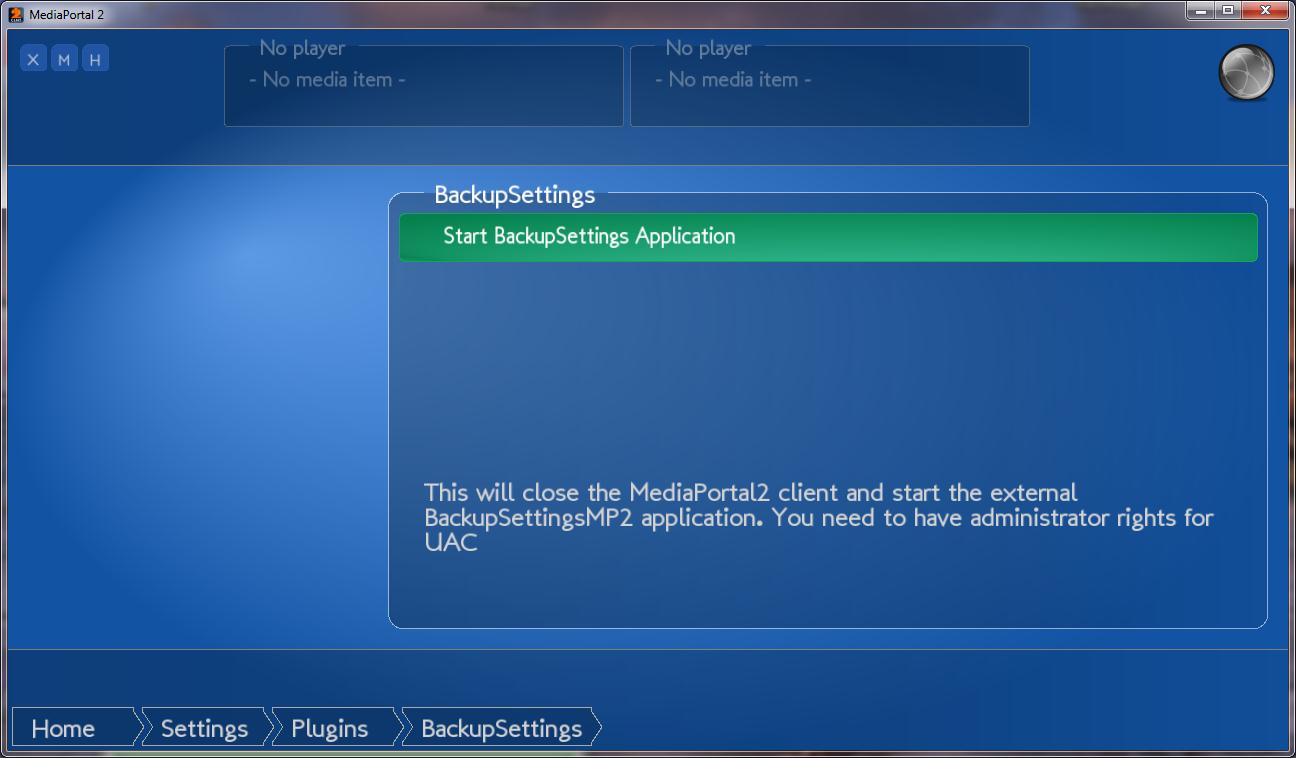
I started a separate BackupSettings Thread for MediaPortal2 here
Known Issues:
- for users of MP1.0.x the mpi installer is no more supported. Please use the BackupSettingsVx.x.x.x.Release.zip and unzip it. Then start install.exe
-In case of any installation issues please download from the forum thread BackupSettingsVx.x.x.x.Release.zip and unzip it. After unzipping start install.exe. Do not start install.exe outside the zipped folder.
Quick Usage:
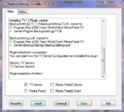
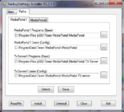
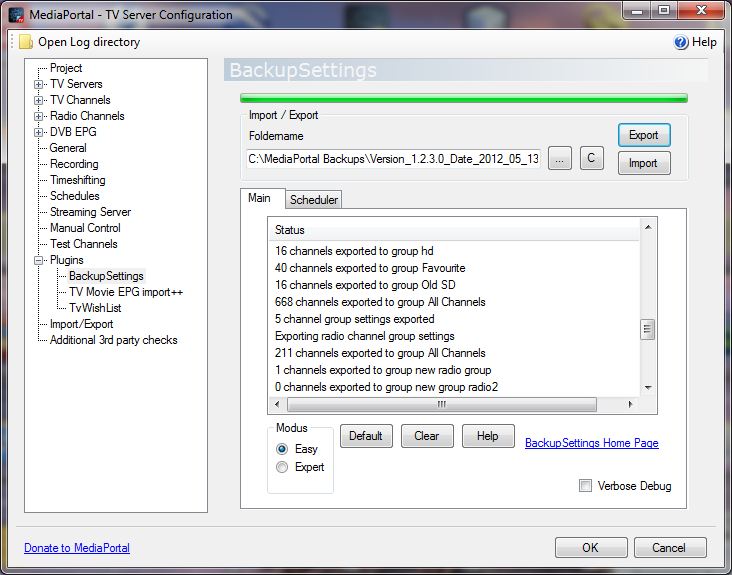
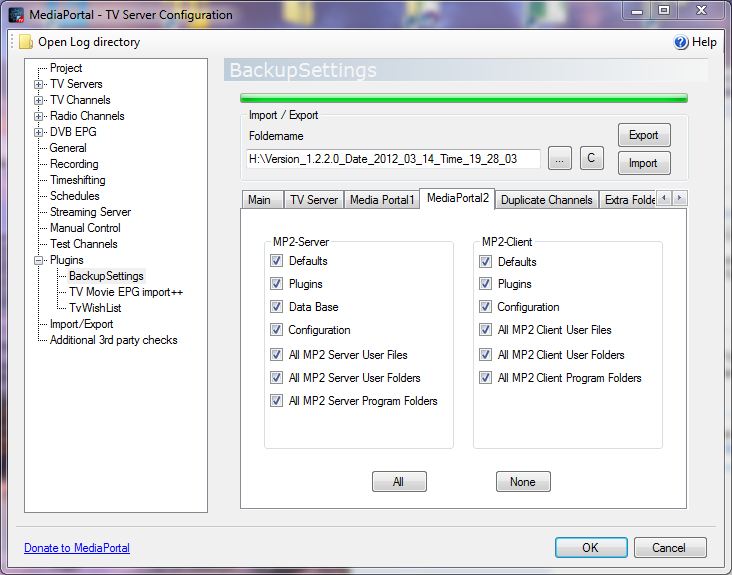
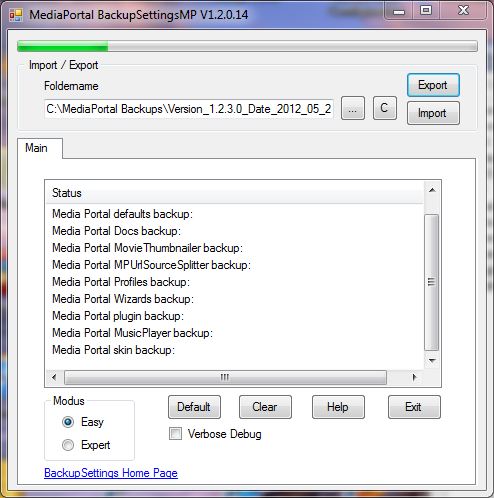
Select a foldername for the backup directory (must not contain any other user data)
Check TV Server if you want to backup / restore the TV server user settings
Check Media Portal if you want to backup / restore Media Portal user settings
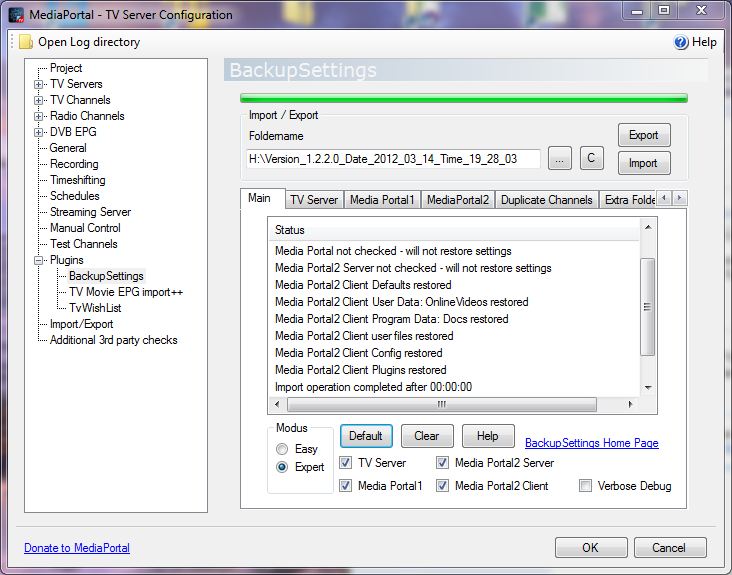
Hit the "Export button" to backup your current settings. The data structure of the backup directory will be explained in the manual
Hit the "Import" button to restore all your current settings from a previously saved backup folder
Before you upgrade to a new MediaPortal Version make sure you did an export with the latest BackupSettings plugin version
Tip Upgrading to 1.2/1.3
If you upgrade to 1.2/1.3 none of your backed up plugins or skins will work. That´s why
BackupSettings will not copy any of your plugins or skins between a 1.1 and a 1.2 version
· If you downgrade from 1.2 to 1.1 you must do a complete uninstall of the MediaPortal
Tvserver first before installing 1.1 or your system. You must choose during uninstalling the
option “Full Media Portal Product Cleanup”. Otherwise your BackupSettings import will
cause an exception error.
Tip: Upgrading from version 1.00 or 1.02 to 1.1
Step1:
Download the latest BackupSettings plugin version in this post BackupSettingsVx.x.x.x.Release.zip, unzip it
and make a complete backup of your data by using the default options.
Step 2:
Install MediaPortal 1.1 by doing a clean install (no upgrade).
Step 3:
Open the new Media Portal Extension installer in your MediaPortal program directory
and download the latest online list. Select BackupSettings and install it.
Step 4:
Now do an import of your previous backup folder.
Step 5:
Reinstall your plugins and skins from the internet to make sure they are compatible with
MP1.1 or MP1.2. There were major program changes and many old plugins and skins will not
work with MP 1.1 or MP1.2. Also your music data base needs to be recreated again. In the Tv
Server configuration go to “Recording Settings” -> “Database Import” and click “Import
selected files”. In the Mediaportal configuration go to Music->Music Database and
remove the checkbox “Only update new”. Then click “Update database”. Other
databases may need to be regenerated as well.Other data bases may have changed, too.
Old Tv server plugins will not be copied over by BackupSettings, because they will not
work for sure. This is the tough part, but most developers have specified on their home
page if the plugin is compatible with version 1.1.
● Tip: The client backup/restore on the Media Portal setting tab should no more be used as I
plan to delete it in one of the next versions unlessl I am getting postings not do so. This part
has become legacy and a much better way of backup/restore is to install the Media Portal
plugin on your client computer. Just run the normal install process and the installer will pick
the Media Portal client plugin for you if no TV server has been installed on the computer.
Important:
In case of problems please enable the setting "Verbose Debug" and post your TV server log file e.g.
C:\ProgramData\Team MediaPortal\MediaPortal TV Server\log\tv.log
The file size can be large - please be patient during export/import
Please post any issues with respect to MediaPortal2 in the MP2 thread
Version History:
Version 1.2.2.13 released on 12.Oct.2014
• installer fix for MP1.9
Version 1.2.2.12 released on 19.Dec.2013
• cleanup of „NOTFOUND“ Settings for any cards (thanks to wjw and mm1352000)
Version 1.2.2.10 released on 03April2013
• renamed automated backupfolders from <automated backupfolder>\Backup001 to <automated backupfolder>\BackupSettingsBackup001, ... users will have to delete old folders (Backup001, Backup002, ...) manually.
• automatic version/date creation as a default for the foldername (user can disable function) in the Tvserver and client plugins
• minor GUI bug fixes in client
Version 1.2.2.9 released on 20 March 2013
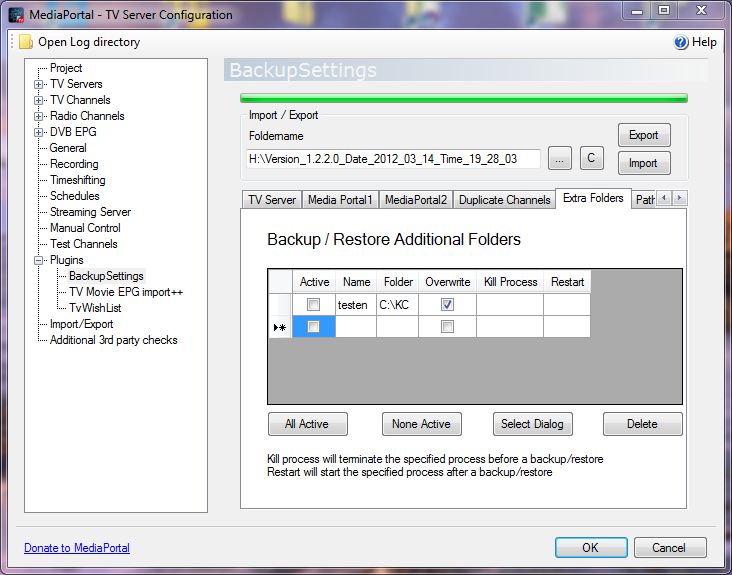
• modified folder structure for "Extra" folders, which are now stored in <backupfolder>\EXTRA_FOLDERS instead of <backupfolder>
• if the user specifies to delete old backup data the following plugin created subfolders/files are now deleted instead of the full backup folder.
<backupfolder>\EXTRA_FOLDERS,
<backupfolder>\MP_Program,
<backupfolder>\MP_User,
<backupfolder>\TV_Program,
<backupfolder>\TV_User,
<backupfolder>\MP2_PROGRAM,
<backupfolder>\MP2_USER,
<backupfolder>\SV2_PROGRAM,
<backupfolder>\SV2_USER,
<backupfolder>\Version.xml
Version 1.2.2.8 released on 26 February 2013
• added separate foldername for Automated Export
• bug fix on automated export option after an import
• added channelnumber for MP1.3 (export/import)
• separate version for MP1.3
• updated MP2 language file
Version 1.2.2.6 released on 24 November 2012
• updated TVserver version to 1.2.100.0 (MP1.3)
• bug fix with default settings for export/import in TV server plugin
• bug fix with selected path in client
• bug fix if path did not exist
• backup of .dll files in TV server program folder
Version 1.2.2.4 released on 07 August 2012
• bug fix when moving from a 32bit system to a 64 bit system or reverse
• bug fix for recording counter for automatic export at specified times
Version 1.2.2.2 released on 15.July 2012
• severe bug when moving from a 32bit system to a 64 bit system or reverse
• bug fix for blocking automated export at specific times
• bug fix for not using default settings (wrong warning)
Version 1.2.2.1 released on 3. July 2012
•updated for upcoming 1.3alfa – no code changes
Version 1.2.2.0 released on 26. May 2012
•new: standalone client program for MP1, MP2-client and MP2-server
•new: automated scheduling of exports
•new: auto repair script of Lehmden for MySQL users
•installer updated and improved
•bug fix for export
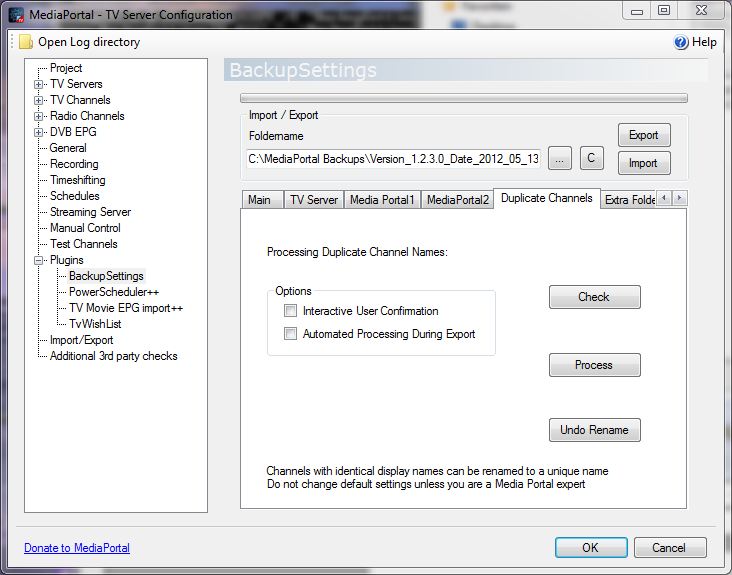
•duplicate channels restructured and bug fixes
Version 1.2.0.11 released on 08.Feb.2012
• bug fix: was not exporting episode name - please redo an export after the installation
Version 1.2.0.10 released on 29.Jan.2012
• bug fix in SQL query of settings during export from 1.2.0.9
• bug fix with verbose debug setting
Version 1.2.0.9 released on 28.Jan.2012
• severe bugfix for importing settings - you must do an export with this version first!!!
• added easy/expert mode
Version 1.2.0.8 released on 12.Dec.2011
• “C” button will remember last drive letter letter
• fixes for stretching GUI
• fixed invalid + like “PowerScheduler++” for import/export
Version 1.2.0.6 released on 22.Sep.2011
• fixed bug in installer. If you could install 1.2.0.5 there is no reason to upgrade.
Version 1.2.0.5 released on 18.Sep.2011
data are incompatible to previous versions! So you must do an export with this version first before importing!
• added general database query for all settings. So the plugin will now export/import all settings. By that future setting changes and plugin settings will be automatically covered
• between up/down grading from MediaPortal 1.1 to 1.2 the mpei installation directory will no more be restored as it can include incompatible plugins.
Version 1.2.0.4 released on 10.Sep.2011
• fixed bug in installer to be compatible with 1.2
• fixed bug for verbose debug
• plugins and skins will not be copied over between 1.1 and 1.2
version 1.2.0.3 released on 25.Jun.2011
• bug fix for importing plugin settings of TV Movie Clickfinder
• bug fix for installer on folder priorities
Version 1.2.0.0 released on 04.Apr.2011
• added plugin compatibility check for TV server and MediaPortal plugin
• updated .dlls and structures for MP1.2
• fixed bug with nondefault installation paths
• I also added some additional settings for the future TvWishList and other plugins.
Version 1.1.0.1 released on 23.Nov.2010
– added support for iPiMP plugin
– removed 4k limitation for added folder import/export
– updated 4k import/export limitation for TvWishlist
– removing old version of online videos (onlinevideo.dll) after restore
This version is not compatible to the backupdata of older versions! Please create a new backup
first!
Version 1.1.0.0 released on 23.Aug.2010
– bug fix in assembly properties
– autocreation of exportfolder if "C" is being clicked
– removed MediaPortal Client mode (use BackupSettingsMP instead)
– added network provider for CAM settings
– added plugin support for For The Record Recorder/Tuner
- the source code is now published for Microsoft Visual C#2010 project file
Version 1.0.6.0 released on 16.Apr.2010
– supporting MP1.1RC2
– supporting new MPEI2 installer
– bug fixes on progress bar
– supporting WebEPG Tvserver plugin
– updated settings (checked with MP 1.1RC1)
– added extra folder for export/import
– changed skins and languages to "not overwrite" for MP_USER_FOLDER
– bug fixes on restoring data for downgrading version
– added all changes to media Portal plugin BackupSettingsMP
Version 1.0.4.4 released on 09.Feb.2010
- fixed bug in progress bar causing exception and avoided restart of TV server configuration
– added support for TvWishList plugin
– changed directory from TV_PROGRAM to TV_USER for EmailScheduler plugin
– added IPTV channels for import from mvedrina patch
Version 1.0.4.3 released on 20.12.2009
– fixed bug in Installer for unistalling the TV server plugin
– added Win7 64 bit support for autodetection of Program Files (x86)
– colored text in status window for warnings and errors
– MediaPortal Plugin directory search for the MediaPortal plugin
– supported new dll files from SVN1.0.4.24281 for recording and program structure
version 1.0.4.2 released on 10.11.2009
- compatible to latest SVN(tested with 24047) fixing crash during data import
- improving card detection algorithm for changed plug positions
- added progress bar for import/export
- code cleanup of import/export subroutine
- updated MP client version with improved installation routine
Version 1.0.4.0 released on 01.10.2009
- mpi installer is unzipping all files into the Media Portal config directory (%PROGRAMDATA
%) and not into the MediaPortal program directory
– old MediaPortal program directories are being deleted
– fixed autodetection in installer for non English/German XP version in MP1.1beta (thanks to RADPI)
– added CultureInfo.InvariantCulture for DateTime Conversion in export function (thanks to animale81)
– improved robustness of import function for dateTime conversion
– default path C:\MediaPortal Backups used for backup directory
Check the manual for older Version History
I am no more supporting the old .mpi plugin format. users with MP 1.0 need to download the release file, unzip it and run install.exe
The source code of my plugins can be found at huha-mediaportal-plugins
Check forBackupSettingsVx.x.x.x.Source.zip
--- SOURCE FILES : huha001/BackupSettings
• No more manual typing of user settings after a new reinstall of TV Server, Media Portal1
and MediaPortal2
• Allows to export / import all user settings of the TV server engine and all user setting
folders
• This includes the settings of cards, LNB settings, TV channels, radio channels, tv groups,
radio groups, schedules, recordings, EPG data, general settings, recording settings and
plugin settings.
• It creates a backup / restore of the Media Portal configuration and program folders, settings,
plugins, skins, input device mappings, thumbs and the database folders
• The Tv server plugin does backup / restore your MediaPortal1 and MediaPortal2 (Client
and Server) Files
• An automated backup can be scheduled based on a time interval, where only the last exports
will be preserved
• The plugin can be used as a TV server plugin or a Media Portal client plugin for users
without TV server
Requirements:
MediaPortal/TV Server 1.0.1 -1.9
Windows XP SP3 , Vista SP2, Windows 7 or Windows 8.1 (32bit or 64 bit)
Standard installation paths
Installation for all users:
- Start the MediaPortal Extension Installer (MPEI) which can be found in your MediaPortal program directory and install BackupSettings
- In the BackupSettings Installer window click "Install" (make sure you read the manual)
- After the installation exit the installer, finish, and enable the plugin in the TV server configuration if you have TV server installed (default for most users) or in the MediaPortal -> Other Plugins section if you have a Client only installation
For Users with a TV Server only Installation: The MPEI installer will unzip all files in the
%PROGRAMDATA%\Team MediaPortal\MediaPortal\Installer\BackupSettings folder. If
you have a computer with a TV server only installation you can copy this folder to the TV
server and install it there.
I started a separate BackupSettings Thread for MediaPortal2 here
Known Issues:
- for users of MP1.0.x the mpi installer is no more supported. Please use the BackupSettingsVx.x.x.x.Release.zip and unzip it. Then start install.exe
-In case of any installation issues please download from the forum thread BackupSettingsVx.x.x.x.Release.zip and unzip it. After unzipping start install.exe. Do not start install.exe outside the zipped folder.
Quick Usage:
Select a foldername for the backup directory (must not contain any other user data)
Check TV Server if you want to backup / restore the TV server user settings
Check Media Portal if you want to backup / restore Media Portal user settings
Hit the "Export button" to backup your current settings. The data structure of the backup directory will be explained in the manual
Hit the "Import" button to restore all your current settings from a previously saved backup folder
Before you upgrade to a new MediaPortal Version make sure you did an export with the latest BackupSettings plugin version
Tip Upgrading to 1.2/1.3
If you upgrade to 1.2/1.3 none of your backed up plugins or skins will work. That´s why
BackupSettings will not copy any of your plugins or skins between a 1.1 and a 1.2 version
· If you downgrade from 1.2 to 1.1 you must do a complete uninstall of the MediaPortal
Tvserver first before installing 1.1 or your system. You must choose during uninstalling the
option “Full Media Portal Product Cleanup”. Otherwise your BackupSettings import will
cause an exception error.
Tip: Upgrading from version 1.00 or 1.02 to 1.1
Step1:
Download the latest BackupSettings plugin version in this post BackupSettingsVx.x.x.x.Release.zip, unzip it
and make a complete backup of your data by using the default options.
Step 2:
Install MediaPortal 1.1 by doing a clean install (no upgrade).
Step 3:
Open the new Media Portal Extension installer in your MediaPortal program directory
and download the latest online list. Select BackupSettings and install it.
Step 4:
Now do an import of your previous backup folder.
Step 5:
Reinstall your plugins and skins from the internet to make sure they are compatible with
MP1.1 or MP1.2. There were major program changes and many old plugins and skins will not
work with MP 1.1 or MP1.2. Also your music data base needs to be recreated again. In the Tv
Server configuration go to “Recording Settings” -> “Database Import” and click “Import
selected files”. In the Mediaportal configuration go to Music->Music Database and
remove the checkbox “Only update new”. Then click “Update database”. Other
databases may need to be regenerated as well.Other data bases may have changed, too.
Old Tv server plugins will not be copied over by BackupSettings, because they will not
work for sure. This is the tough part, but most developers have specified on their home
page if the plugin is compatible with version 1.1.
● Tip: The client backup/restore on the Media Portal setting tab should no more be used as I
plan to delete it in one of the next versions unlessl I am getting postings not do so. This part
has become legacy and a much better way of backup/restore is to install the Media Portal
plugin on your client computer. Just run the normal install process and the installer will pick
the Media Portal client plugin for you if no TV server has been installed on the computer.
Important:
In case of problems please enable the setting "Verbose Debug" and post your TV server log file e.g.
C:\ProgramData\Team MediaPortal\MediaPortal TV Server\log\tv.log
The file size can be large - please be patient during export/import
Please post any issues with respect to MediaPortal2 in the MP2 thread
Version History:
Version 1.2.2.13 released on 12.Oct.2014
• installer fix for MP1.9
Version 1.2.2.12 released on 19.Dec.2013
• cleanup of „NOTFOUND“ Settings for any cards (thanks to wjw and mm1352000)
Version 1.2.2.10 released on 03April2013
• renamed automated backupfolders from <automated backupfolder>\Backup001 to <automated backupfolder>\BackupSettingsBackup001, ... users will have to delete old folders (Backup001, Backup002, ...) manually.
• automatic version/date creation as a default for the foldername (user can disable function) in the Tvserver and client plugins
• minor GUI bug fixes in client
Version 1.2.2.9 released on 20 March 2013
• modified folder structure for "Extra" folders, which are now stored in <backupfolder>\EXTRA_FOLDERS instead of <backupfolder>
• if the user specifies to delete old backup data the following plugin created subfolders/files are now deleted instead of the full backup folder.
<backupfolder>\EXTRA_FOLDERS,
<backupfolder>\MP_Program,
<backupfolder>\MP_User,
<backupfolder>\TV_Program,
<backupfolder>\TV_User,
<backupfolder>\MP2_PROGRAM,
<backupfolder>\MP2_USER,
<backupfolder>\SV2_PROGRAM,
<backupfolder>\SV2_USER,
<backupfolder>\Version.xml
Version 1.2.2.8 released on 26 February 2013
• added separate foldername for Automated Export
• bug fix on automated export option after an import
• added channelnumber for MP1.3 (export/import)
• separate version for MP1.3
• updated MP2 language file
Version 1.2.2.6 released on 24 November 2012
• updated TVserver version to 1.2.100.0 (MP1.3)
• bug fix with default settings for export/import in TV server plugin
• bug fix with selected path in client
• bug fix if path did not exist
• backup of .dll files in TV server program folder
Version 1.2.2.4 released on 07 August 2012
• bug fix when moving from a 32bit system to a 64 bit system or reverse
• bug fix for recording counter for automatic export at specified times
Version 1.2.2.2 released on 15.July 2012
• severe bug when moving from a 32bit system to a 64 bit system or reverse
• bug fix for blocking automated export at specific times
• bug fix for not using default settings (wrong warning)
Version 1.2.2.1 released on 3. July 2012
•updated for upcoming 1.3alfa – no code changes
Version 1.2.2.0 released on 26. May 2012
•new: standalone client program for MP1, MP2-client and MP2-server
•new: automated scheduling of exports
•new: auto repair script of Lehmden for MySQL users
•installer updated and improved
•bug fix for export
•duplicate channels restructured and bug fixes
Version 1.2.0.11 released on 08.Feb.2012
• bug fix: was not exporting episode name - please redo an export after the installation
Version 1.2.0.10 released on 29.Jan.2012
• bug fix in SQL query of settings during export from 1.2.0.9
• bug fix with verbose debug setting
Version 1.2.0.9 released on 28.Jan.2012
• severe bugfix for importing settings - you must do an export with this version first!!!
• added easy/expert mode
Version 1.2.0.8 released on 12.Dec.2011
• “C” button will remember last drive letter letter
• fixes for stretching GUI
• fixed invalid + like “PowerScheduler++” for import/export
Version 1.2.0.6 released on 22.Sep.2011
• fixed bug in installer. If you could install 1.2.0.5 there is no reason to upgrade.
Version 1.2.0.5 released on 18.Sep.2011
data are incompatible to previous versions! So you must do an export with this version first before importing!
• added general database query for all settings. So the plugin will now export/import all settings. By that future setting changes and plugin settings will be automatically covered
• between up/down grading from MediaPortal 1.1 to 1.2 the mpei installation directory will no more be restored as it can include incompatible plugins.
Version 1.2.0.4 released on 10.Sep.2011
• fixed bug in installer to be compatible with 1.2
• fixed bug for verbose debug
• plugins and skins will not be copied over between 1.1 and 1.2
version 1.2.0.3 released on 25.Jun.2011
• bug fix for importing plugin settings of TV Movie Clickfinder
• bug fix for installer on folder priorities
Version 1.2.0.0 released on 04.Apr.2011
• added plugin compatibility check for TV server and MediaPortal plugin
• updated .dlls and structures for MP1.2
• fixed bug with nondefault installation paths
• I also added some additional settings for the future TvWishList and other plugins.
Version 1.1.0.1 released on 23.Nov.2010
– added support for iPiMP plugin
– removed 4k limitation for added folder import/export
– updated 4k import/export limitation for TvWishlist
– removing old version of online videos (onlinevideo.dll) after restore
This version is not compatible to the backupdata of older versions! Please create a new backup
first!
Version 1.1.0.0 released on 23.Aug.2010
– bug fix in assembly properties
– autocreation of exportfolder if "C" is being clicked
– removed MediaPortal Client mode (use BackupSettingsMP instead)
– added network provider for CAM settings
– added plugin support for For The Record Recorder/Tuner
- the source code is now published for Microsoft Visual C#2010 project file
Version 1.0.6.0 released on 16.Apr.2010
– supporting MP1.1RC2
– supporting new MPEI2 installer
– bug fixes on progress bar
– supporting WebEPG Tvserver plugin
– updated settings (checked with MP 1.1RC1)
– added extra folder for export/import
– changed skins and languages to "not overwrite" for MP_USER_FOLDER
– bug fixes on restoring data for downgrading version
– added all changes to media Portal plugin BackupSettingsMP
Version 1.0.4.4 released on 09.Feb.2010
- fixed bug in progress bar causing exception and avoided restart of TV server configuration
– added support for TvWishList plugin
– changed directory from TV_PROGRAM to TV_USER for EmailScheduler plugin
– added IPTV channels for import from mvedrina patch
Version 1.0.4.3 released on 20.12.2009
– fixed bug in Installer for unistalling the TV server plugin
– added Win7 64 bit support for autodetection of Program Files (x86)
– colored text in status window for warnings and errors
– MediaPortal Plugin directory search for the MediaPortal plugin
– supported new dll files from SVN1.0.4.24281 for recording and program structure
version 1.0.4.2 released on 10.11.2009
- compatible to latest SVN(tested with 24047) fixing crash during data import
- improving card detection algorithm for changed plug positions
- added progress bar for import/export
- code cleanup of import/export subroutine
- updated MP client version with improved installation routine
Version 1.0.4.0 released on 01.10.2009
- mpi installer is unzipping all files into the Media Portal config directory (%PROGRAMDATA
%) and not into the MediaPortal program directory
– old MediaPortal program directories are being deleted
– fixed autodetection in installer for non English/German XP version in MP1.1beta (thanks to RADPI)
– added CultureInfo.InvariantCulture for DateTime Conversion in export function (thanks to animale81)
– improved robustness of import function for dateTime conversion
– default path C:\MediaPortal Backups used for backup directory
Check the manual for older Version History
I am no more supporting the old .mpi plugin format. users with MP 1.0 need to download the release file, unzip it and run install.exe
The source code of my plugins can be found at huha-mediaportal-plugins
Check forBackupSettingsVx.x.x.x.Source.zip
Attachments
-
 BackupSettings.Pic1.JPG49.2 KB
 -
 BackupSettings.Pic2.JPG46.4 KB
 -
 BackupSettings.Pic3.JPG81.6 KB
 -
 BackupSettings.Pic4.JPG76.2 KB
 -
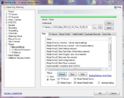 BackupSettings.Pic5.JPG90 KB
 -
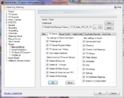 BackupSettings.Pic6.JPG86.1 KB
 -
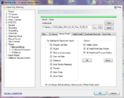 BackupSettings.Pic7.JPG78.6 KB
 -
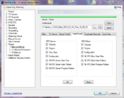 BackupSettings.Pic8.JPG75.9 KB
 -
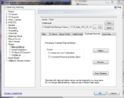 BackupSettings.Pic9.JPG74 KB
 -
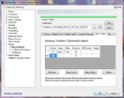 BackupSettings.Pic10.JPG80 KB
 -
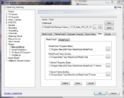 BackupSettings.Pic11.JPG84.1 KB
 -
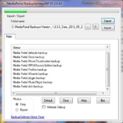 BackupSettings.Pic12.JPG55.6 KB
 -
 BackupSettings.Pic13.JPG74.2 KB
Last edited by a moderator:
