PowerControl plugin v1.2.0 for MediaPortal 1.2.0 and higher | Page 2

Discussion in 'MediaPortal 1 Plugins' started by Micropolis, August 29, 2010.

  1. technick Portal Pro

    Re: PowerControl plugin for MediaPortal v0.3.0

    Thanks for the job on GUI, I make a copy in Steamed MP folder and it work fine. But for your information the wakup of my ubuntu server don't work. I use WOL - Magic Packet Sender, same IP, same MAC, protocol UDP port 9 and my server start.
    • Team MediaPortal

    Micropolis Thread Starter Development Group

    System Specs
    Re: PowerControl plugin for MediaPortal v0.3.0

    Hello technik,
    by default, PowerControl use port 40000 to wakeup a computer.
    As a workaround, open the mediaportal.xml with editor, define an entry "NetworkDeviceWakeupPort" in the PowerControl section and give it the value "9". Please be aware, that this is a global setting, if you have different devices with different wakeup ports, it is required to enhance the configuration dialog.

    Cheers, Micropolis
  2. technick Portal Pro

    Re: PowerControl plugin for MediaPortal v0.3.0

    Hello, it sound like a bug ;-) I made your modification but it don't work, I make others tests and I just discover something else : If I go to the last right icon of my server it work, if I use the menu it don't work. I need now to re-test with your default port, I think it will work. It seem to be just a bug in the menu.

    Edit :
    Tested with the default config, it work if I use the icon, definitively just a menu bug.
    • Team MediaPortal

    Micropolis Thread Starter Development Group

    System Specs
    Re: PowerControl plugin for MediaPortal v0.3.0

    Hi technick,
    thx for your finding. I want to check this possible problem tomorrow and upload a new version immediately.

    Cheers, Micropolis ;-)
    • Team MediaPortal

    Guzzi Retired Team Member

    System Specs
    AW: PowerControl plugin for MediaPortal v0.3.0

    Hi Micropolis,

    would you mind supplying the source code as well?
    I am currently working on integration WOL support in another plugin and would be interested in the code for "Alive check" - would save me the efforts to reinvent the wheel ... ;-)
    Thanks, Guzzi
    • Team MediaPortal

    Micropolis Thread Starter Development Group

    System Specs
    Re: PowerControl plugin for MediaPortal v0.3.0

    Hi technick,
    I've made some double checks today and I cannot reproduce this issue.
    Maybe the problem is located in your configuration or (currently) not supported non-windows remote systems. If I have enough time, I want to introduce Linux support step by step.

    Hi Guzzi,
    see private message for more information.

    Cheers, Micropolis
  3. Scrounger Portal Pro

    System Specs
    Re: PowerControl plugin for MediaPortal v0.3.0

    Hi Micropolis,

    thanks for the new version.
    Could you please implement a alive check at MP Start in a future version?

    I have created a skin file for StreamedMP and correct the german language files ;)

    pw2


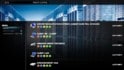
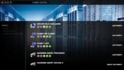
    If someone like to see in every Menu, if your NAS is online or not, just write these lines at the end of your common.time.xml file, before </controls>. Your NAS must be the first Entry in the plugin or you must change the <digit> value.
    Thenn you see the little status flag / status icon right of your clock in all menus (look at the Screenshot above)
    Power Control StreamedMP

    Skin Files are included in the actual Version of StreamedMP-1.4.2.2136
    • Like Like x 3
    • Team MediaPortal

    Micropolis Thread Starter Development Group

    System Specs
    Re: PowerControl plugin for MediaPortal v0.3.0

    Hi Scrounger,

    sure, currently I'd see some time critical issues if the alive check starts at MP startup. I'll make some modifications/optimizations here in the next few days and publish a new version asap.

    Cheers, Micropolis ;-)
  4. Scrounger Portal Pro

    System Specs
    Re: PowerControl plugin for MediaPortal v0.3.0

    Great thanks a lot.

    The Shutdown Function doesn't work for me. Which command do you use for shutdown ?

    This works for me over the consol (cmd).

    Could you also implement a new Category: Router with a nice picture, f. e. a fritz!Box and the function / trigger that an pc starts on MP Startup and shutdown on MP close?

    For all Win 7 System User (and Vista?):
    Here is a describtion how you can set your permisions for remote shutdown
    • Team MediaPortal

    Micropolis Thread Starter Development Group

    System Specs
    Re: PowerControl plugin for MediaPortal v0.3.0

    Hi Scrounger,
    PowerControl use the executable file "psexec.exe" to start a command on a remote device locally (means on the device itself). For more informations about command line parameters etc. please use the link in the first post of this thread.
    Category is implemented, the trigger functionality can be realized with the next major version.

    EDIT: As I said before, only windows remote devices are supported yet. If I get help from other community members, it is possible to add support for other operating systems. I can't test this in my environment, because I don't have this equipment.
    A second possibility is to implement an alternative method (e.g. with this tool - thx to joz for his hidden hint), but it needs time. And time is very rare...

    Cheers, Micropolis
    • Like Like x 1

Share This Page

Users Viewing Thread (Users: 0, Guests: 0)

Running the latest version?

V1.3.0 FINAL - released March 2013
Releasenews | Download
Changelog
 | Requirements
HTPC
Team-MediaPortal
 
About
Contact |  Press
Partners