Windows UpdateControl plugin v1.2.0 for MediaPortal 1.2.0 and higher

Discussion in 'MediaPortal 1 Plugins' started by Micropolis, August 15, 2010.

    • Team MediaPortal

    Micropolis Development Group

    System Specs
    Here it is, a MediaPortal plugin to show, search, download and install windows updates!

    Highlights:
    • show installed updates
    • search for available updates using different search options
    • download and install available updates
    • open knowledge base articles in your favorite browser
    Installation:
    • download and start the installer file "UpdateControl.mpe1" from the download repository
      or
    • download and extract the attached file "UpdateControl.zip" from this post and copy all required files to your MediaPortal directory manually (see manual below for detailed instructions)
    Skin Support:
    • Blue3
    • StreamedMP
    • PurevisionHD family
    • Black Glass family
    • Maya
    • Titan
    Language Support:
    • german, english, dutch (thx to powermarcel10)
    Latest Changes (for a detailed version history, please consult the attached manual):
    • v1.0.4 - bugfix for available update selection functionality
    • v1.0.5 - source maintenance, cumulative updates
    • v1.1.0 - major source maintenance
    • v1.1.1 - minor improvements for MediaPortal v1.3.0, skin changes
    • v1.2.0 - maintenance release

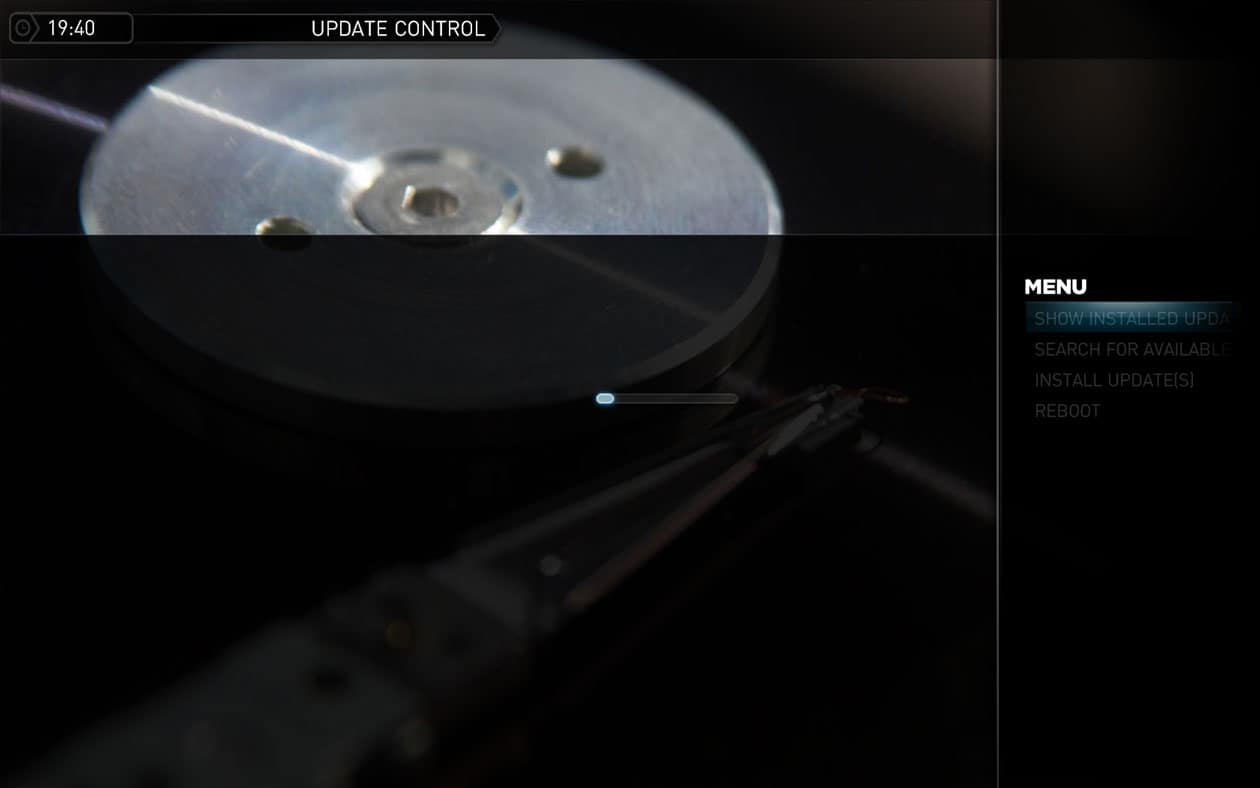
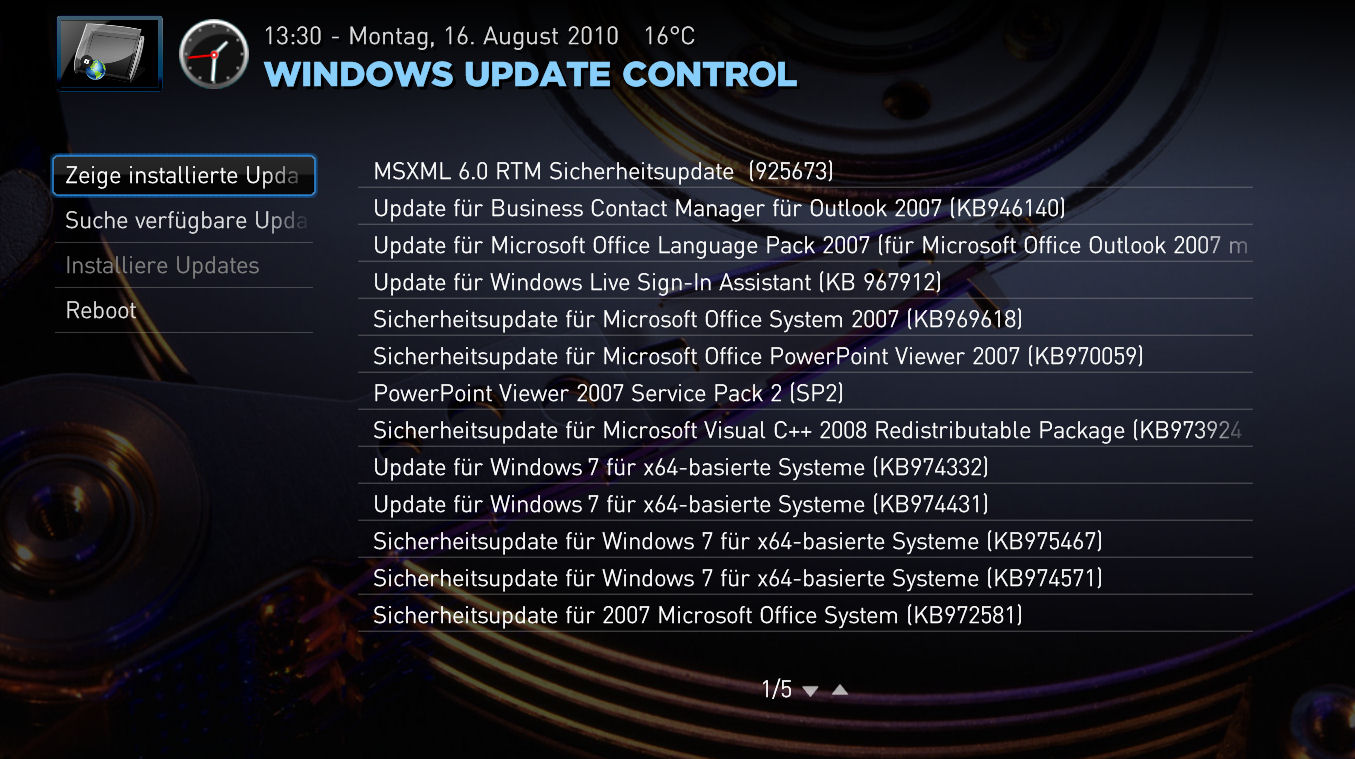
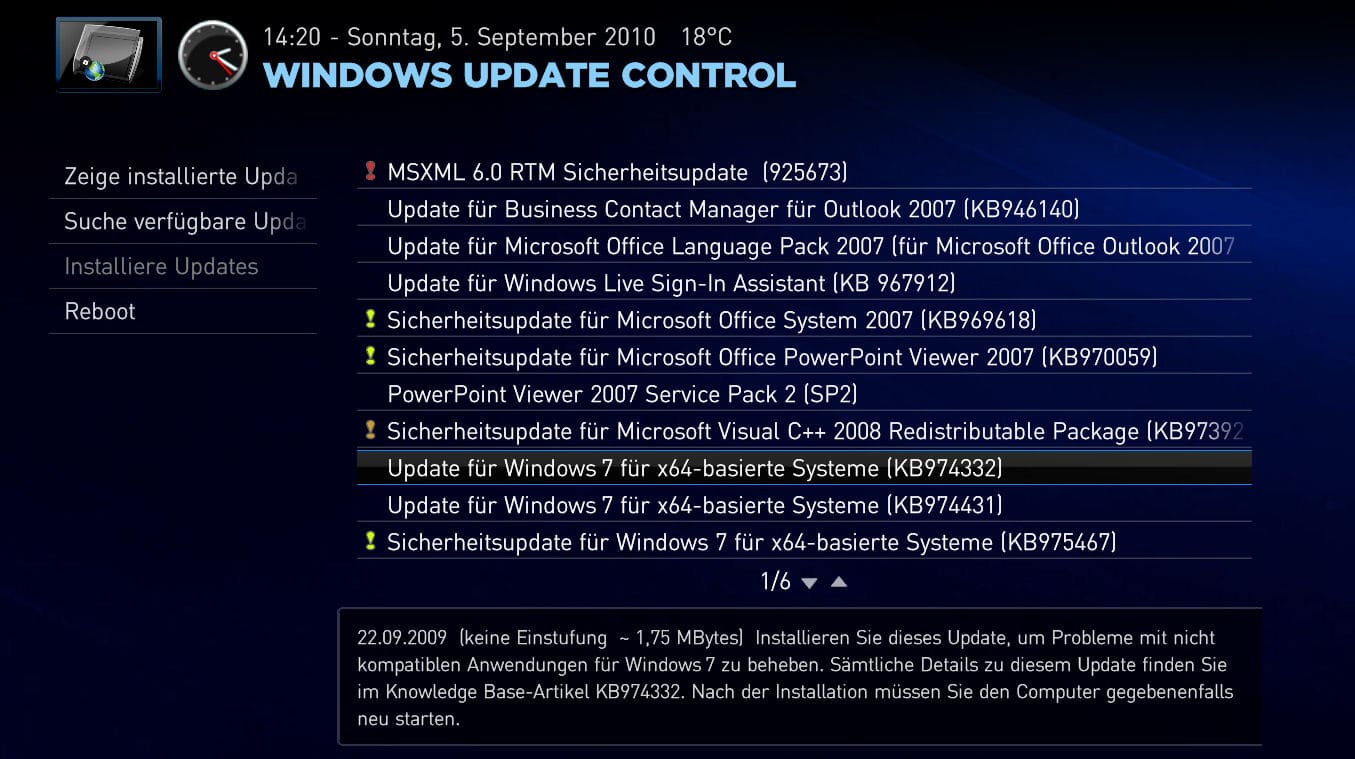
    GUI Screenshots

    This is a stable version and was tested with Windows 7 and Windows 8 only, please report any bugs in this thread, thank you.

    Cheers, Micropolis ;-)

    Attached Files:

    • Like Like x 8
  1. joz Portal Pro

    Re: Windows UpdateControl plugin for MediaPortal v0.3.0

    Nice addition again Alex, :D a lot

    Just skinned it for streamedmp

    p.s.
    The skin relies on a non standard background for streamedmp. I use this also in my HTPCInfo skin files, so if you use those you are good otherwise you need to edit the xml and change the background.

    Attached Files:

    • UpdateControl.xml
      File size:
      6 KB
      Uploaded:
      August 15, 2010
      Views:
      105
    • 19-40-14
      19-40-14.jpg
      File size:
      49.1 KB
      Uploaded:
      August 15, 2010
      Views:
      200
    • 19-40-36
      19-40-36.jpg
      File size:
      109.5 KB
      Uploaded:
      August 15, 2010
      Views:
      293
    • Like Like x 1
    • Team MediaPortal
    • Administrator

    catavolt Design Group Manager

    System Specs
    AW: Windows UpdateControl plugin for MediaPortal v0.3.0

    Hi Alex, :D for this new helpful plugin.
    Screenshot and xml for PureVisionHD attached :D

    Attached Files:

    • UpdateControl.xml
      File size:
      3 KB
      Uploaded:
      August 16, 2010
      Views:
      65
    • Image1
      Image1.jpg
      File size:
      204.3 KB
      Uploaded:
      August 16, 2010
      Views:
      203
    • Like Like x 1
  2. ScRePt Portal Pro

    System Specs
    Re: Windows UpdateControl plugin for MediaPortal v0.3.0

    Nice idea!!! thanks for your effort!
  3. joz Portal Pro

    Re: Windows UpdateControl plugin for MediaPortal v0.3.0

    Got a little question;

    What do the notifications display? Does the plugin autocheck say once a day for new updates and am I able to show somewhere in the skin that there are windows updates available?
    That would be really cool!

    Just not too sure about what the difference is between the notifications and the confirmations (last one I guess is the popup that displays when you have done a search for example?!)
    • Team MediaPortal

    Micropolis Thread Starter Development Group

    System Specs
    Re: Windows UpdateControl plugin for MediaPortal v0.3.0

    Hi joz,
    notification dialogs comes up, if this plugin want inform you, e.g. "10 updates available." or "Cannot retrieve update list. Error code: 0815." Confirmation dialogs are used, to get an final feedback about a planned action, e.g. ""1 update(s) available. Install these updates?" or "A reboot is required to install updates. Continue?".
    Currently you have the option to run a silent update at startup. After the search phase (which process in background), you can display the update count using the property #UpdateControl.AvailableUpdateCount. Now, if you have switch on the option "Show confirmation dialogs", the plugin will ask you and you can decide to start or stop the installation, otherwise available updates are installed in background.
    Hopefully it's a good explanation.

    Cheers, Micropolis ;-)
    • Team MediaPortal

    Micropolis Thread Starter Development Group

    System Specs
    Windows UpdateControl plugin for MediaPortal v0.3.5

    Dear community,
    the updated version v0.3.5 of this plugin is ready for downloading.

    Informations for users:
    • list sensitive properties added
    • severity images added

    Informations for skinners:
    • If you want to display the new properties, skin changes are required. For a list of new properties, please consult the attached manual.

    Cheers, Micropolis ;-)
    • Like Like x 2
    • Team MediaPortal
    • Administrator

    catavolt Design Group Manager

    System Specs
    AW: Windows UpdateControl plugin for MediaPortal v0.3.5

    Hi Alex, :D for the update. Added the additional properties and images (see screenshots).
    Please find attached the xmls for PureVisionHD and PureVisionHD Blue :D

    Attached Files:

    • Like Like x 1
  4. Scrounger Portal Pro

    System Specs
    Re: Windows UpdateControl plugin for MediaPortal v0.3.5

    Hey Mircopolis,

    thanks for this great plugin. I have been looking for such a plugin for years.

    One Question:
    Is it possible to select or deselect any updates? If not, could you please implement this in a future version?

    Edit:
    I updated joz StreamedMP xml files:
    Updatecontrol_streamedMP Updatecontrol_streamedMP_2

    Anyone knows which visible condition i need to hide the ( ~ ) in searching mode ?

    Attached Files:

    • Like Like x 1
    • Team MediaPortal

    Micropolis Thread Starter Development Group

    System Specs
    Re: Windows UpdateControl plugin for MediaPortal v0.3.5

    Hi Scrounger,
    currently all updates are handled as one download stream, because of this you don't have the possibility to select/deselect updates.
    Maybe later, if I understand the mysterious API of Windows Update better and find a working solution based on a MediaPortal standard control, this functionality can be included.

    Regarding your condition question: use <visible>string.equals(#UpdateControl.UpdateTitle, )</visible>

    Cheers, Micropolis ;-)

Share This Page

Users Viewing Thread (Users: 0, Guests: 0)

Running the latest version?

V1.3.0 FINAL - released March 2013
Releasenews | Download
Changelog
 | Requirements
HTPC
Team-MediaPortal
 
About
Contact |  Press
Partners