Bug? in Plugins menu (1 Viewer)

Holzi

Super Moderator
  • Team MediaPortal
  • April 21, 2010
    7,934
    2,235
    Ba-Wü
    Home Country
    Germany Germany
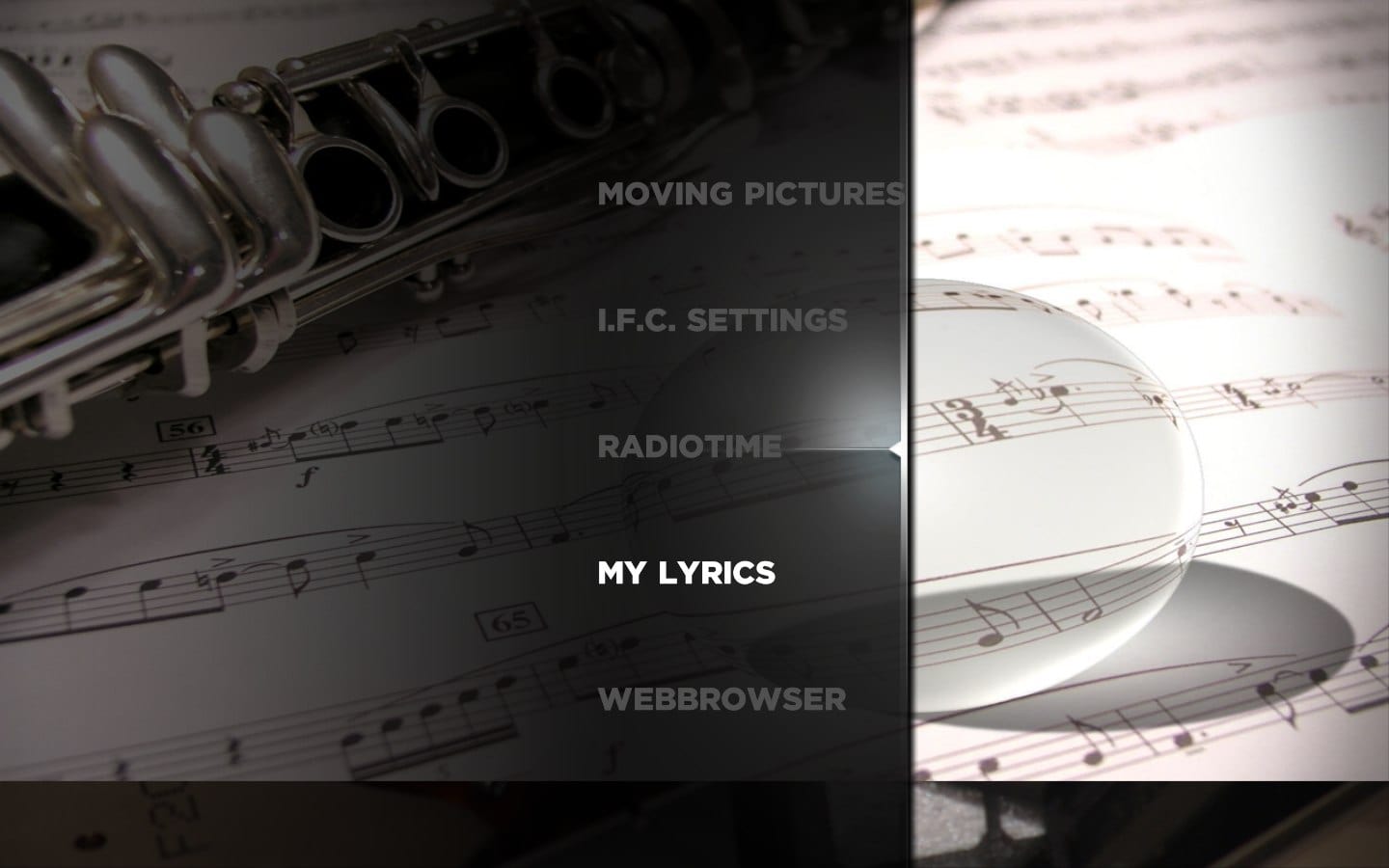
    If i scroll up and down in the plugin menu the selected item is not the one in the middle. (see screenshot)
    Is this intended? Would be better if it works like in the basichome menu.
     

    Attachments

    • plugins.jpg
      plugins.jpg
      123.2 KB

    ltfearme

    Community Plugin Dev
  • Premium Supporter
  • June 10, 2007
    6,755
    7,200
    Sydney
    Home Country
    Australia Australia
    Its a setting in MediaPortal I believe.

    Try playing with the setting in Configuation->Plugins->Home->"Fix Scroll Bar"
     

    ltfearme

    Community Plugin Dev
  • Premium Supporter
  • June 10, 2007
    6,755
    7,200
    Sydney
    Home Country
    Australia Australia
    A few ppl have experienced this in the past and I remember something to do with that setting...I also remember it being a bit buggy as well.
     

    Holzi

    Super Moderator
  • Team MediaPortal
  • April 21, 2010
    7,934
    2,235
    Ba-Wü
    Home Country
    Germany Germany
    • Thread starter
    • Moderator
    • #5
    To enable the "Fix Scroll Bar" setting works. Thanks! =)
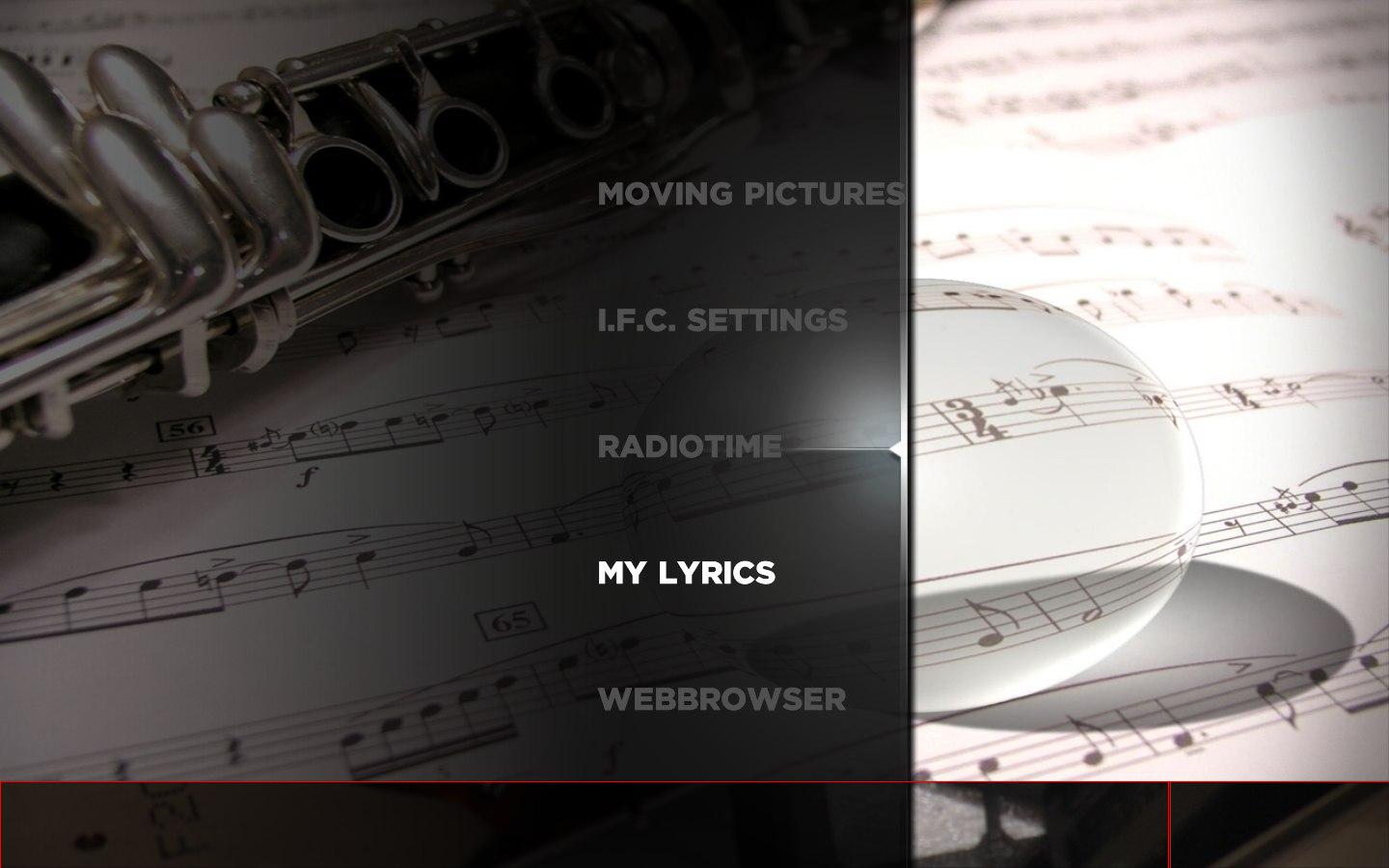
    But there's still something wrong with the hover_....jpg. It changes if I scroll through the plugin list, but not on the lower edge of the picture. See the red box on the attached screenshot. Clearing the skin cache doesn't work. =(
     

    Attachments

    • plugins1.JPG
      plugins1.JPG
      102.7 KB

    ltfearme

    Community Plugin Dev
  • Premium Supporter
  • June 10, 2007
    6,755
    7,200
    Sydney
    Home Country
    Australia Australia
    Thats because of your resolution/scaling. Works fine on 1920x1080 and 1280x720, however I will set the image to scale so no matter what resolution/scaling options set it will ignore aspect ratio.
     

    Holzi

    Super Moderator
  • Team MediaPortal
  • April 21, 2010
    7,934
    2,235
    Ba-Wü
    Home Country
    Germany Germany
    • Thread starter
    • Moderator
    • #7
    Thanks for your quick reply! Really nice support!! =)
    Had something about a resolution problem in mind. I dont always connect the laptop to my FULL HD LCD.
     

    Users who are viewing this thread

    Similar threads

    Thanks CyberSimian, will give it a try!
    Thanks CyberSimian, will give it a try!
    I have recently installed mediaportal 1 and all is working fine, however I would like the startup page to be the TV guide. I guess...
    Replies
    2
    Views
    2K
    Hi This is a general question about OnX. I have been using the TvWishList plugin for a while and have recently updated (update install) from MP 1.36 x86 to 1.37 x86 and found there seemed to be no Onx menu in the TV guide. I then configured the onx.presets.xml file like I would normally do with updates or fresh installs, but still...
    Hi This is a general question about OnX. I have been using the TvWishList plugin for a while and have recently updated (update...
    Hi This is a general question about OnX. I have been using the TvWishList plugin for a while and have recently updated (update...
    Replies
    0
    Views
    612
    maybe setting loglevel to debug might pinpoint the difference between normal and stuck? Preferable with as much disabled as possible also try to see if anything is happening during stuck for the mediaportal process(resource monitor, disk activity, cpu usage, anything) maybe other programs competing for resouces?
    maybe setting loglevel to debug might pinpoint the difference between normal and stuck? Preferable with as much disabled as...
    Since over a year my MP sometimes stucks while showing the welcome screen. It started once a week now it happens every second time...
    Replies
    4
    Views
    793
    Are the media/video folders on the Mint host?
    Are the media/video folders on the Mint host?
    I've used Mediaportal for years on a Windows Host with restricted online-access. Lately I reinstalled...
    Replies
    1
    Views
    527
    It is present, but not with that name. It is called Scheduler, viz: Interesting. I had never noticed that when the "command" is "ACTION", the "cmdproperty" is the actual window id, but it makes sense that it is. Try this for yourself. First backup your working profile for the remote, then in the "Mapping" panel make a change to...
    It is present, but not with that name. It is called Scheduler, viz: Interesting. I had never noticed that when the "command" is...
    I would like to be able to go directly to the Scheduled recordings window without having to first go to the home menu. I saw this...
    Replies
    1
    Views
    1K
    Top Bottom