- October 18, 2011
- 4
- 0
Hello folks,
I am experimenting with MP on a Vista machine with Nvidia 7300GS.
For MP I want to use my CRT TV. TV-Out works fine. Currently I have two monitors enabled (one is the TV), but I can not find the settings to select the screen for MP.
I found this info in the Wiki - but either I'm doing something wrong or it's outdated.
Can I run MediaPortal properly on a secondary display?
MediaPortal can in most cases run properly on a secondary display.
This can be configured in the Configuration > General by selecting "use screen selector" and setting the appropriate screen in the selection box afterwards.
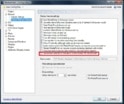
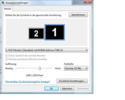
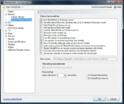
I did attach a screeenshot of my settings and configuration screen.
Anybody any input.
Regards.
WorstCases
I am experimenting with MP on a Vista machine with Nvidia 7300GS.
For MP I want to use my CRT TV. TV-Out works fine. Currently I have two monitors enabled (one is the TV), but I can not find the settings to select the screen for MP.
I found this info in the Wiki - but either I'm doing something wrong or it's outdated.
Can I run MediaPortal properly on a secondary display?
MediaPortal can in most cases run properly on a secondary display.
This can be configured in the Configuration > General by selecting "use screen selector" and setting the appropriate screen in the selection box afterwards.
I did attach a screeenshot of my settings and configuration screen.
Anybody any input.
Regards.
WorstCases
 United States of America