- February 19, 2011
- 8
- 0
- Home Country
-
 England
Hello
I'm new to MP and the forum so I hope I'm doing this properly.
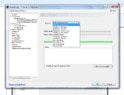
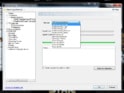
I've recently purchased a media centre PC which I'm having a bit of a nightmare setting up. I've finally got MP running smoothly, with the major exception of the TV card, which I can't get any channels on at all. The system detects the card, but in TV Server Configuration I can't choose my home country (GB) - my options are, inexplicably, limited to Austria; Germany; and Slovenia! I don't seem to have the option of an 'advanced tune' setting, and the config screen that I see differs from that on the MP site (mine says "service" instead of "country", for instance).
The signal comes from a relatively new wideband aerial that - when it was plugged into my TV directly - picked up every UK freeview channel in very good quality. I've tried plugging in both the wideband aerial's RF output and the tiny indoor antenna provided with the card, but neither detects anything.
It might be relevant that when the PC came the card wasn't detected at all at first - I had to take the top of the case off and push the card firmly into place before it was detected.
I've attached screen grabs that I think might be relevant, together with my logs, which probably aren't.
I'm running Windows 7 on a brand new "Cube 247 Proxima GT3" media centre (4GB RAM, Intel ATOM 1.6, NVIDIA graphics). The card is a PEAK 103906AGPK DVB-T PCI Card.
Any help (particularly help that's massively dumbed-down!) would be massively appreciated.
Cheers
I'm new to MP and the forum so I hope I'm doing this properly.
I've recently purchased a media centre PC which I'm having a bit of a nightmare setting up. I've finally got MP running smoothly, with the major exception of the TV card, which I can't get any channels on at all. The system detects the card, but in TV Server Configuration I can't choose my home country (GB) - my options are, inexplicably, limited to Austria; Germany; and Slovenia! I don't seem to have the option of an 'advanced tune' setting, and the config screen that I see differs from that on the MP site (mine says "service" instead of "country", for instance).
The signal comes from a relatively new wideband aerial that - when it was plugged into my TV directly - picked up every UK freeview channel in very good quality. I've tried plugging in both the wideband aerial's RF output and the tiny indoor antenna provided with the card, but neither detects anything.
It might be relevant that when the PC came the card wasn't detected at all at first - I had to take the top of the case off and push the card firmly into place before it was detected.
I've attached screen grabs that I think might be relevant, together with my logs, which probably aren't.
I'm running Windows 7 on a brand new "Cube 247 Proxima GT3" media centre (4GB RAM, Intel ATOM 1.6, NVIDIA graphics). The card is a PEAK 103906AGPK DVB-T PCI Card.
Any help (particularly help that's massively dumbed-down!) would be massively appreciated.
Cheers