
 Germany
- Moderator
- #661
I don´t use that functions, at least not with Fanart propertiesNo fanart in Basic Home (random) and Pictures plugin (#fanarthandler.picture.backdrop.selected)


I don´t use that functions, at least not with Fanart propertiesNo fanart in Basic Home (random) and Pictures plugin (#fanarthandler.picture.backdrop.selected)
Understandably ...I don´t use that functions, at least not with Fanart properties

Also it works great in My Videos.It works flawlessly in TVseries plugin.
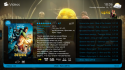
... and in MovingPictures as well (if the skin used supports it)Also it works great in My Videos.
Hmmmm... I'm using Titan skin, a little modified but basically it's the same...... and in MovingPictures as well (if the skin used supports it)
<control>
  <description>Studio Logo</description>
  <type>image</type>
  <id>0</id>
  <width>120</width>
  <height>60</height>
  <texture>Logos\studios\#MovingPictures.SelectedMovie.extra.studios.1.png</texture>
  <keepaspectratio>yes</keepaspectratio>
</control>And I should put this in movingpictures.xml? Or is it in details view?I use this control for MovPic:
XML:<control> <description>Studio Logo</description> <type>image</type> <id>0</id> <width>120</width> <height>60</height> <texture>Logos\studios\#MovingPictures.SelectedMovie.extra.studios.1.png</texture> <keepaspectratio>yes</keepaspectratio> </control>
Put it where you want to see itAnd I should put this in movingpictures.xml? Or is it in details view?
