- April 1, 2015
- 5
- 0
- 74
- Home Country
-
 United States of America
I am a total beginner at this, so it is entirely possible I made some basic mistakes.
I paid for the Schedules Direct service. My tuner is the Silicon Dust HDHomeRun Extend HDTC-2US (OTA antenna).
First I tried setting up the TV Server to use XmlTv. I was able to get some guide data to appear. After looking around,
I saw the SchedulesDirect Guide Importer plugin and installed SchedulesDirectPlugin-1.11.0.2.mpe1. I used TV Server Configuration / Manual Control to Stop Service. Then I went to the Plugins header and unchecked XmlTv and checked
SchedulesDirect EPG Client. I started the TV service again. I filled in the Schedules Direct username and password.
I went to the Advanced Options tab and checked Force full guide update on TvService startup. I went to Manual Control and stop / started TV Service again.
I started MediaPortal and the guide says No data in most entries. I couldn't seem to get the SchedulesDirectPlugin
to work, so I figured go back to XlmTv. I switched the Plugin and checked XmlTv instead. I did the Manual Control
Stop / Start sequence. When I changed a mapping and pressed Save, it said mapping saved. When I hit OK, it closes
the TV server config program. I started TV Server Config again and the mapping changes I made were no longer there.
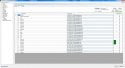
I am attaching a zip of the TV Server log folder, a Schedules Direct listing of channel info and a couple screen captures
of the XmlTv mapping screen.
Sorry if my writeup isn't the greatest. I am disabled and sometimes it hurts.
Please let me know if I can provide any more information.
I paid for the Schedules Direct service. My tuner is the Silicon Dust HDHomeRun Extend HDTC-2US (OTA antenna).
First I tried setting up the TV Server to use XmlTv. I was able to get some guide data to appear. After looking around,
I saw the SchedulesDirect Guide Importer plugin and installed SchedulesDirectPlugin-1.11.0.2.mpe1. I used TV Server Configuration / Manual Control to Stop Service. Then I went to the Plugins header and unchecked XmlTv and checked
SchedulesDirect EPG Client. I started the TV service again. I filled in the Schedules Direct username and password.
I went to the Advanced Options tab and checked Force full guide update on TvService startup. I went to Manual Control and stop / started TV Service again.
I started MediaPortal and the guide says No data in most entries. I couldn't seem to get the SchedulesDirectPlugin
to work, so I figured go back to XlmTv. I switched the Plugin and checked XmlTv instead. I did the Manual Control
Stop / Start sequence. When I changed a mapping and pressed Save, it said mapping saved. When I hit OK, it closes
the TV server config program. I started TV Server Config again and the mapping changes I made were no longer there.
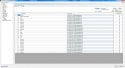
I am attaching a zip of the TV Server log folder, a Schedules Direct listing of channel info and a couple screen captures
of the XmlTv mapping screen.
Sorry if my writeup isn't the greatest. I am disabled and sometimes it hurts.
Please let me know if I can provide any more information.