LAV - Intel quick sync | Page 2

Discussion in 'Codecs, External Players' started by VdR, April 3, 2012.

  1. dyamant Portal Pro

    System Specs
  2. mastix New Member

    Hey,

    you're right... that did the trick!!! I actually had that installable on my machine, but didn't install it since it told me that I have installed the latest version already... :)

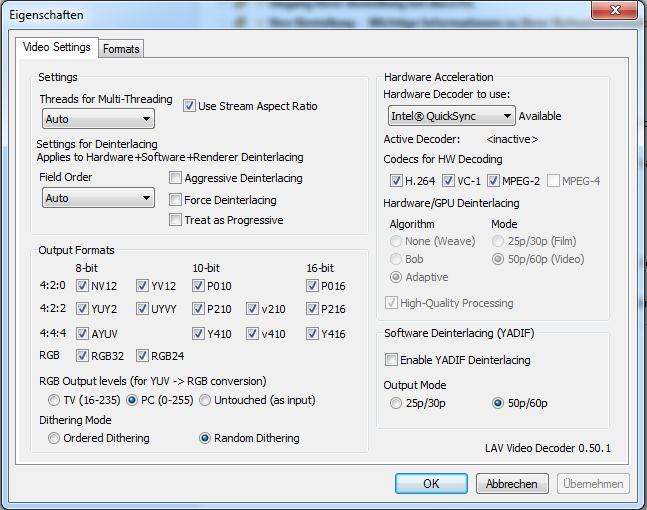
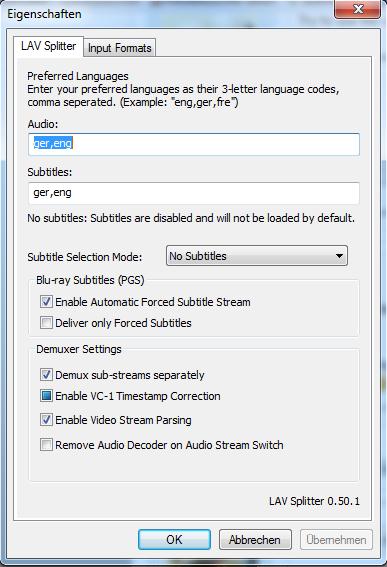
    So you think my LAV settings are OK? What about the LAV splitter settings? Anything that I have to take care of? I'm kind of a noob when it comes to MP and its codecs... :)
  3. dyamant Portal Pro

    System Specs

    Attached Files:

  4. mastix New Member

    Cool stuff... Thank you very much in advance/Schonmal vielen Dank! :) Will try that...

    Viele Grüße,

    mastix
    • Team MediaPortal
    • Administrator

    Paranoid Delusion Moderation Manager

    System Specs
    The only thing I would suggest changing is the "keep stream aspect ratio", I would disable that, otherwise MP's players zoom modes do not work correctly.
  5. mastix New Member

    Hi guys,

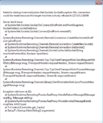
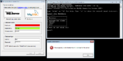
    I've replaced the file your have mentioned... and when I tried to test it, MP told me that the connection to the TV server got lost... When I now try to start the TV Server Config, I get an error message telling me that it can not connect to the TV service. (see 1st screenshot)

    Selection_059

    Unfortunately I did not backup my old file... does anyone have the original MP 1.2.3 tsreader file, so I can check if this was the reason for the TV server not to start anymore?

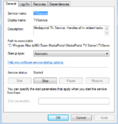
    TV Service is up and running.

    Selection_060

    I'm connecting to localhost, so the FW shouldn't be the issue (worked before and also does not work when FW is switched off).

    All other thread didn't help me... they're saying something about renaming *.exe to *.config (and this is already the case in my installation).

    Any idea? Do you think that the tsreader caused this?
  6. mastix New Member

    Turns out that somehow my db connections got messed up... still weird. Can connect with the mysql command line tool... How could this have happened?! Hosts file look fine...

    Selection_061
  7. mastix New Member

    Update: MySQL Issue is fixed (some Windows Update might have messed up my hosts file). TV Service still does not start and shows the message that I've posted earlier... :(

    Uninstalled everything completely... incl. MySQL... that's weird... it still does not work... I think it's about time to reinstall Windows... :( First I'm gonna try to install a loopback adapter... maybe that helps...

    I've opened an extra thread for that, since it has nothing to with the LAV filters now: http://forum.team-mediaportal.com/t...l-there-after-a-fresh-windows-install.107653/
    • Premium Supporter

    RicoHTPC MP Donator

    System Specs
    After setting up my system completely new I installed lav and used it for both sd and hd tv with intel quick sync
    acceleration enabled and I must say was really satisfied with the result.
    But I've got another 10' Display for mpdisplay ++ and together with that it seems that the cpu/gpu load is
    rising quite a bit at least I hear the cpu cooler fan now and then which I've never heard before.
    Beyond that I had some dropped frames at sd and hd content.
    Unfortunately I couldn't do tests so far to check the cpu load with the different codecs or
    hardware acceleration but I will do the next days.
    For now it seems to me that disabling hardware acceleration completely gives the best compromise.
    • Team MediaPortal
    • Administrator

    Paranoid Delusion Moderation Manager

    System Specs

Share This Page

Users Viewing Thread (Users: 0, Guests: 0)

Running the latest version?

V1.3.0 FINAL - released March 2013
Releasenews | Download
Changelog
 | Requirements
HTPC
Team-MediaPortal
 
About
Contact |  Press
Partners