
You are using an out of date browser. It may not display this or other websites correctly.
You should upgrade or use an alternative browser.
You should upgrade or use an alternative browser.
LCARS Wide (16:9) (1 Viewer)
- Thread starter catavolt
- Start date
- April 19, 2009
- 64
- 3
- Home Country
-
 Canada
This skin is FREAKING AMAZING!
Now I want a touchscreen TV. The second I started MP with this skin runing I had an urge to get up try try pressing buttons on my toshiba.
Now I want a touchscreen TV. The second I started MP with this skin runing I had an urge to get up try try pressing buttons on my toshiba.

Hi
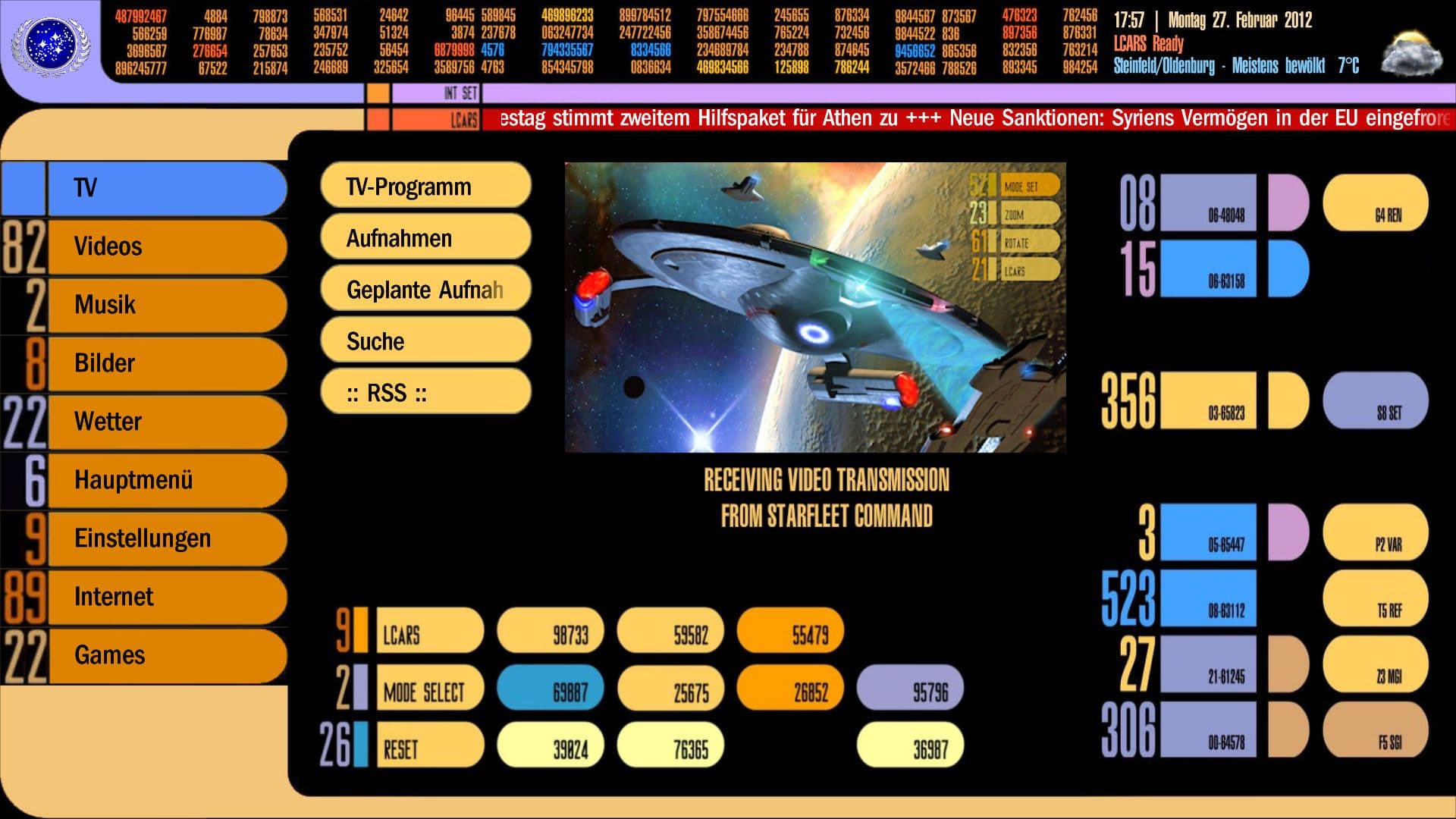
I like to show some mods I've done. I've downloaded and installed "real" LCARS font. Then I had to integrate this in fonts.xml After that I alter common.time.xml and common.window.xml to use new Font. Some slight position change is required to fit completely. And I've integrated actual weather conditions from WorldWeather plugin in Basic Home. To get this working you need to alter Basichome.xml. At the bottom of file just above the closing tags:
you have to add a line:
After doing all those changes it's recommended to clear skin cache. Then your BasicHome looks like the attached screenshot.
ATM I'm working on integrating WOLPowerManger in BasicHome to see the state of "Spock" and "Kirk" in BasicHome.
I like to show some mods I've done. I've downloaded and installed "real" LCARS font. Then I had to integrate this in fonts.xml After that I alter common.time.xml and common.window.xml to use new Font. Some slight position change is required to fit completely. And I've integrated actual weather conditions from WorldWeather plugin in Basic Home. To get this working you need to alter Basichome.xml. At the bottom of file just above the closing tags:
Code:
  </controls>
</window>
Code:
<import>common.weather.xml</import>ATM I'm working on integrating WOLPowerManger in BasicHome to see the state of "Spock" and "Kirk" in BasicHome.
Attachments

- Thread starter
- Moderator
- #94
Hi Claus, the delivered font is near the original font, just a bit wider because of readability in menus and screens 
I do have the original font here as well but it is nearly unreadable in menus etc. In your screenshot it is very difficult to read your home town in the weather forecast.
I do have the original font here as well but it is nearly unreadable in menus etc. In your screenshot it is very difficult to read your home town in the weather forecast.
Hi.
There is not a single font in LCARS fonts dir. That's the reason why I decide to download LCARS font myself. Did the installation went wrong?
Edit... Grab font from inside mpe1 file. installed is but it's still not used (after clearing cache, ofc)
There is not a single font in LCARS fonts dir. That's the reason why I decide to download LCARS font myself. Did the installation went wrong?
Edit... Grab font from inside mpe1 file. installed is but it's still not used (after clearing cache, ofc)
Hi.
I've installed LCARS from scratch. Now Font is there but still did not get me the LCARS Feeling I expect. So I decided to stay at the original font....
The original font is readable easily on my Full HD display.
I've installed LCARS from scratch. Now Font is there but still did not get me the LCARS Feeling I expect. So I decided to stay at the original font....
The original font is readable easily on my Full HD display.
- Thread starter
- Moderator
- #97
- Thread starter
- Moderator
- #98
Hi Crew,
here some screenshots with the original font LCARSGTJ3.
For me it is nearly unreadable (on PC Monitor and on my Philps 42PFL8404).
Comments please
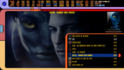
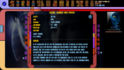
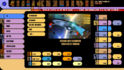
here some screenshots with the original font LCARSGTJ3.
For me it is nearly unreadable (on PC Monitor and on my Philps 42PFL8404).
Comments please
Hi.
Thanks for new Worldweather skin files.
About LCARS Font. Maybe it's about real resolution. My Screens are much easier to read then yours. I'm running the System at 1920x1080 Pixel. IMHO the mod I've done gives me more Trekkie- feeling without notable difficulties as it comes to reading. BTW the fonts we're using seems to be a bit different LCARSGTJ3 vs LCARS.
Nevertheless I need this font as I will integrate WOLPowerManager as an overlay above the graphics on the right of Basic Home. And there the text definitely has to be written in LCARS
Thanks for new Worldweather skin files.
About LCARS Font. Maybe it's about real resolution. My Screens are much easier to read then yours. I'm running the System at 1920x1080 Pixel. IMHO the mod I've done gives me more Trekkie- feeling without notable difficulties as it comes to reading. BTW the fonts we're using seems to be a bit different LCARSGTJ3 vs LCARS.
Nevertheless I need this font as I will integrate WOLPowerManager as an overlay above the graphics on the right of Basic Home. And there the text definitely has to be written in LCARS
- Thread starter
- Moderator
- #100
Hi Crew,
here a new screenshot of BasicHome with restyled main category buttons.
I also renamed the Games button to Holodeck and made some more animations in the info screens.
Hope you like it
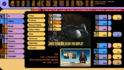
By doing this, I had to move the text on the buttons 90 px to the right and encountered a skin engine issue: The x-offset of the text obviously influences the width of the shown text, it seems that this offset is also applied to the right side of the button, so the text is cut off (as can be seen on the buttons for "Einstellungen" and "Hauptmenü").
In the upcoming version 1.3 of MP this seems to be handled correctly with a "hasMargin" property, but atm I could not find any solution.
I´ll let you know when I know more about this problem
here a new screenshot of BasicHome with restyled main category buttons.
I also renamed the Games button to Holodeck and made some more animations in the info screens.
Hope you like it
By doing this, I had to move the text on the buttons 90 px to the right and encountered a skin engine issue: The x-offset of the text obviously influences the width of the shown text, it seems that this offset is also applied to the right side of the button, so the text is cut off (as can be seen on the buttons for "Einstellungen" and "Hauptmenü").
In the upcoming version 1.3 of MP this seems to be handled correctly with a "hasMargin" property, but atm I could not find any solution.
I´ll let you know when I know more about this problem
Users who are viewing this thread
Online now: 2 (members: 0, guests: 2)