Stuttering in scheduled recordings unless client window is open (TSWriter Continuity error) | Page 7

Discussion in '1.2.x' started by Kent Ohlsson, March 22, 2012.

  1. Kent Ohlsson Thread Starter Portal Member

    System Specs
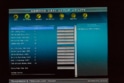
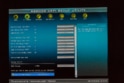
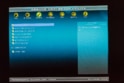
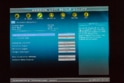
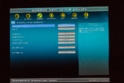
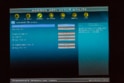
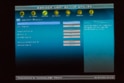
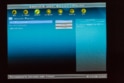
    There might be, there are tons of settings that can be made in ASRock UEFI Setup Utility. However since I'm not sure about what I'm doing, I haven't tried to change everything, just a few of the settings, see previous posts. Here are some screenshots who might be informative to someone more experienced.
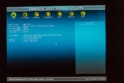
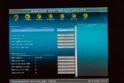
    IMG_4316.jpg IMG_4317.jpg IMG_4318.jpg IMG_4319.jpg IMG_4320.jpg IMG_4321.jpg IMG_4322.jpg IMG_4323.jpg IMG_4324.jpg IMG_4325.jpg IMG_4326.jpg IMG_4316.jpg IMG_4317.jpg
  2. Kent Ohlsson Thread Starter Portal Member

    System Specs
    Just for the record and maybe useful information for someone who's thinking of buying a new ASRock computer...

    ASRock Technical Support Division didn't bother to reply to my support request of March 25.
    Maybe support requests are automatically redirected to /dev/null
    • Team MediaPortal

    Jay_UK Test Group

    System Specs
    Hi there,

    Probably repeating everyone else's post... go through the bios and disable/fix the obvious speed/power management settings - I can see a few obvious ones (which I'm sure you have already tried)

    Have you tried the using something like the "throttlestop" utility?

    J.
  3. Kent Ohlsson Thread Starter Portal Member

    System Specs
    I've created a new set of log files.

    I did this:

    • Started MP Client normally (not in debug mode)
    • Closed VLC Media player (VLC normally running minimized to tray to prevent stuttering)
    • Initiated a recording
    • Closed the client (Now there should be stuttering in the current recording, tswriter complaining)
    • After a while started VLC again minimized
    • Waited yet another while and started the MP client to cancel the recording
    • closed MP client
    • Started MP client in debug mode to generate the zip file for logs

    Attached Files:

  4. Kent Ohlsson Thread Starter Portal Member

    System Specs
    I can try harder. I will go through some more BIOS but not today.

    Personally I already have the cure for my problems. (Running VLC minimized to tray when windows starts) It should be nice though to find the cause of the problems because it's my believe that I'm certainly not alone to have them. I believe most people (with affected systems of course) make recordings while the MP client is active, hence they will never notice it. I also believe there are some people just giving up, maybe trying some other software (which is sad) or just accepts the fact it's not working. It's probably not a problem with MP, I don't believe that but maybe it's a problem that MP could deal with (take care of) and prevent the suspected power saving functions to occur which potentially causes problems for users of MP :) Am I right in my thinking here?
    • Team MediaPortal
    • Administrator

    Paranoid Delusion Moderation Manager

    System Specs
    Hi Kent, the problem seems to be unique, that's why we are all repeating ourselves as to why this is happening.

    Anyway only 1 change I can see required to get the best from your setup from the pictures you posted, that would be restart pc on ac power loss, nothing else seems even remotely relevant.
  5. melstig Portal Pro

    System Specs
    Hi,
    I did not realize that my system spec was gone since the merge to the new forum, sorry for that. :)

    I will try to find the time during eastern to see if the problems are similar on my system.
  6. Kent Ohlsson Thread Starter Portal Member

    System Specs
    OK, thanks again everyone for helping. Let's hope that this is a very unique problem as Ray suggests. From what I've understood the stuttering occurs because of some aggressive, unidentified power saving functions that's specific on my hardware platform/combination of hardware.

    I expect that by some time that more people experiencing the same problem will find this thread and can contribute with reports so that the exact cause of the problem will be revealed.

    Happy Easter holidays everyone! :)
  7. melstig Portal Pro

    System Specs
    I finally did a recordning without the MP Client running, sorry for the delay. I could not see any difference with the client running or not. I upgraded MP to the latest version prior to the recording.
    • Team MediaPortal

    arion_p Development Group

    System Specs
    Intel SpeedStep will definitely cause issues in TVServer. It will lower the CPU frequency depending on CPU usage. But it has some hysteresis which is enough to cause the discontinuities. In the BIOS setup screenshots you posted SpeedStep is enabled.

    IIRC CPU-Z will show you the actual CPU frequency in realtime. You can use that as a monitor, to see if that is your issue.

Share This Page

Users Viewing Thread (Users: 0, Guests: 0)

Running the latest version?

V1.4.0 FINAL - released June 2013
Releasenews | Download
Changelog
 | Requirements
HTPC
Team-MediaPortal
 
About
Contact |  Press
Partners