2BitSculptor's latest activity
-
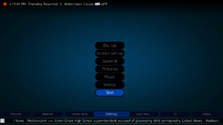
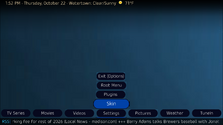
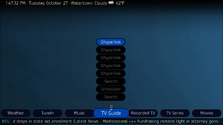
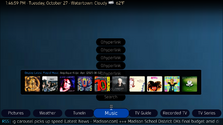
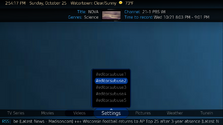
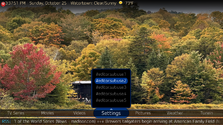
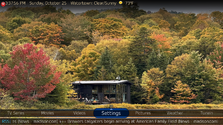
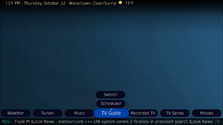
 2BitSculptor replied to the thread New Layout of BasicHome Menu Buttons?.What about rotating the group 180 degrees, and rotate each button another 180, then offset the group posX and posY to the right, above the main menu center to center the group? Looks like I'm...
-
2BitSculptor replied to the thread New Layout of BasicHome Menu Buttons?.First hurdle... how to get the submenu group buttons to read from the bottom, at a position just above the main menu center (like in my first mock-up examples), inverting the original top down...
-
-
2BitSculptor replied to the thread New Layout of BasicHome Menu Buttons?.WELL... I am stuck on this one for DefaultWideHD/OldEyes - stack. I'm going to attempt to mod "Horizon Up" to "Horizon Up - OldEyes" in PureVisionHD 1080....
-
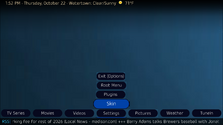
2BitSculptor replied to the thread New Layout of BasicHome Menu Buttons?.I've inserted the Horizon Up theme's "BasicHomeEditor.sub.static.xml" group code into my Old Eyes Stacked2 - test theme's "BasicHomeEditor.sub.text.xml". I removed the frame image and created...
-
-
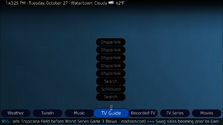
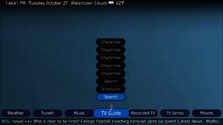
2BitSculptor replied to the thread New Layout of BasicHome Menu Buttons?.Beginning to get my thoughts into code. Using parts of the Horizon Up theme from the PurevisionHD 1080 skin. It's just a layout idea for my OldEyes-Stack theme, I haven't figured out displaying...
-
-
An aerial amplifier can boost only the signal that it receives as input. If the signal already has drop-outs caused by atmospheric conditions corrupting the signal, the aerial amplifier cannot...
-
2BitSculptor replied to the thread TV aerial alignment.I just assumed I'd need an amplifier for my rooftop aerial (broadcasters are 45-60 miles away, both east and west) and have never checked strength or quality without one. I've never had any issues...
-
This already in PVHD, theme Horizon Up ;) Maybe we could possibly consider that for DWHD as well ;)
-
I'm looking at messing with the Old Eyes theme for DefaultWideHD. I'd like to create a new Layout in the skin editor, maybe called "Horizontal text - Stack", that uses stacked buttons for the sub...
-
-
2BitSculptor replied to the thread rename BasicHome button for Videos.I'm Sorry, I don't see it in the View list.
-
-
2BitSculptor replied to the thread rename BasicHome button for Videos.I have already done that, I prefer the Shares View I get in Videos. I do not know how to add Shares View to mvCentral.
-
2BitSculptor replied to the thread rename BasicHome button for Videos.I do not know how to go about doing that. I'm overly cautious. :eek:
-
2BitSculptor replied to the thread rename BasicHome button for Videos.I do. That's why I use Shares View in Music. :cool: I have all my AlbumArtists each in their own folder, as well, with each of their albums in sub-folders. I only use List Views for my media...
-
2BitSculptor replied to the thread rename BasicHome button for Videos.mvCentral does not allow me what I prefer ... no Shares View :( (I also prefer using Shares View in Music, for the same Reason) so I can keep my movie soundtracks separate from my TVshow...
-
-
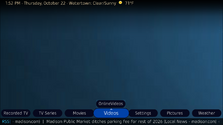
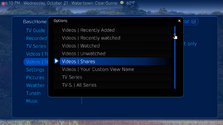
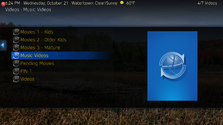
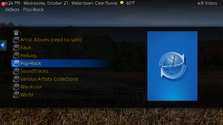
I'd like to rename my BasicHome buttons (DefaultWideHD, MP 1.39.0) for Videos to be able to have 2 buttons for two separate views. First change "Videos | Name" to "Movies"; and then change "Videos...