CyberSimian's latest activity
-
 CyberSimian reacted to doskabouter's post in the thread First line of TV subtitles not displaying at top with.that pointed me indeed to the correct area and am seeing subtitles in recorded tv! and indeed the top line is missing
-
CyberSimian replied to the thread First line of TV subtitles not displaying at top.I have that set to Disabled, but I still see subtitles for the test file located in "Videos". I think that for certain files (TS files, but perhaps others too), the player must decide to use the...
-
CyberSimian replied to the thread First line of TV subtitles not displaying at top.Varying the subtitle settings shows that the file contains Teletext subtitles, and not DVB subtitles. -- from CyberSimian in the UK
-
CyberSimian replied to the thread First line of TV subtitles not displaying at top.I have now tried VLC, and agree that there are subtitle lines missing from the MP screens. :( Do you know whether the subtitles are DVB or Teletext? -- from CyberSimian in the UK
-
CyberSimian replied to the thread First line of TV subtitles not displaying at top.I also created a placeholder xml file using another recording as a model, but "TV Server Config" would not list it on the "Import" tab, so not possible to add it to the database. However... The...
-
CyberSimian reacted to RiverFilth's post in the thread First line of TV subtitles not displaying at top with.Also try setting the subtitle default language to Eng - this and selecting all types has got it working for me in the past.
-
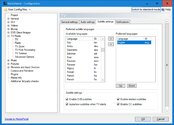
CyberSimian replied to the thread First line of TV subtitles not displaying at top.Thank you -- setting the language has made the subtitles appear (in the first TS file that you uploaded). This is the setting: Having watched the file with subtitles enabled, I don't think that...
-
-
CyberSimian reacted to fangio99's post in the thread [WiP] 5154: MediaPortal 1 - x64 - SharpDX with.It's mostly working. I just wanted to make others aware.
-
CyberSimian replied to the thread First line of TV subtitles not displaying at top.I downloaded your sample TV file and tried to get the subtitles to appear, but without success. :( I enabled all forms of subtitles in "MP Config". Subtitles appear for recorded TV residing in...
-
CyberSimian replied to the thread [WiP] 5154: MediaPortal 1 - x64 - SharpDX.Puzzling. :confused: If you have a working system that you are content to use going forward, then I would suggest that you stay with that. On the other hand, if you don't have a working system...
-
LOL, halloween approach :D
-
CyberSimian replied to the thread MP1 initial difficulties.@harryzwo : Since the volume error occurs before the DVD error, it makes sense to try to fix the volume error first, just in case it is that error that is causing the DVD error. Do you have an...
-
CyberSimian replied to the thread [WiP] 5154: MediaPortal 1 - x64 - SharpDX.Older releases of MP used MySQL, but recent releases use MariaDB on Windows 10 and 11. The MP installer will download and install MariaDB during the installation process. And you should not need...
-
@CyberSimian I followed your advice and removed the visibilities from the group for the text stacking and put it on every text in the stack - tested for about 30 times switching from NowPlaying...
-
CyberSimian replied to the thread PureVisionHD 1080.This reminded me of a problem that I encountered with my "Clarity" skin. I found these notes in an xml file: Note: we cannot use a VISIBLE tag on this control as it prevents StackLayout()...