- September 30, 2008
- 90
- 4
- Home Country
-
 United States of America
TV-Server Version:
MediaPortal Version: 1.02
MediaPortal Skin:
Windows Version: Vista x64
CPU Type: AMD FX-60
HDD: Raid 5 10K Raptors
Memory: 4gb
Motherboard: A8N32-SLI Deluxe (asus)
Video Card: 9800 GTX / 512MB
Video Card Driver: nVidia latest stable
Sound Card: Onboard Realtech
Sound Card AC3: Onboard Realtech
Sound Card Driver:
1. TV Card:
1. TV Card Type:
1. TV Card Driver:
2. TV Card:
2. TV Card Type:
2. TV Card Driver:
3. TV Card:
3. TV Card Type:
3. TV Card Driver:
4. TV Card:
4. TV Card Type:
4. TV Card Driver:
MPEG2 Video Codec:
MPEG2 Audio Codec:
h.264 Video Codec:
Satelite/CableTV Provider:
HTPC Case:
Cooling:
Power Supply:
Remote:
TV:
TV - HTPC Connection:
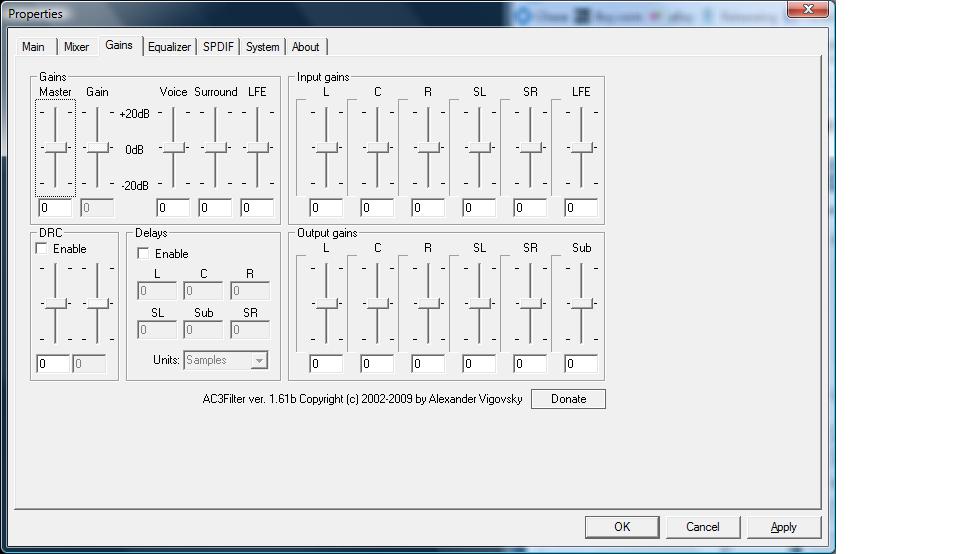
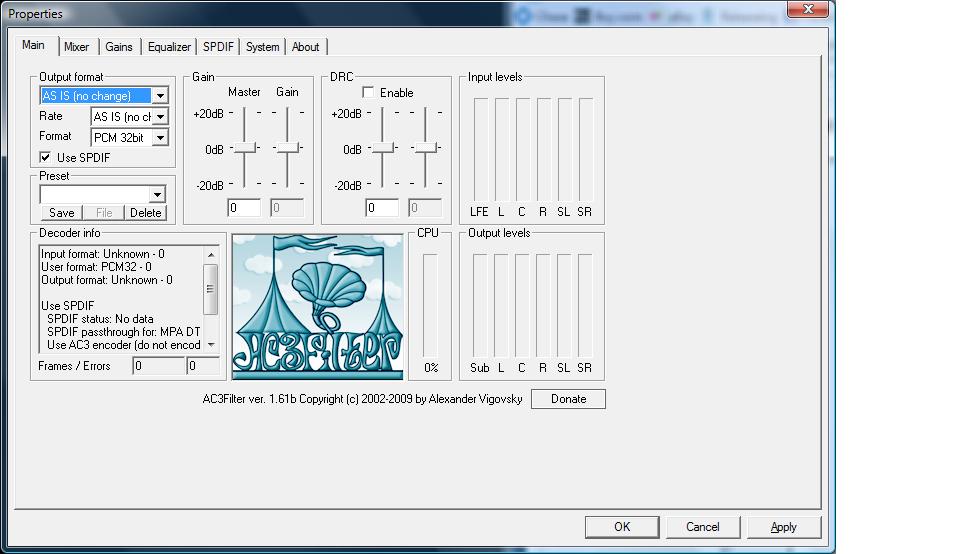
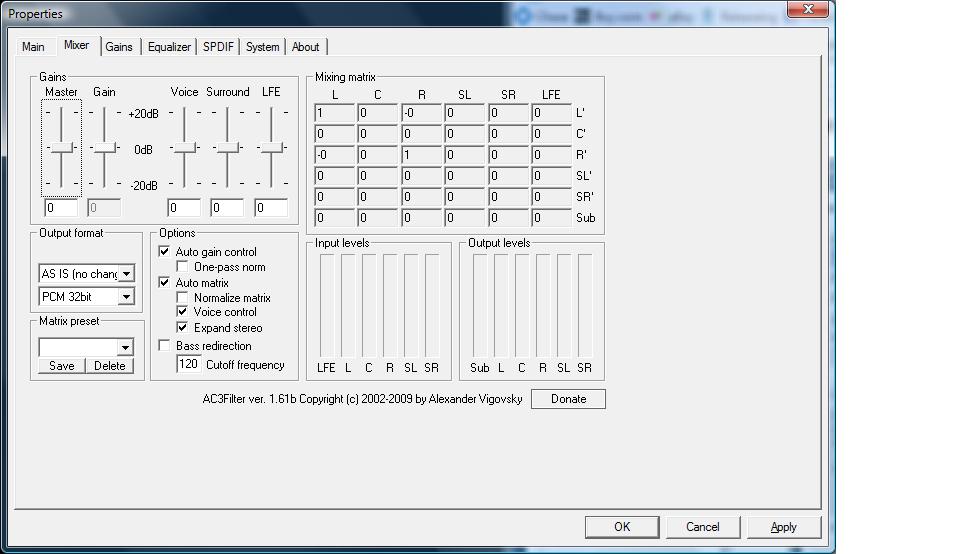
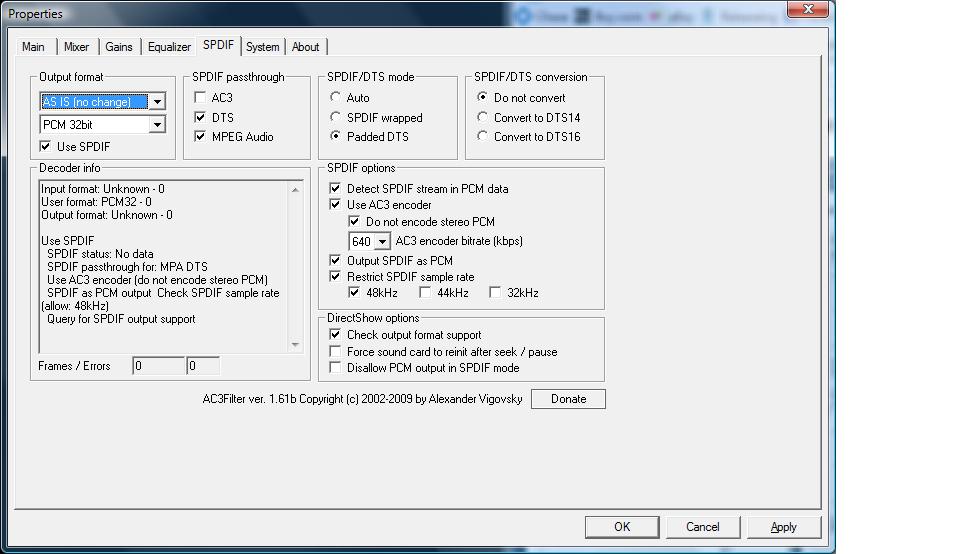
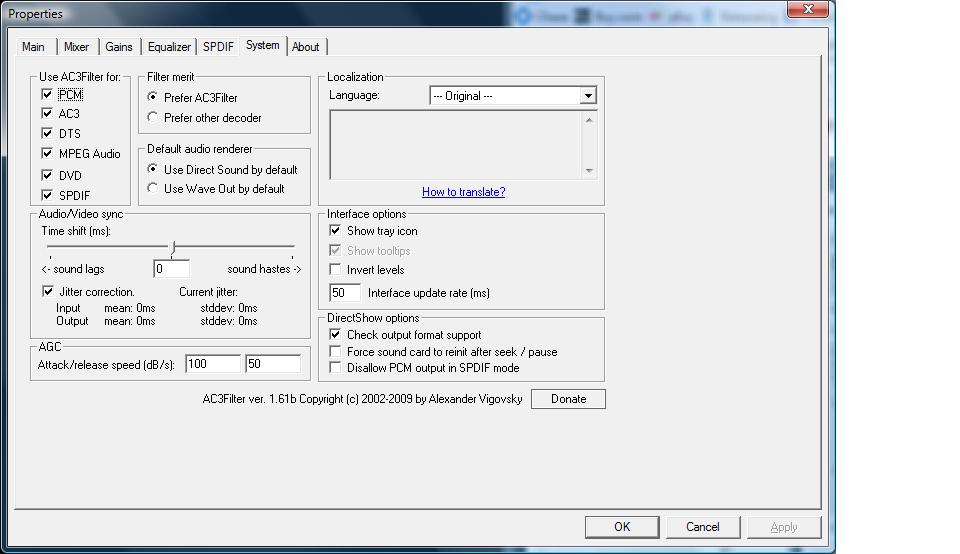
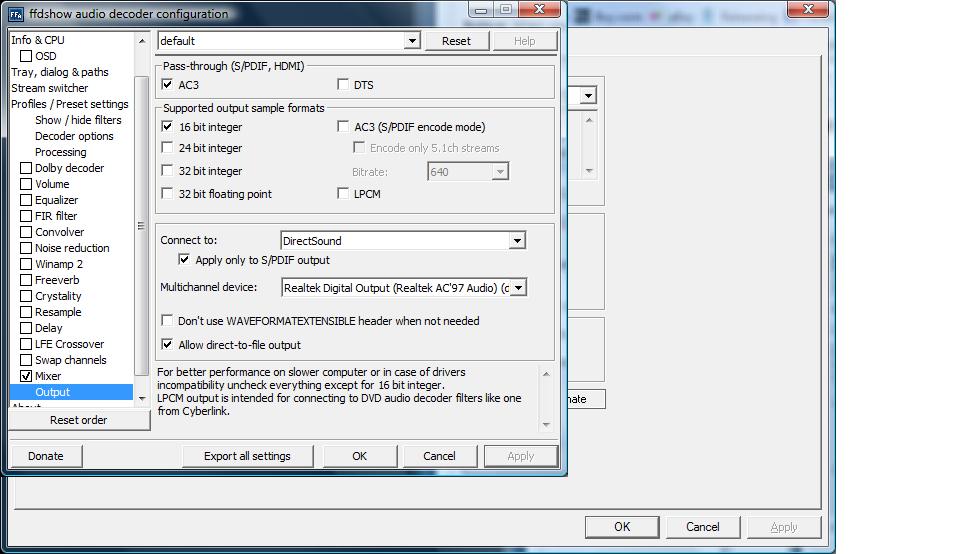
I am running CoreAVC with AC3 Filter & FFDShow for AC3/DTS Audio .
I have an issue with AC3 playback where the movie's sound and the picture are out of sync. The sound is ahead of the movie.
This is my 1st step in trying to get true dts passthrough to a B&K Audio Reference 50 receiver.
I'm at my wit's end with trying to get the audio and video in sync with this movie (Works fine in VLC).
Can anyone see anything I'm doing wrong?
S/PDIF Out via Fiber (Toslink).
MediaPortal Version: 1.02
MediaPortal Skin:
Windows Version: Vista x64
CPU Type: AMD FX-60
HDD: Raid 5 10K Raptors
Memory: 4gb
Motherboard: A8N32-SLI Deluxe (asus)
Video Card: 9800 GTX / 512MB
Video Card Driver: nVidia latest stable
Sound Card: Onboard Realtech
Sound Card AC3: Onboard Realtech
Sound Card Driver:
1. TV Card:
1. TV Card Type:
1. TV Card Driver:
2. TV Card:
2. TV Card Type:
2. TV Card Driver:
3. TV Card:
3. TV Card Type:
3. TV Card Driver:
4. TV Card:
4. TV Card Type:
4. TV Card Driver:
MPEG2 Video Codec:
MPEG2 Audio Codec:
h.264 Video Codec:
Satelite/CableTV Provider:
HTPC Case:
Cooling:
Power Supply:
Remote:
TV:
TV - HTPC Connection:
I am running CoreAVC with AC3 Filter & FFDShow for AC3/DTS Audio .
I have an issue with AC3 playback where the movie's sound and the picture are out of sync. The sound is ahead of the movie.
This is my 1st step in trying to get true dts passthrough to a B&K Audio Reference 50 receiver.
I'm at my wit's end with trying to get the audio and video in sync with this movie (Works fine in VLC).
Can anyone see anything I'm doing wrong?
S/PDIF Out via Fiber (Toslink).