
ATI Remote wonder and mediaportal (1 Viewer)

bitsnbytes

Portal Member
July 20, 2009
24
0
Home Country
United Kingdom United Kingdom
I like the EventGhost idea by owlsroost and I'll certainly give that a try. Do you know if this mechanism works reliably? i.e. is there any lag between the key press and the action actually happening?

It's reliable and there's no lag.

Tony

Thanks for t hat Tony, will give it a try :) BTW, do you know if eventghost will work in the windows login screen? I mean to switch user accounts?
 

Radioman

MP Donator
  • Premium Supporter
  • June 17, 2009
    47
    6
    Stora Höga
    Home Country
    Sweden Sweden
    You need to disable the remote inside MP (otherwise things will get confused....)
    Right.

    Next make sure EventGhost is receiving commands from the remote - when you press a button an event (a 'lightning bolt') should appear in the log window.
    Yes it does.

    If this is working OK, next create a macro (a 'cog wheel') in the right-hand window, and drag-n-drop an event from the log window to the macro - you should now have a trigger event in the macro. Next add an 'action' (right-click -> add action) - this could be one from the MP plug-in, or a keystroke emulation (add action -> window -> emulate keystrokes), for example. Note you can have multiple trigger events and a series of actions in a macro to do more complex things.
    Here I got confused at first. You see the cogwheels and actions are allready there when you choose to use PDVD and MP and put their three of cogwheels in the right pan window.
    The starnge thing is that some of the remote functions worked without puttin in any event from the left log window. F.e. up, down, left, right and play. Hmmm, maybe that was keystroke events ?
    The "heureca halleluja experience" came when I dragged the events i got from my remote in the left pan window to be after the cogwheels that make sense and above the right actions in the right pan window.
    Yes, yes , yes :D This was a great app. I see what you mean Tony.

    I don't remember having to do much/any configuration of the MP message plug-in.
    Nothing at all. Just don't bother with the *.HIP file that the message plugin talks about. You don't need it.

    The ability to have different remote mappings for different applications is usually done by using the 'exclusive enable a folder/macro' action - each 'exclusive' folder contains all the macros for that application, but only one folder is enabled at a time.
    This will be the next lesson further on. :)

    :D
    Cheers // Ove
     

    bitsnbytes

    Portal Member
    July 20, 2009
    24
    0
    Home Country
    United Kingdom United Kingdom
    Here I got confused at first. You see the cogwheels and actions are allready there when you choose to use PDVD and MP and put their three of cogwheels in the right pan window.
    The starnge thing is that some of the remote functions worked without puttin in any event from the left log window. F.e. up, down, left, right and play. Hmmm, maybe that was keystroke events ?
    The "heureca halleluja experience" came when I dragged the events i got from my remote in the left pan window to be after the cogwheels that make sense and above the right actions in the right pan window.
    Yes, yes , yes :D This was a great app. I see what you mean Tony.

    Excellent, is it possible for you to mail me your xml file? Perhaps attach it with the post, I could *ahem* "study" your work :D

    I don't remember having to do much/any configuration of the MP message plug-in.
    Nothing at all. Just don't bother with the *.HIP file that the message plugin talks about. You don't need it.

    So does that mean I just copy the MessagePlugin.dll and MessagePlugin.xml and forget about the MessagePlugin.hip file? If you didn't copy the .hip file, did you just copy the mapping from Mediaportal to match with that from EventGhost?

    If I'm not asking for too much, can you post screenshots of the remote setup in MP i.e. which remote did you enable and the mapping :D

    The ability to have different remote mappings for different applications is usually done by using the 'exclusive enable a folder/macro' action - each 'exclusive' folder contains all the macros for that application, but only one folder is enabled at a time.
    This will be the next lesson further on. :)
    So how is the folder selected? Does it get selected based on the application that is in focus?

    Great help, really I've learned so much in the last few days :D
     

    Radioman

    MP Donator
  • Premium Supporter
  • June 17, 2009
    47
    6
    Stora Höga
    Home Country
    Sweden Sweden
    Thanks for my first thank you

    Oh bitsnbytes
    Theres now a tear on my chin because of joy and excitement for my first thank you here. :)
    It encourage to try to be polite and helpful in the future as well. Nice grip, this thank you system :)

    When I'm all into it I like to thank Owlsroost for bringing my eyes up for the EventGhost. A splendid software.
    I'll digging into hardcore programming this evening to set up my system now that I got both feets above the first steep hill of learning how to do it.

    //Ove
     

    bitsnbytes

    Portal Member
    July 20, 2009
    24
    0
    Home Country
    United Kingdom United Kingdom
    Theres now a tear on my chin

    Oh so you're blaming now, are you :mad:
    :D

    Seriously, it would have been quite a few posts ago, just that it seems you are not shown the thanks button till you reach 5 posts :confused: Sure the moderators have a valid reason

    Thanks again, and like you mentioned also to owlsroost, it's been a great help
     

    Owlsroost

    Retired Team Member
  • Premium Supporter
  • October 28, 2008
    5,539
    5,038
    Cambridge
    Home Country
    United Kingdom United Kingdom
    The ability to have different remote mappings for different applications is usually done by using the 'exclusive enable a folder/macro' action - each 'exclusive' folder contains all the macros for that application, but only one folder is enabled at a time.
    This will be the next lesson further on. :)
    So how is the folder selected? Does it get selected based on the application that is in focus?

    Great help, really I've learned so much in the last few days :D

    Not automatically, but the 'task create/switch events' plugin generates events when apps/windows are started/closed/change state, so you just use one of those as trigger. I just have button on the remote which cycles through my three choices of 'exclusive' folders, using the OSD facility to indicate which one is enabled.

    (and thanks for all the thanks :) )

    Tony
     

    bitsnbytes

    Portal Member
    July 20, 2009
    24
    0
    Home Country
    United Kingdom United Kingdom
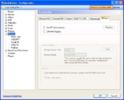
    I gave this a try today and perhaps I'm just daft but I couldn't get it. I installed the messageplugin, however, I could not see any HIP tab or similar to configure :confused: I've attached a screenshot of my remote configuration page (see remote.jpg)

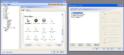
    I came across the messageplugin in the plugins folder, however, again it's configuration had something to do with an MCE remote and some other stuff. How do I configure this with event ghost? :confused: I've attached a screenshot of this too (see messageplugin.jpg)

    Apologies for my stupidity, but I really don't get it
     

    Attachments

    • remote.JPG
      remote.JPG
      59.5 KB
    • MessagePlugin.JPG
      MessagePlugin.JPG
      95.2 KB

    Radioman

    MP Donator
  • Premium Supporter
  • June 17, 2009
    47
    6
    Stora Höga
    Home Country
    Sweden Sweden
    bitsnbytes

    Just install the message plugin.dll and the xml file. There is one more file I recalled it was named *.hip to be used with some other "human interface programming" utility. That file you can disregard.

    Inside MP configuration make sure you have not choosen any remote at all. As of the message plugin, which you allready have seen as an enabled plugin, there is also nothing to config. Just leave it.

    Now go and fiddle with GhostEvent. Thats all :)

    I had it all working this night. I'm not finished but a great part is done. So I'm a zoombie at work today. I'm lucky enough to be locked to a "constant room" calibrating temperatrure transmitters all day, so no one will see my red eyes :D

    //Ove
     

    Users who are viewing this thread

    Top Bottom