Blast Satelite Box from MP TV-Guide (1 Viewer)

stdly

MP Donator
  • Premium Supporter
  • April 19, 2008
    238
    41
    Home Country
    Canada Canada
    I have a MCE303 Silver HTPC Case with 1 x IR Trans USB Board w/ built-in RC6-compatible IR receiver it has no IR blaster port.
    I use a Harmony 510 remote to control everything. (AV Receiver, Sat Box, TV and the HTPC)
    I use schedules Direct to get my TV-Guide so I cruise the guide in MP then switch the harmony device to satellite and change the channel then change the device on the harmony back to computer to get back control of MP.

    I am looking at a IR Receiver/Blaster and am hoping to use it to change channels on my Motorola Star Choice box from the TV-Guide in MP will this be possible with the addition of IRSS and an IR Receiver/Blaster?
     

    rekenaar

    Retired Team Member
  • Premium Supporter
  • December 17, 2006
    4,421
    805
    Home Country
    South Africa South Africa
    Yes, if you acquire a compatible blaster, IRSS should be able to handle the channel changes for you.
     

    stdly

    MP Donator
  • Premium Supporter
  • April 19, 2008
    238
    41
    Home Country
    Canada Canada
    rekenaar,
    Thanks, will start reading/learning ASAP
     

    stdly

    MP Donator
  • Premium Supporter
  • April 19, 2008
    238
    41
    Home Country
    Canada Canada
    A little push in the right direction PLEASE!

    I had an HP IR receiver with 2 outputs for IR blasters but no IR cable so I took apart an old remote took out the LED and soldered a 1/8 jack on the LED and it actually worked. I can now teach it from the plugin in MPTV Config and it blasts my stb in setup/test mode.

    Now how to get the TV Guide in MP to send it to the stb while in MP it does not seem to send anything to the stb when I click a channel in the TV Guide.

    Also I have a IRTrans IR Receiver in my HTPC case that I am disabling to test this and was wondering if I could set this up so the HP IR only Blasts the stb in TV mode and I can use the built in IRTrans to do the rest as before?
     

    rekenaar

    Retired Team Member
  • Premium Supporter
  • December 17, 2006
    4,421
    805
    Home Country
    South Africa South Africa
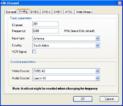
    So your channels look like this?
    channel.JPG
    In this example (very old picture I used few years ago), 201 will be blasted by the tv3blaster plugin.

    Maybe you can attach a few screenshots of what you have done.
     

    stdly

    MP Donator
  • Premium Supporter
  • April 19, 2008
    238
    41
    Home Country
    Canada Canada
    rekenaar,
    Thanks for your reply.
    A little info I am running
    MP 1.2.0 Alpha
    IRSS 1.4.2.4068

    Also I see 2 Plugins in MP config IRSS Blast Zone in Windows and IRSS Control Plugin in Process I have them both disabled right now but did try them both enabled.

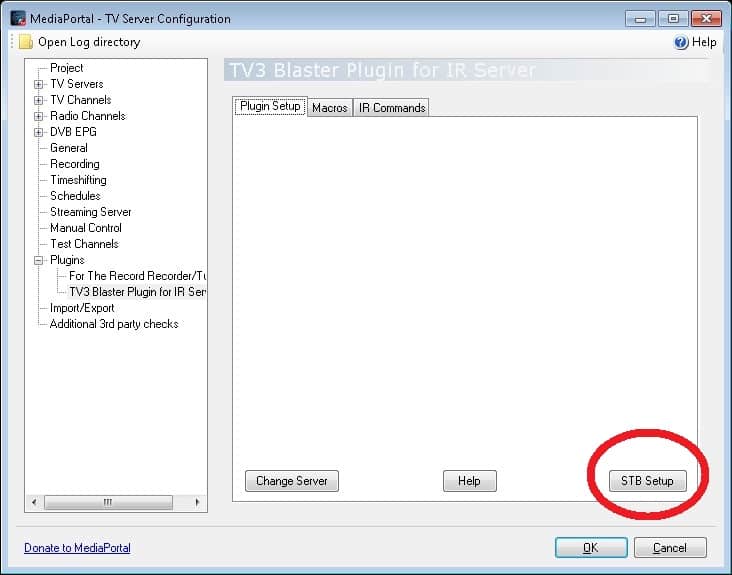
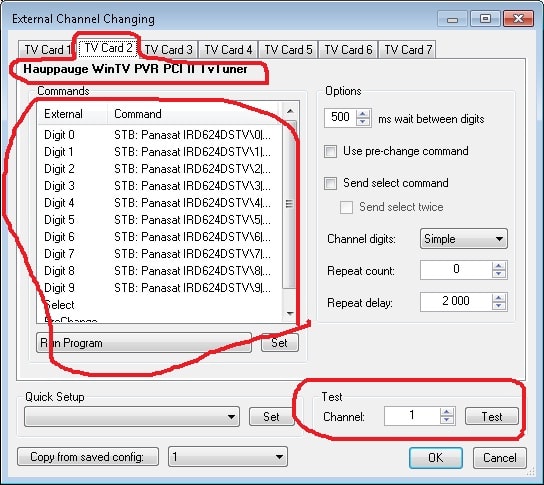
    I did some screens.
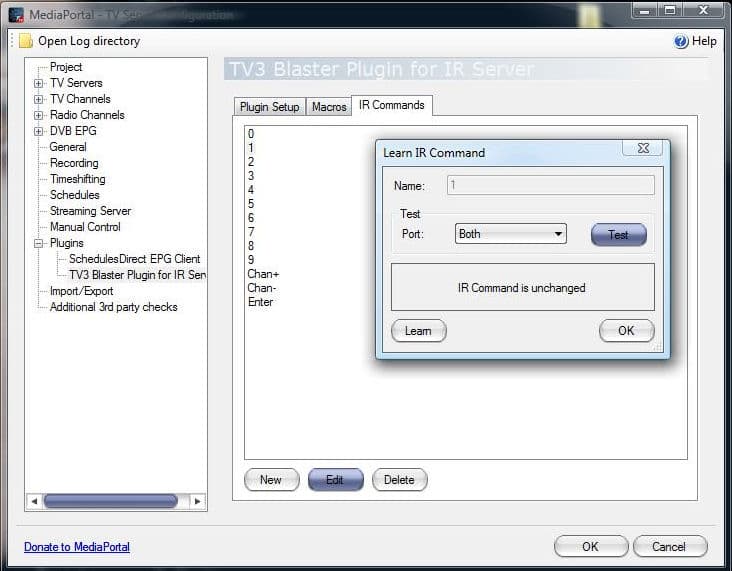
    Pic 2 - I have taught the remote and can zap the stb by pushing the test button all is well channel up and down are working too.
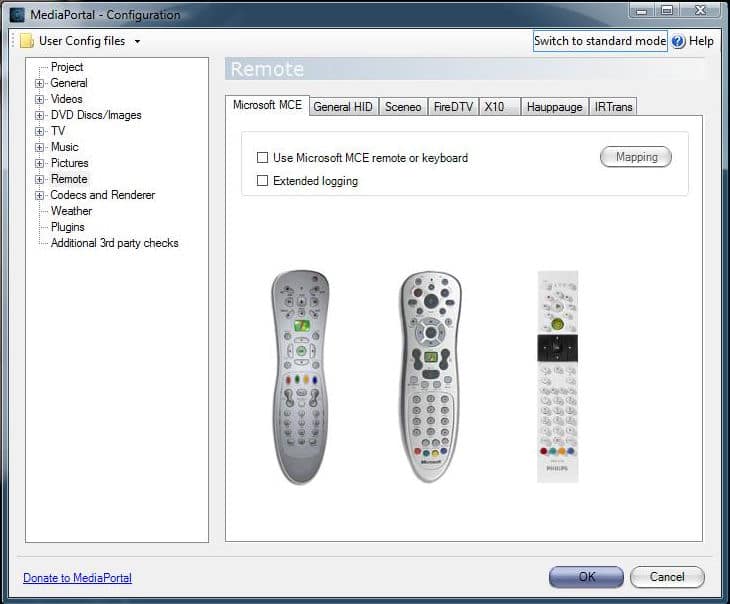
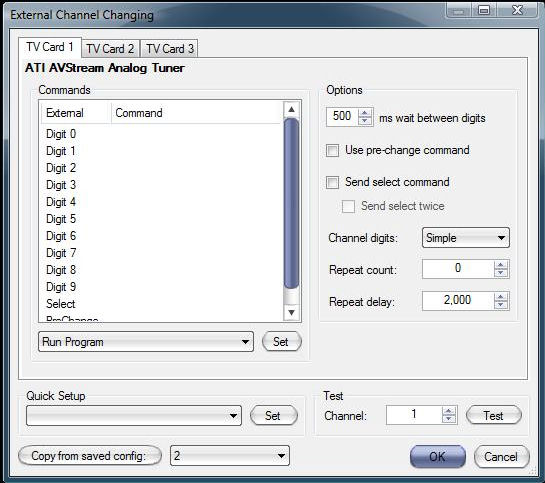
    Pic 3 - I have un-checked MCE Remote as well as the IRTrans (My default IR) remote as well.
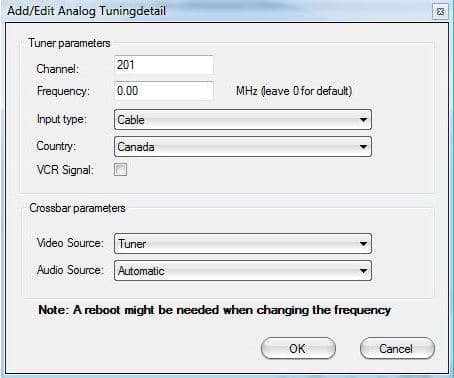
    Pic 4 - I show the channel setup as you have shown.
     

    Attachments

    • 2.jpg
      2.jpg
      69.2 KB
    • 3.jpg
      3.jpg
      67.3 KB
    • 4.jpg
      4.jpg
      32.4 KB

    rekenaar

    Retired Team Member
  • Premium Supporter
  • December 17, 2006
    4,421
    805
    Home Country
    South Africa South Africa
    Personally I do not have anything defined in the "IR Commands"-tab.
    How is your STB screens?
     

    Attachments

    • irss1.jpg
      irss1.jpg
      74.1 KB
    • irss2.jpg
      irss2.jpg
      111.8 KB

    stdly

    MP Donator
  • Premium Supporter
  • April 19, 2008
    238
    41
    Home Country
    Canada Canada
    Thanks again!
    Mine is empty as you can see.
    I read the Set Top Box Blasting guide and as I understood it, it said if your lucky you stb will be listed if not I would have to teach it the ir commands so that is what you see previously in IR Commands-tab pic.
    Am I missing a way to edit the stb setup section without quick setup listing my stb or is this the correct way I did it if my stb is not listed there?
    My STB is a Motorola DSR305 Star Choice.
     

    Attachments

    • 5.jpg
      5.jpg
      54.6 KB

    stdly

    MP Donator
  • Premium Supporter
  • April 19, 2008
    238
    41
    Home Country
    Canada Canada
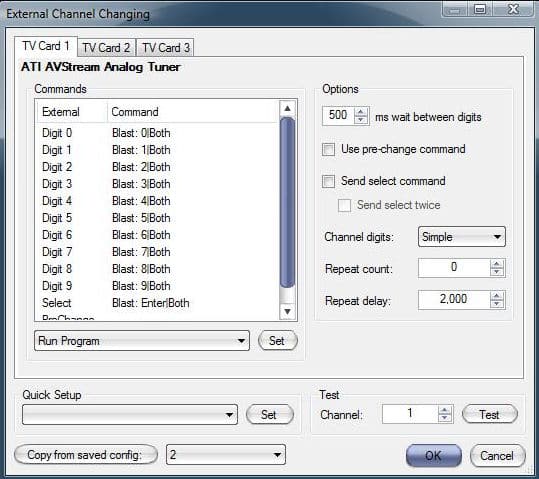
    OK I figured that out see below now I can change to any channel in this screen and test and the stb changes to the channel.
    Like 400 TSN works like a charm tried a few no timing issues between digits just good to see it working.
    But still when I go into MP scroll the TV-Guide and select a program it does not send a signal to the stb.
     

    Attachments

    • 6.jpg
      6.jpg
      61.1 KB

    Users who are viewing this thread

    Top Bottom