Hello,
Sorry for my english.
I saved my blu-ray discs collection on 5 external harddrives. not stored as an ISO -> stored as file
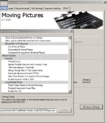
when i play the blu-ray in MediPortal Configuration-> Plugins -> Moving Pictures -> play with default player
the movie plays from the begining with all feauters in the ArcSoft Player.
When i start the movie from the basic home screen in Mediaportal the movie will not start from the begining,
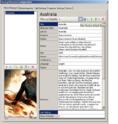
the movie start´s at 00045.m2ts in AUSTRALIA.
What can i do, that all movies in Mediaportal starts form the begining of the movie ???
My LOGFile in the appendix
DeviceManager]: Starting Disk Watcher
24-May-2009 17:16:24 Info [ DeviceManager]: Added F: to DiskWatcher
24-May-2009 17:16:24 Info [ DeviceManager]: Added G: to DiskWatcher
24-May-2009 17:16:24 Info [ DeviceManager]: Added H: to DiskWatcher
24-May-2009 17:16:24 Info [ DeviceManager]: Added Z: to DiskWatcher
24-May-2009 17:16:24 Info [ DeviceManager]: Added X: to DiskWatcher
24-May-2009 17:16:24 Info [ MovieImporter]: Started MovieImporter
24-May-2009 17:16:24 Info [ MovieImporter]: Initiating full scan on watch folders.
24-May-2009 17:16:24 Info [ MovingPicturesGUI]: Loading defines from skin.
24-May-2009 17:16:24 Info [ MovingPicturesGUI]: GUI Initialization Complete
24-May-2009 17:16:24 Info [ MovieImporter]: Started watching 'Z:\Arn_der_Kreuzritter\ARN' (Network) - Path is now being monitored for changes.
24-May-2009 17:16:25 Info [ MovieImporter]: Started watching 'Z:\Jagdfieber_2\OPEN_SEASON_2' (Network) - Path is now being monitored for changes.
24-May-2009 17:16:25 Info [ MovieImporter]: Started watching 'X:\Australia\AUSTRALIA' (Network) - Path is now being monitored for changes.
24-May-2009 17:16:29 Info [GUIListItemMovieComp]: Sort Field: Title Sort Direction: Ascending
24-May-2009 17:16:30 Info [ MovingPicturesGUI]: Disabling native autoplay.
24-May-2009 17:16:32 Info [ MovingPicturesGUI]: Playing Australia (X:\Australia\AUSTRALIA\BDMV\index.bdmv)
24-May-2009 17:16:32 Info [ MovingPicturesGUI]: HD Playback: Internal, Media=x:\australia\australia\bdmv\STREAM\00045.m2t s
Playing Australia geht nach Index und dann 00045.m2ts ?????
Sorry for my english.
I saved my blu-ray discs collection on 5 external harddrives. not stored as an ISO -> stored as file
when i play the blu-ray in MediPortal Configuration-> Plugins -> Moving Pictures -> play with default player
the movie plays from the begining with all feauters in the ArcSoft Player.
When i start the movie from the basic home screen in Mediaportal the movie will not start from the begining,
the movie start´s at 00045.m2ts in AUSTRALIA.
What can i do, that all movies in Mediaportal starts form the begining of the movie ???
My LOGFile in the appendix
DeviceManager]: Starting Disk Watcher
24-May-2009 17:16:24 Info [ DeviceManager]: Added F: to DiskWatcher
24-May-2009 17:16:24 Info [ DeviceManager]: Added G: to DiskWatcher
24-May-2009 17:16:24 Info [ DeviceManager]: Added H: to DiskWatcher
24-May-2009 17:16:24 Info [ DeviceManager]: Added Z: to DiskWatcher
24-May-2009 17:16:24 Info [ DeviceManager]: Added X: to DiskWatcher
24-May-2009 17:16:24 Info [ MovieImporter]: Started MovieImporter
24-May-2009 17:16:24 Info [ MovieImporter]: Initiating full scan on watch folders.
24-May-2009 17:16:24 Info [ MovingPicturesGUI]: Loading defines from skin.
24-May-2009 17:16:24 Info [ MovingPicturesGUI]: GUI Initialization Complete
24-May-2009 17:16:24 Info [ MovieImporter]: Started watching 'Z:\Arn_der_Kreuzritter\ARN' (Network) - Path is now being monitored for changes.
24-May-2009 17:16:25 Info [ MovieImporter]: Started watching 'Z:\Jagdfieber_2\OPEN_SEASON_2' (Network) - Path is now being monitored for changes.
24-May-2009 17:16:25 Info [ MovieImporter]: Started watching 'X:\Australia\AUSTRALIA' (Network) - Path is now being monitored for changes.
24-May-2009 17:16:29 Info [GUIListItemMovieComp]: Sort Field: Title Sort Direction: Ascending
24-May-2009 17:16:30 Info [ MovingPicturesGUI]: Disabling native autoplay.
24-May-2009 17:16:32 Info [ MovingPicturesGUI]: Playing Australia (X:\Australia\AUSTRALIA\BDMV\index.bdmv)
24-May-2009 17:16:32 Info [ MovingPicturesGUI]: HD Playback: Internal, Media=x:\australia\australia\bdmv\STREAM\00045.m2t s
Playing Australia geht nach Index und dann 00045.m2ts ?????

 Germany