GUI Configuration (1 Viewer)

KeyBored

New Member
February 13, 2016
3
0
Home Country
United States of America United States of America
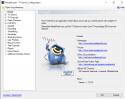
I have latest MediaPortal 2 installed on a Windows 10 PC with Hauppauge TV card. I would like to configure the player including resizing window, but do not see a GUI entry in the MediaPortal 2 TV Configuration. If I need a plug-in for this, please tell me which one it is and where to get it. Thank you.[DOUBLEPOST=1455324683][/DOUBLEPOST]I successfully scanned channels, can preview them in the configuration menu, and see them on mediaportal. I can resize window using alt – enter, but would like more choices. Here's a screenshot of TV my service configuration. No GUI entry.
 

Attachments
  • TV configuration.PNG
    TV configuration.PNG
    78 KB
Last edited:

robbo100

Retired Team Member
  • Premium Supporter
  • May 5, 2009
    1,290
    309
    UK
    Home Country
    United Kingdom United Kingdom
    Hi @KeyBored,

    Welcome to MediaPortal.

    The controls for the player (client side) of the system are not included in the MP2 TV Configuration.

    MediaPortal is split into two parts, firstly, the server, which you configure using the TV Configuration GUI and them when you click "OK" it just runs as a service in the background. The second part is the Client Side, which is used by one (or more than one) PC to access the TV Server (but if you only have one PC, you can install the TV server and client on the same machine).

    Have a look at the Wiki here: http://wiki.team-mediaportal.com/2_MEDIAPORTAL_2/1_Getting_Started/1_MP2_Components
     

    KeyBored

    New Member
    February 13, 2016
    3
    0
    Home Country
    United States of America United States of America
    Thanks much for the reply. I only plan to use the program to watch TV on my computer. On older PC running Windows 7, I configured Windows Media Center to start in TV mode, same channel, same size, and same position on screen. I still can't figure out how to do this With MediaPortal 2 on new Windows 10 PC.

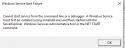
    I installed both client and server on new PC, found "MP2-Server.exe", but clicking on it got a Windows server start error which I attached. I read through the article you posted, and several others as well. I'm probably missing something very simple – any other suggestions would be appreciated.
     

    Attachments

    • Windows service start error.PNG
      Windows service start error.PNG
      7.3 KB

    Brownard

    Development Group
  • Team MediaPortal
  • March 21, 2007
    2,301
    1,886
    Home Country
    United Kingdom United Kingdom
    Hi,
    The server can be started and stopped using MediaPortal 2 Service Monitor, it should be running in your taskbar (if not, there should be an icon on the desktop to run it), right click the taskbar icon for options. The Server itself doesn't have any GUI though, all configuration must be done through the client.

    I may be wrong but I don't think you can currently start MediaPortal 2 directly in TV.

    Regarding the window position, the client should remember it's last size and position and restore it when started, provided you are running a recent 'weekly' build.
     

    KeyBored

    New Member
    February 13, 2016
    3
    0
    Home Country
    United States of America United States of America
    OK, I'm getting it now. I was looking in the TV configuration tool (attached picture above) for settings which I finally found in the actual program. I had already found the settings tile, but didn't see the settings menu from the TV program itself. Always something simple – thanks for your patience with me :)
     

    Users who are viewing this thread

    Top Bottom