GUI Freeze - MP still running !! big problem (1 Viewer)

liteglow

Portal Pro
November 13, 2011
93
8
Home Country
Norway Norway
here is my latest LOG files.
bugs:

MP freeze when using LIVE tv
freeze while browsing in plugin like: trakt\my series\online videos

mp often freeze when not used over night. (did not today so maybe not anymore?)

when I change TV station it often says "channel is scrambled"


cheers
 

Spragleknas

Moderator
  • Team MediaPortal
  • December 21, 2005
    9,471
    1,822
    Located
    Home Country
    Norway Norway
    Hi again :).
    Could you please see if MP freezes when using Debug -> Report a bug to Team MediaPortal, as shown here: Log Files - MediaPortal Wiki

    Not to skilled with interpetating eventlog, but it does throw some strange errors:
    [collapse]TimeGenerated Source Category EntryType Message
    22.12.2011 22:44 Service Control Manager 0 Error The DriverLINX Port I/O Driver service failed to start due to the following error: %%2
    23.12.2011 14:12 Service Control Manager 0 Error The DriverLINX Port I/O Driver service failed to start due to the following error: %%2
    23.12.2011 14:12 Service Control Manager 0 Error The TVService service depends on the MySQL service which failed to start because of the following error: %%1058
    23.12.2011 14:15 Service Control Manager 0 Error The TVService service depends on the MySQL service which failed to start because of the following error: %%1058
    23.12.2011 14:15 Service Control Manager 0 Error The TVService service depends on the MySQL service which failed to start because of the following error: %%1058
    23.12.2011 14:16 Service Control Manager 0 Error The TVService service depends on the MySQL service which failed to start because of the following error: %%1058
    23.12.2011 14:16 Service Control Manager 0 Error The TVService service depends on the MySQL service which failed to start because of the following error: %%1058
    23.12.2011 14:17 Service Control Manager 0 Error The TVService service depends on the MySQL service which failed to start because of the following error: %%1058
    23.12.2011 14:18 Service Control Manager 0 Error The TVService service depends on the MySQL service which failed to start because of the following error: %%1058
    23.12.2011 14:19 Service Control Manager 0 Error The TVService service depends on the MySQL service which failed to start because of the following error: %%1058
    23.12.2011 14:53 Service Control Manager 0 Error The TVService service depends on the MySQL service which failed to start because of the following error: %%1058
    23.12.2011 14:53 Service Control Manager 0 Error The TVService service depends on the MySQL service which failed to start because of the following error: %%1058
    23.12.2011 14:56 Service Control Manager 0 Error The DriverLINX Port I/O Driver service failed to start due to the following error: %%2
    24.12.2011 11:43 EventLog 0 Error The previous system shutdown at 11:17:36 on ‎24.‎12.‎2011 was unexpected.
    24.12.2011 11:43 Service Control Manager 0 Error The DriverLINX Port I/O Driver service failed to start due to the following error: %%2
    24.12.2011 16:16 Service Control Manager 0 Error The DriverLINX Port I/O Driver service failed to start due to the following error: %%2
    26.12.2011 03:32 DCOM 0 Error The description for Event ID '-1073731819' in Source 'DCOM' cannot be found. The local computer may not have the necessary registry information or message DLL files to display the message, or you may not have permission to access them. The following information is part of the event:'1053', 'ehSched', '-Service', '{4B635ECB-0887-4015-8CA6-D621362F98D1}'
    26.12.2011 03:32 Service Control Manager 0 Error A timeout was reached (30000 milliseconds) while waiting for the Windows Media Center Scheduler Service service to connect.
    26.12.2011 03:32 Service Control Manager 0 Error A timeout was reached (30000 milliseconds) while waiting for the Windows Media Center Scheduler Service service to connect.
    26.12.2011 03:32 Service Control Manager 0 Error A timeout was reached (30000 milliseconds) while waiting for the Windows Media Center Scheduler Service service to connect.
    26.12.2011 03:32 Service Control Manager 0 Error A timeout was reached (30000 milliseconds) while waiting for the Windows Media Center Scheduler Service service to connect.
    26.12.2011 03:32 DCOM 0 Error The description for Event ID '-1073731819' in Source 'DCOM' cannot be found. The local computer may not have the necessary registry information or message DLL files to display the message, or you may not have permission to access them. The following information is part of the event:'1053', 'ehRecvr', '-Service', '{F4396DC6-E851-4D3A-8D01-34E6949F3500}'
    26.12.2011 03:32 Service Control Manager 0 Error A timeout was reached (30000 milliseconds) while waiting for the Windows Media Center Receiver Service service to connect.
    26.12.2011 03:32 Service Control Manager 0 Error A timeout was reached (30000 milliseconds) while waiting for the Windows Media Center Scheduler Service service to connect.
    26.12.2011 03:33 DCOM 0 Error The description for Event ID '-1073731819' in Source 'DCOM' cannot be found. The local computer may not have the necessary registry information or message DLL files to display the message, or you may not have permission to access them. The following information is part of the event:'1053', 'ehRecvr', '-Service', '{D44CBB4F-743E-4818-8077-C47F666CA7EE}'
    26.12.2011 03:33 Service Control Manager 0 Error A timeout was reached (30000 milliseconds) while waiting for the Windows Media Center Scheduler Service service to connect.
    26.12.2011 03:33 Service Control Manager 0 Error A timeout was reached (30000 milliseconds) while waiting for the Windows Media Center Receiver Service service to connect.
    26.12.2011 03:33 DCOM 0 Error The description for Event ID '-1073731819' in Source 'DCOM' cannot be found. The local computer may not have the necessary registry information or message DLL files to display the message, or you may not have permission to access them. The following information is part of the event:'1053', 'ehSched', '-Service', '{4B635ECB-0887-4015-8CA6-D621362F98D1}'
    26.12.2011 03:33 Service Control Manager 0 Error A timeout was reached (30000 milliseconds) while waiting for the Windows Media Center Scheduler Service service to connect.
    26.12.2011 03:33 Service Control Manager 0 Error A timeout was reached (30000 milliseconds) while waiting for the Windows Media Center Scheduler Service service to connect.
    26.12.2011 03:33 Service Control Manager 0 Error A timeout was reached (30000 milliseconds) while waiting for the Windows Media Center Scheduler Service service to connect.
    26.12.2011 03:33 Service Control Manager 0 Error A timeout was reached (30000 milliseconds) while waiting for the Windows Media Center Scheduler Service service to connect.
    26.12.2011 03:33 Service Control Manager 0 Error A timeout was reached (30000 milliseconds) while waiting for the Windows Media Center Scheduler Service service to connect.[/collapse]
    :confused:
     

    mm1352000

    Retired Team Member
  • Premium Supporter
  • September 1, 2008
    21,544
    8,236
    Home Country
    New Zealand New Zealand
    Hi again

    Are you using some kind of remote desktop or virtual machine to run/use MP?

    ---------------
    Display Devices
    ---------------
    Card name: RDPDD Chained DD
    Manufacturer:
    Chip type:
    DAC type:

    Maybe that was only for getting the logs? It is just that in your older MP log I see a lot of:

    2011-12-25 00:28:30.689000 [Info.][MPMain(1)]: Main: DX9 re-entrant

    ...and messages like...

    "26.12.2011 19:58:15";"Desktop Window Manager";"(0)";"Information";"The Desktop Window Manager was unable to start because the remote client does not support desktop composition remoting";"1073750839"


    MP freeze when using LIVE tv
    I've checked the TV Server logs and I saw a lot of the following entries when you viewed "NRK Super / NRK3 HD 4" and "Discovery (N)" on Christmas Eve at about 1am:

    25-12-2011 00:48:12.865 Recorder:pid 202 Continuity error... a ( prev 4 ) - bad signal?

    The older logs also show the same messages. They are often (but not always) caused by bad signal quality. Are you certain that your cable connection is okay? If you think it is okay then make sure that your virus scanner (including Windows Defender, Microsoft Security Essentials etc.) do not scan your timeshifting and recording folders.

    freeze while browsing in plugin like: trakt\my series\online videos
    I see one issue with OnlineVideos but it might have been a one-time thing.

    mp often freeze when not used over night. (did not today so maybe not anymore?)
    Do you remember the last time this happened? It is possibly not in the logs so next time it happens (if it happens again) make sure to grab logs again and we can take a look.

    when I change TV station it often says "channel is scrambled"
    I'm sorry I don't see any of those messages in the logs. In general they are most often caused by CAM or subscription problems. I'd be happy to check logs again if you can provide new ones that show the problem. :)

    mm
     

    liteglow

    Portal Pro
    November 13, 2011
    93
    8
    Home Country
    Norway Norway
    wow... that was allot of answers and questions ...
    First, yes I think the quality from my disk is 100% (it was when using the decoder) , but to be sure I can once again double check that. can I check strength in MP?

    Yes I use remote desktop to gather the logs, my MP computer is in the basement.. so I use remote desktop to install, configure, get logs etc..
    Then I close Remote Desktop and start MP from my remote on my TV.


    I was watching TV right now, then suddenly it stopped.
    When I try to change channel it says "no signal" !!
    That is strange because I`m pretty sure there IS signal... but I dont bother to get that logs, because I guess it will say the same as the message "no signal" :)

    And to be sure I`m not spending all your time trying to fix something that maybe is snow on my disk...... I will be sure to check out the signal quality from the disk outside all the way inside to the computer.

    thanx again
     

    liteglow

    Portal Pro
    November 13, 2011
    93
    8
    Home Country
    Norway Norway
    Just for fun..

    Here is a LOG when MP was freezed this morning!
    I had to shut down computer and re-start it again.

    second problem, when I turn on TV channel, nothing happens!
    The circle just spins around for about 1-3 minutes.

    The logs here is just for fun and learning.... dont use to much time find the problem.
    I will remove my DVB card and use my decoder instead..

    and when I got time I will try to format C: and re-install W7


    thanx
     

    mm1352000

    Retired Team Member
  • Premium Supporter
  • September 1, 2008
    21,544
    8,236
    Home Country
    New Zealand New Zealand
    Hi again

    The logs here is just for fun and learning.... dont use to much time find the problem.
    I will remove my DVB card and use my decoder instead..
    Please don't give up so quickly! I think the problems are not so serious. At least please ready my comments here and have one more try...

    and when I got time I will try to format C: and re-install W7
    That will not help with these problems so please don't waste your time with that.

    second problem, when I turn on TV channel, nothing happens!
    The circle just spins around for about 1-3 minutes.

    The problem here is that the TV service was not able to start, and that is caused by database connection problems. It seems to me that you have a customised database setup (two named instances: SQLEXPRESS and MYMOVIES etc.) and that something is going wrong with that. You can see what is going on in the system event logs. This might be part of it:

    "27.12.2011 16:53:53";"SQLBrowser";"(0)";"Warning";"The configuration of the AdminConnection\TCP protocol in the SQL instance SQLEXPRESS is not valid.";"3226337283"
    "27.12.2011 16:53:53";"SQLBrowser";"(0)";"Warning";"The configuration of the AdminConnection\TCP protocol in the SQL instance MYMOVIES is not valid.";"3226337283"

    If you can sort that out then I think you would have much better success. As a suggestion: is it possible that you are not using a static IP address? That could cause the problems with the DB TCP/IP binding which in turn is preventing TV Server from starting (I think TV Server connects via TCP/IP not named pipes).

    Here is a LOG when MP was freezed this morning!
    I had to shut down computer and re-start it again.
    These freezes could be caused by MP attempting to connect to the TV service. If you can fix the problems with the DB then lets see if these problems go away. I would not be surprised if they just disappear. :)

    mm
     

    liteglow

    Portal Pro
    November 13, 2011
    93
    8
    Home Country
    Norway Norway
    I thank you for your time and effort in helping out on this problems.
    Will try to make this work (but not today) I will need some time and I will try to get a second CAM card to use, so i can have the Decoder as a backup if MP fails.

    There is some important points that make MP not as good as the Decoder from my provider.

    1. MP freeze (well I guess this is something that can be fixed)
    2. Very slow channel zapping, 2-6 seconds (decoder use less than 1second) and yes I have tested out Timeshift settings.
    3. Picture quality is not at best, when there is black\grey areas you can clearly see some pixel "like" areas on the TV
    4. I only have Dolby Digital AC3 sound on 5-6 HD channels, on my Decoder 70% of all channels is in AC3 Dolby Digital, in MP only Stereo!
    5. There is also some strange flashing when I use LIVE TV, like the image 3seconds before flash when playing TV.

    But hey, I dont complain that MP is a bad software !! not at all !!
    I like MP allot better than MCE, and the best part is that there is people like me with an personal interest that have created MP for free to other users !! :)
    I think you all have done a pretty awesome job,MP, plugins, skins, and all other addons...

    And because it`s all free I totally understand that there can be problems and bugs :)
     

    mm1352000

    Retired Team Member
  • Premium Supporter
  • September 1, 2008
    21,544
    8,236
    Home Country
    New Zealand New Zealand
    Hi again

    Just some brief comments...

    1. MP freeze (well I guess this is something that can be fixed)
    Working with you to fix this. :)

    2. Very slow channel zapping, 2-6 seconds (decoder use less than 1second) and yes I have tested out Timeshift settings.
    There are a handful of things that affect zap speed:
    1. Tuner driver/hardware.
    2. HDD response time.
    3. MP settings.

    For point 1: I've checked your logs and your tuner seems to take roughly 3 seconds to change channel. There is nothing that we can do to improve the speed of slow hardware or drivers. I can only recommend trying different drivers. The latest driver is usually but not always best.

    For point 2: you can use a RAM drive, SSD or dedicated HDD to improve the HDD response time. This probably has the smallest effect.

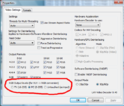
    For point 3: check the settings in the GUI -> On-Screen Display section of MP configuration (here). You need to be in "expert mode" to see that section (check the standard/expert mode button in the top left corner). As the wiki says, the "zap timeout" setting controls how long MP waits before starting to change channel. Reduce that value to 1 or 0 and that should help a bit.

    3. Picture quality is not at best, when there is black\grey areas you can clearly see some pixel "like" areas on the TV
    Picture quality depends mostly on:
    1. The video card driver and settings.
    2. The video codec used and settings.
    3. The source material quality.

    You have complete control over the first and second items. It is not so practical to always buy a diffent video card but it is very easy to choose different codecs.

    A picture of the problem would help but it sounds like you are seeing issues with black level crush. Check the codec settings for RGB output levels. Example: see the attached screenshot for LAV settings.

    4. I only have Dolby Digital AC3 sound on 5-6 HD channels, on my Decoder 70% of all channels is in AC3 Dolby Digital, in MP only Stereo!
    Well, check the audio settings in TV -> TV Client -> Audio settings [tab] in MP configuration. They are described -->here<--. If you prefer AC3/DD then tick "prefer AC-3 sound" and "prefer audiotype over language". You can also use post processing to encode MPEG to AC3/DD on the fly with AC3 filter.

    Note: post processing can also be used to improve/tweak picture quality. See -->here<-- for an example.

    5. There is also some strange flashing when I use LIVE TV, like the image 3seconds before flash when playing TV.
    Hmmm, check your CPU usage and monitor the HDD workload - it is possible that the HDD is working too hard and this can sometimes cause flickers or stutters like that.

    But hey, I dont complain that MP is a bad software !! not at all !!
    I like MP allot better than MCE, and the best part is that there is people like me with an personal interest that have created MP for free to other users !! :)
    I think you all have done a pretty awesome job,MP, plugins, skins, and all other addons...

    And because it`s all free I totally understand that there can be problems and bugs :)
    Paid software has bugs too. ;)
    On a more serious note, we are always working to improve MP and we are here to help if possible. :)

    mm
     

    Attachments

    • 1.png
      1.png
      69.4 KB

    bond007

    Portal Member
    August 30, 2011
    7
    0
    Hi,

    I have the same problem, most of it i have been able to get fixed. With the tv stopping working, I did a few things, first was, I had a corrupt DB like you, tried to fix it, ended up accidentially removing all of media portal (cancel didnt cancel, it continued anyway). so a complete install. Then go into services and set the TV server service to auto restart on crash (off by default) for retry 1 and 2, on 3rd set to restart the computer.
    Then in the tv-server config set the tuner to be preloaded and to pause the card not stop it, and set the provider to DVBS. Havent been having any drop outs since, would almost always be over night, now hasnt since the preloading and pause only. Using SAF for codecs, I have been having video decoding problems sometime with it, the video doesnt show if I start something and then stop it before the video starts to play, the video never come back until i restart, audio plays. I sometimes get decoding problems (channel is scrambled and sometimes no video) first i thought it was the card, but i can view unencrypted channels (poker channel). I am using MDAPI with acamd, so no support :), as exiting mediaportal, running ACAMd monitor and sending a command, then starting mediaportal starts it up again.
    I have had media portal also not respond sometimes / not take focus, and require killing, these still occur, but not often.
    Im using a technotrend 1500s so only dvbs (not 2 for me, so only a few HD channels).

    David
     

    Users who are viewing this thread

    Top Bottom