How do you set up a MCE Remote (3 Viewers)

mikeman

Portal Member
November 6, 2011
15
0
Indiana
Home Country
United States of America United States of America
My Microsoft MCE remote arrived the other day and tried IR Server Suite and another plugin for remotes and nothing happens with any button on the remote. I'm sure I must be missing something. I'm a newbie to all of this so I have a big learning curve to figure all of this out.
I have searched wiki files and the Support links and installed what I thought I needed but my remote still doesn't control anything. The three plugins I have installed are keyboardinputplugin, IR Server Suite 1.4.2.and MCE Remote 2.2.4.4290. With what I have installed so far should my remote be working properly ?
I later figured out that I needed to select setting which I had not none. I started off by configuring the volume up and down. I went to User Config files/Remote/Microsoft MCE/Mapping/Microsoft MCE remote/Volume+/All Layers/TV/Action "Volume Up" Condition Window, TV, Action, Volume Up/ Key ... but it will not let me enter a key into that field, So my remote still does nothing.
Could someone help me with this ?
I am using a Kworld PC150-U HDTV Card, GeForce 9800GT Video Card, MCE RC6 Remote.
Lenovo Desktop ThinkCentre M70e,Win7 Professional 64 bit,Dual core 3.20 GHz, 4 gig ram.

Thanks
 

Lehmden

Retired Team Member
  • Premium Supporter
  • December 17, 2010
    12,584
    3,973
    Lehmden
    Home Country
    Germany Germany
    AW: How do you set up a MCE Remote

    Hi.
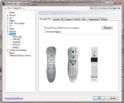
    You don't even need one of the plugins to get the MCE remote working properly. MCE Suppoert is inbuild. Deinstall all of your remote plugins and the select MCE Remote in MP Config. That's all you have to do:
    attachment.php
     

    Attachments

    • MCE.jpg
      MCE.jpg
      70.2 KB

    Paranoid Delusion

    Moderation Manager
  • Premium Supporter
  • June 13, 2005
    13,052
    2,978
    Cheshire
    Home Country
    United Kingdom United Kingdom
    Just as a side note, check under device manager, if genuine RC6 remote it should be shown under usb controllers as "ehome infrared receiver (usbcir)"

    If its not then let us know.
     

    CBFR

    Portal Member
    August 21, 2010
    17
    1
    Home Country
    France France
    Hello,

    I am a complete beginner. I could not get my MSE remote working until I discovered it had been delivered without a USB receiver.
    You need a USB receiver plugged into computer and then it works fine

    Apologies if you have already put in the USB stick,

    Good Luck
     

    Paranoid Delusion

    Moderation Manager
  • Premium Supporter
  • June 13, 2005
    13,052
    2,978
    Cheshire
    Home Country
    United Kingdom United Kingdom
    I'm a bit lost here, so your trying to use a infrared remote with a radio frequency extender, sorry that is not going to work as different hardware types.

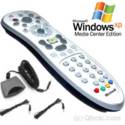
    Receiver should be something looking like the picture below.

    image02.jpg
     

    CBFR

    Portal Member
    August 21, 2010
    17
    1
    Home Country
    France France
    Sorry if I have confused you, I am using a RF MCE Remote control Model OR22V (Manufactured by X10) - I simply did not realise that you had to have a receiver plugged in the PC. Once I had ordered and put the USB stick in the PC it just worked - with no confguration. I had wasted time before that.
    Only trying to help - Please ignore if it does not help
     

    Jay_UK

    Test Group
  • Team MediaPortal
  • October 6, 2009
    1,780
    283
    Derby
    Home Country
    United Kingdom United Kingdom
    PD,

    The product is a clever bit of kit.

    It installs inside your normal IR transmitter as a battery (and detects the miniscule RF signals that your Transmitter's IR electronics produce), these are then transmitted as high power RF to the RF Extender receiver, which then converts these back to IR, which is then picked up by the MCE IR receiver.

    So MePo should still detect the MCE IR recevier.

    The issue is that not all remotes are supported with this extender, and there is no guarentee the miniscule RF signals will be detected.

    J.
     

    mikeman

    Portal Member
    November 6, 2011
    15
    0
    Indiana
    Home Country
    United States of America United States of America
    I agree this could be a issue, but I have also tried to use the MCE remote by itself without the RF extender and that doesn't work either.
    My TV card came with a RF Remote and a IF receiver which worked fine. I then realized I needed a RF extender and after I received it and hooked it up everything worked fine.
    The TV card also came with its own software and everything worked as expected. But I stumbled upon Media Portal and switched to it and then bought the MCE remote.
     

    Users who are viewing this thread

    Top Bottom