IMDB movie conflicts? (1 Viewer)

MadMagpie

Portal Pro
April 17, 2007
125
12
Home Country
rojoyinc, I use My Videos with my files sorted by shares, home movies in a seperate folder to my movies and sports folders, all my movies have the imdb info for them.
MePo plays all my files, sometimes you have to add the file extention in the "video extention" section, and as globaldonkey a better solution is to make your codec setup do all the work rather than an external player.


Deda I'm very happy to hear "My Videos" has gotten a update, I look forward to updating :)
 

rojoyinc

Portal Pro
December 27, 2010
69
0
Will install and see if it suites my files - thanks!
VLC works great, but I'd like it to close upon completion of playback.

G-donkey - THANKS for pointing me in the right direction. OH SO MUCH MORE SEXY! The videos play instantly. so far everything I threw at it played with the exception of the .mov videos from my newer Canon 5DMKII. (locked it up). Else all my other HD vids played - smooth and yes so much better then the external player cludge.
very cool - gonna go search for .mov video problem.

Here's the media info on it. I could re-encode them easy enough, but a extra step, I'd rather not have to take.

Video
ID : 1
Format : AVC
Format/Info : Advanced Video Codec
Format profile : Baseline@L5.0
Format settings, CABAC : No
Format settings, ReFrames : 1 frame
Codec ID : avc1
Codec ID/Info : Advanced Video Coding
Duration : 13mn 2s
Bit rate mode : Variable
Bit rate : 42.2 Mbps
Width : 1 920 pixels
Height : 1 080 pixels
Original height : 1 088 pixels
Display aspect ratio : 16:9
Original display aspect ratio : 16:9
Frame rate mode : Constant
Frame rate : 29.970 fps
Color space : YUV
Chroma subsampling : 4:2:0
Bit depth : 8 bits
Scan type : Progressive
Bits/(Pixel*Frame) : 0.679
Stream size : 3.85 GiB (96%)
Language : English
Encoded date : UTC 2010-12-20 02:09:02
Tagged date : UTC 2010-12-20 02:09:02
Color primaries : BT.709-5, BT.1361, IEC 61966-2-4, SMPTE RP177
Transfer characteristics : BT.709-5, BT.1361
Matrix coefficients : BT.601-6 525, BT.1358 525, BT.1700 NTSC, SMPTE 170M

Audio
ID : 2
Format : PCM
Format settings, Endianness : Little
Format settings, Sign : Signed
Codec ID : sowt
Duration : 13mn 2s
Bit rate mode : Constant
Bit rate : 1 536 Kbps
Channel(s) : 2 channels
Sampling rate : 48.0 KHz
Bit depth : 16 bits
Stream size : 143 MiB (4%)
Language : English
Encoded date : UTC 2010-12-20 02:09:02
Tagged date : UTC 2010-12-20 02:09:02

I'll check out the my-vids plugin - thanks for the tip.

Never mind - got my .mov's playing too - awesome.
 

globaldonkey

MP Donator
  • Premium Supporter
  • April 23, 2007
    755
    79
    Home Country
    Yeah.... MOV's were the exception to "just about anything you can throw at it" for SAF ;) Glad it worked out for you.
     

    Zay

    New Member
    August 5, 2013
    5
    0
    59
    Home Country
    United States of America United States of America
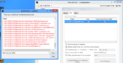
    I am very new to Media Portal (2 days actually) and since I am running Windows 8, had to make the switch from Media Browser. I have my movies on another server, to which I mapped my htpc to. I tried to set the movie database, but it does not see the mapped drive, so I had to network browse. The issue I am experiencing is that I keep getting imdb movie conflicts for all my movies. Be nice if my mapped drive showed up as a drive letter rather than me having to navigate to it via the network browser.
     

    Attachments

    • MP error.png
      MP error.png
      193.6 KB

    kiwijunglist

    Super Moderator
  • Team MediaPortal
  • June 10, 2008
    6,743
    1,754
    New Zealand
    Home Country
    New Zealand New Zealand
    i have 11TB of video files, haven't encountered any non corrupt files that couldn't play in MP in over 1 year :p[DOUBLEPOST=1375745955][/DOUBLEPOST]@Zay - Use database view not shares view.

    Conflict might relate to trailer.mov in with the videos (maybe it sees 2 copies of the movie). I'm not really familar with my videos as I use a different plugin but I'm sure someone will comment on an exclusion filter, or you can check the wiki. (which is always the best place to get information)
     
    Last edited:

    Zay

    New Member
    August 5, 2013
    5
    0
    59
    Home Country
    United States of America United States of America
    Thanks for the response, but I do not see the option to switch the view to database view. Also, in regards to my imdb conflicts, there is only one trailers folder in the list. The conflict is with almost ALL my movies. I am writing a script that will change the movie to match the folder names to see it that helps. Would love a different solution if one exist, thanks again. By the way, are you saying you use a different plugin for pulling your metadata? I guess I always have media center master pull my metadata....hmm, I just might lol.
     
    Last edited:

    kiwijunglist

    Super Moderator
  • Team MediaPortal
  • June 10, 2008
    6,743
    1,754
    New Zealand
    Home Country
    New Zealand New Zealand
    I use moving pictures plugin. It is a replacement for the movies part of my videos. It wouldn't require any folder or file renaming based on your screenshot.
     

    Zay

    New Member
    August 5, 2013
    5
    0
    59
    Home Country
    United States of America United States of America
    Ah, I would look into that. Quick question: since I was using media browser before, am I to assume that the metadata collected from it, is ignored by MP?
     

    kiwijunglist

    Super Moderator
  • Team MediaPortal
  • June 10, 2008
    6,743
    1,754
    New Zealand
    Home Country
    New Zealand New Zealand
    It can import existing metadata/images, but will subsequently store the information in it's own database/thumbs folder.

    My Videos

    http://wiki.team-mediaportal.com/1_...ortal_Configuration/2_Videos/2_Video_Database

    Mov Pic
    http://moving-pictures.tv/wiki/Main_Page
    http://moving-pictures.tv/wiki/Configuration_Menu_Importer_Settings

    Mov Pic is for movies only, doesn't show anything that is not recognised + identified as a movie.

    My TV Series
    Install this plugin for tvseries that are listed on thetvdb.com, As per Mov Pic it only shows files that are recognised + identified + matched as a series.
     
    Last edited:

    Zay

    New Member
    August 5, 2013
    5
    0
    59
    Home Country
    United States of America United States of America
    Well, I tried Moving Pictures, while I pulls the metadata fine, I don't like that you cant create a wild card exclusion list, like *.mov or tell it not to process any folder called trailers. BTW, I downloaded the latest version of MP, is the media portal 1 or 2? Oh, I still don't see the option to switch database view so that my mapped drives will show as internal drives.
     

    Users who are viewing this thread

    Top Bottom