
Installation Help (1 Viewer)

Dave-O

Portal Member
June 8, 2012
9
0
Home Country
United States of America United States of America
I'm trying to install MediaPortal using my Hauppague Colossus and can't get the IRSS to install the plugin for the TV Server. Please see the attached picture.
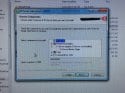
IMG_0666.JPG

Has anyone experienced this before and if so, how did you fix it.

I'm using MediaPortal 1.12 and have tried to install IRSS versions 1.5.0.62 and 1.5.0.99.

Thanks for the help.
 

mm1352000

Retired Team Member
  • Premium Supporter
  • September 1, 2008
    21,544
    8,236
    Home Country
    New Zealand New Zealand
    Hello

    Some questions for you...
    1. What type of blaster do you have? (Installing IRSS is not going to help if you intend to use the blaster that came with your Colossus.)
    2. Is TV Server installed on the PC that you're trying to install IRSS on?
     

    Dave-O

    Portal Member
    June 8, 2012
    9
    0
    Home Country
    United States of America United States of America
    I'm using a USB-UIRT. I successfully used it a couple of years ago with the Colossus on a different computer (that has now been repurposed). Sorry, I forgot to mention that the TV Server is working (single seat install). I have a Colossus and a Hauppauge 2205. I can get both of them to show up in MediaPortal (both in TV Server's preview and in MediaPortal itself).
     

    mm1352000

    Retired Team Member
  • Premium Supporter
  • September 1, 2008
    21,544
    8,236
    Home Country
    New Zealand New Zealand
    Okay.
    Is TV Server installed in the default folder (c:\Program Files (x86)\Team MediaPortal\MediaPortal TV Server)?
    Are you running the IRSS installer with administrative privileges?
     

    Dave-O

    Portal Member
    June 8, 2012
    9
    0
    Home Country
    United States of America United States of America
    Thanks for the quick responses.

    No it isn't in the default location (same folder structure, but it's on my F drive), but I am running it with administrative privileges.
     

    mm1352000

    Retired Team Member
  • Premium Supporter
  • September 1, 2008
    21,544
    8,236
    Home Country
    New Zealand New Zealand
    Okay.
    I've tried to look at the IRSS installer code to figure out what is going on. It seems clear that the installer is failing to detect the TV Server installation, and that is why the options are disabled. From what I can see, the installer is looking in the Windows registry to detect the TV Server installation. However I'm not able to figure out the detail/specifics of the check.

    Is your whole Windows installation on the F: drive?
     

    Dave-O

    Portal Member
    June 8, 2012
    9
    0
    Home Country
    United States of America United States of America
    No. My Windows installation is on the C: drive. I just keep most of my programs on the F: drive because my C: drive is an SSD.
     

    mm1352000

    Retired Team Member
  • Premium Supporter
  • September 1, 2008
    21,544
    8,236
    Home Country
    New Zealand New Zealand
    Please use RegEdit to check the value of the "UninstallString" key under "HKLM\SOFTWARE\Microsoft\Windows\CurrentVersion\Uninstall\MediaPortal TV Server" (where HKLM is HKEY_LOCAL_MACHINE).
     

    Dave-O

    Portal Member
    June 8, 2012
    9
    0
    Home Country
    United States of America United States of America
    Sorry for the delay. There is no key labeled UninstallString. There is only one value with the following info:

    Name: (Default)
    Type: REG_SZ
    Data: (value not set)
     

    mm1352000

    Retired Team Member
  • Premium Supporter
  • September 1, 2008
    21,544
    8,236
    Home Country
    New Zealand New Zealand
    That's odd... and probably explains why the installer can't find the TV Server installation.
    Please try to add the "UninstallString" key. The value should be a string containing the installation path (ie. for you "f:\Program Files (x86)\MediaPortal\MediaPortal TV Server"). After doing that, try to run the IRSS installer again and see if you're able to install the TV Server plugins.

    P.S. If this doesn't work, I'm sorry to say I have no further suggestions.
     

    Users who are viewing this thread

    Top Bottom