
Just want to create a TV guide (1 Viewer)

Sare

New Member
August 2, 2015
3
0
Home Country
United States of America United States of America
Hi all. I am not looking to watch TV on my computer(s), just to create a guide on them (I do not have a tuner card on my laptop). I've have tried setting up MediaPortal and have not been able to get the programs to populate. I'm using the MC2MXL protocol and have 'purchased' the upgraded version. I can get the channel line up, but not the programs. Formerly, I used TVNavigator, which still works but is increasingly difficult to keep updated since the widget is no longer updated and the interface is pretty dated. Any suggestions?

Sare

Laptop: Samsung Ultrabook series 9
OS: Windows 8.1
Cable service: Verizon FIOS
MP version: 1.12
 

Edalex

Community Plugin Dev
  • Premium Supporter
  • January 3, 2008
    2,958
    1,271
    Saratov
    Home Country
    Russian Federation Russian Federation
    Hello!
    It's not clear what steps you made with mc2xml.
    I.e. how did you make dummy channels? Or did you import files produced by mc2xml in tv server using xmltv plugin? Did you map guide channels to virtual channels in your database. Generally logs are helping to understand.
     

    Sare

    New Member
    August 2, 2015
    3
    0
    Home Country
    United States of America United States of America
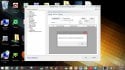
    Edalex, thanks for the prompt response. Re MC2XML file, I copied and pasted a copy in the xmltv folder as directed in T setup information. I ran the file, changed the name to tvguide.xml and followed instructions for TV Server Configuration. When I open the mapping tab, there is no data. Attached is a screenshot of what I got and three log files. Hope this gives you the information you need to continue with your help. Thanks again.

    Sare
     

    Attachments

    • mapping tab.jpg
      mapping tab.jpg
      162.5 KB
    • install_1.12.0.0_2015-08-03_15-53-58.txt
      3.9 KB
    • SetupTv.txt
      1.4 KB
    • TVService.txt
      2.9 KB

    RonD

    Test Group
  • Team MediaPortal
  • December 20, 2011
    911
    278
    SillyValley CA
    Home Country
    United States of America United States of America
    still confused by the what Sare is trying to get done, but assuming the goal is use just MP EPG to see TV listings, a few comments.

    For a typical MP usage model, you would have a TV tuner or capture card, assuming an ATSC (USA) tuner do a channel scan, this would create a bunch of channels, see http://wiki.team-mediaportal.com/1_...ration/TV-Server_Configuration/03_TV_Channels

    If you were using a capture card, you need to generate the channel, for example create them by hand using edit http://wiki.team-mediaportal.com/1_...guration/03_TV_Channels/Add_or_Edit_a_Channel

    Once you have channels, with my USA ATSC setup I get about 100, you would go to the plugins > xmltv > mapping to get the TuningChannels mapped to GuideChannels so MP TV Server would import EPG data.

    But if you don't have a tuner or capture card setup, I have no idea if/how the MP1 TV Server will function from an EPG-only point of view.
     

    mm1352000

    Retired Team Member
  • Premium Supporter
  • September 1, 2008
    21,544
    8,236
    Home Country
    New Zealand New Zealand
    Yeah, installing MediaPortal just to get a view of the guide when you don't have a tuner is going to be a lot of effort. You'd have to create all the channels that would normally be scanned in from a tuner somehow. Once those channels are created, you'd then be able to map them to the guide data imported via mc2xml + XMLTV plugin. MP can do this... but it isn't the typical install, that's for sure.
     

    Sare

    New Member
    August 2, 2015
    3
    0
    Home Country
    United States of America United States of America
    Okay, I understand now that this would be a long, cumbersome process just to get a tv guide. If I install a tuner on my desktop, I may revisit. Thank you for your prompt responses. Please consider this thread closed.

    Sare
     

    Users who are viewing this thread

    Top Bottom