Newbie Help Images not showing for covers (1 Viewer)

Aft3rd4rk

New Member
August 24, 2013
3
0
58
Adelaide, South Australia
Home Country
Australia Australia
Hi guys, ive searched and don't seem to be able to find an answer to my question.
I have all my movies saved under 4 main folders called Kids, Movies, TV Series and Adult. Within these directories are separate folders with the movies within their own named folder.
When i go to Videos in MP using the Titan skin i don't get to see the movie covers until ive drilled down into the sub directory.
Also when looking at my movies using coverflow i only see folders and not coverart.
Im pretty sure im missing ticking a box or something basic but ive gone through the setting up twice now with no luck.
Also how do i get rid of the extrafanart extrathumbs as in below image.
Sorry for such noob questions but its been frustrating me for days now.
Cheers

See images below

Coverflow

4.JPG

Only shows placeholder not cover art
2.JPG

Only when in this section does the cover show (not properly as its still scraping for a second time)
Also how do i get rid of the extrafanart extrathumbs showing on this screen, do i untick a box somewhere?

3.JPG
 

jehe

Portal Pro
February 15, 2011
694
216
59
Home Country
Belgium Belgium
Hi Aft3rd4rk,

First of all, welcome to MediaPortal.(y)

Have you read the following wiki:
http://wiki.team-mediaportal.com/1_MEDIAPORTAL_1/13_Setup_Guides/7_Videos/Movies/Movies_Setup

For fanart you need the following plugin(to install with MediaPortal Extensions Manager (MPEM)):
http://wiki.team-mediaportal.com/1_MEDIAPORTAL_1/17_Extensions/1_Installing_Extensions
https://www.team-mediaportal.com/extensions/other/fanart-handler

To watch movies, there are also a few good plugins:

Moving pictures (recommended):
https://www.team-mediaportal.com/extensions/movies-videos/moving-pictures

My Films:
https://www.team-mediaportal.com/extensions/movies-videos/my-films

Do you have any more questions ask them here on the forum.
Setting up mediaportal is not easy, but afterwards you have the most complete media center.
 
Last edited:

Aft3rd4rk

New Member
August 24, 2013
3
0
58
Adelaide, South Australia
Home Country
Australia Australia
Thanks Jean and Azzuro,
Ive read through those sections but had no luck :-(
Ive installed moving pictures but the only way i can access it is when in media portal going to plugins then selecting it. How do i get it to default to the main page of MP in place of the section called video?
Do you still need to do the setup video database in MP if you do it in moving pictures?
Also Azzuro my folder directory is like H:\Kids\moviename.avi
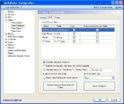
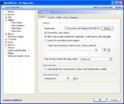
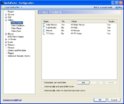
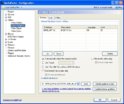
My settings look like below
Thanks for your help so far im sure with perseverance ill get it set up right :)


4.JPG 1.JPG 2.JPG 3.JPG
 

jehe

Portal Pro
February 15, 2011
694
216
59
Home Country
Belgium Belgium
Do you still need to do the setup video database in MP if you do it in moving pictures?
No

Ive installed moving pictures but the only way i can access it is when in media portal going to plugins then selecting it. How do i get it to default to the main page of MP in place of the section called video?
I think you can do that in the titan editor.

2-jpg.135300

This is not correct, you have to check a folder
 

Aft3rd4rk

New Member
August 24, 2013
3
0
58
Adelaide, South Australia
Home Country
Australia Australia
Thanks everyone for all your help and input.
Ive worked out how to get the movingpictures plugin onto the home screen. One issue ive discovered is that the titan extended doesn't play nice with moving pictures. If you change your directory in moving pictures its not reflected when clicking on the movingpictures icon on the homescreen. Ive added Kids, Adult TV to the directory above the all movies, genre etc. When selecting the icon you only see the All movies, genre etc .
Can anyone recommend a widescreen skin that plays perfectly with moving pictures?
Thanks again for everyones help. Ive removed all the video folders etc from MP and gone solely with Moving pictures which is awesome. Just need a great skin that plays well with movingpictures and ill be set.
 

Users who are viewing this thread

Top Bottom