No thumbs directory (1 Viewer)

zoedragon

Portal Member
July 3, 2008
10
0
I'm having problems getting the movie thumbnails to show up. A lot of these threads mention these images are stored in the thumbs directory, however I did a thorough search through the MediaPortal folders and there is no "thumbs" directory anywhere! Was there an error in my installation?

In the movie database of the configuration tool each movie entry is pointing to an image, but for some reason it isn't displaying in the My Videos portion of Media Portal.

I'm running Media Portal 1.0.0 RC1 on a Winows XP Pro SP3 machine
 

SMa

Retired Team Member
  • Premium Supporter
  • June 15, 2007
    194
    13
    Helsinki - Finland
    Home Country
    Belgium Belgium
    I had a similar problem and made a small tool as provisional fix:
    https://www.team-mediaportal.com/files/Download/SystemUtilities/MyMovieCovers/

    It's only useful when each movie has its own directory, because it downloads all covers to a "folder.jpg". This image will be used as the movie thumbnail for the directory.
    When searching the database I couldn't find entries linking to a thumbs-directory, so I don't know how the images should be named if I would store them there. (this is why I decided to go for the "folder.jpg" approach)

    I hope it helps ;)
     

    Spragleknas

    Moderator
  • Team MediaPortal
  • December 21, 2005
    9,471
    1,822
    Located
    Home Country
    Norway Norway
    Hi!

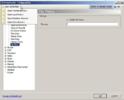
    Thumbs direcotry is now found in x:\Documents and Settings\All Users\Programdata\Team MediaPortal\MediaPortal\thumbs

    You find all "User Config Files" by entering Setup and under - yep - "User Config files" :)
    userconfig.jpg
     

    zoedragon

    Portal Member
    July 3, 2008
    10
    0
    Hi!

    Thumbs direcotry is now found in x:\Documents and Settings\All Users\Programdata\Team MediaPortal\MediaPortal\thumbs

    You find all "User Config Files" by entering Setup and under - yep - "User Config files" :)

    Ah, thank you for that information! That should help me fix my problem.

    Thanks also to SMa. If I still have the same problem then I will try out your tool. I figured worst case scenario I would have to create a separate folder for each movie and manually put a folder.jpg file into each. Sounds like your tool would make it less of a manual task.
     

    zoedragon

    Portal Member
    July 3, 2008
    10
    0
    Hmm... well I found the thumbs folder where you said it was, and I see images in there. Small and large versions of the coverart. In the movie database I can see the images too. However they still don't display inside the My Videos section of Media Portal. It's a mystery to me. Anyone else know how I can fix this?
     

    Spragleknas

    Moderator
  • Team MediaPortal
  • December 21, 2005
    9,471
    1,822
    Located
    Home Country
    Norway Norway
    Strange. Did you try different views?

    Also:
    Could you please fill in "My system" in "user CP" or at least tell what version and SVN you are running, and attach logs.
     

    zoedragon

    Portal Member
    July 3, 2008
    10
    0
    Different views yield the same results. However the folder.jpg technique works just fine.

    All I know is I installed version 1.0.0 RC1... how do I look up the SVN? Also I looked for a log folder of some kind and couldn't find any... isn't it frustrating working with newbies?
    :sorry:
     

    SMa

    Retired Team Member
  • Premium Supporter
  • June 15, 2007
    194
    13
    Helsinki - Finland
    Home Country
    Belgium Belgium
    You probably didn't use a SVN.
    I used "MediaPortal SVN-Snapshot:-06-27-2008 19-25h - Revision:19510".
     

    Users who are viewing this thread

    Top Bottom