Now playing: display disc picture (1 Viewer)

gng

Portal Member
January 23, 2012
5
0
Hi all,

newcomer here. I guess a big thanks is in place before I state my problem... I tested some of media ceter programs, looked into several other, and frankly MediaPortal seems to be THE solution for me. What I particularly like is the separation of the configuration from the application itself (no need to use media center UI for the task requiring a standard config-ui interface, which is a very big plus in my book).


Now for my problem:

I want to display album folder picture AND disc picture (the round one) in the "Now playing" view. Like on this screenshot:
https://www.team-mediaportal.com/images/stories/homepageV3/articles/features/music/13-18-02.png
However, be default the folder.jpg is just used in both places.

What is the magic filename or config setting for the disc picture? (not the 'folder.jpg')

I couldn't find it in the wiki section, and I couldn't spot it by examining the skin's xml file. If it's already been answered a 1000 times, then sorry not noticing...
 

powermarcel10

Retired Team Member
  • Premium Supporter
  • November 30, 2010
    2,836
    899
    38
    Groningen
    Home Country
    Netherlands Netherlands
    Hi all,

    newcomer here. I guess a big thanks is in place before I state my problem... I tested some of media ceter programs, looked into several other, and frankly MediaPortal seems to be THE solution for me. What I particularly like is the separation of the configuration from the application itself (no need to use media center UI for the task requiring a standard config-ui interface, which is a very big plus in my book).


    Now for my problem:

    I want to display album folder picture AND disc picture (the round one) in the "Now playing" view. Like on this screenshot:
    https://www.team-mediaportal.com/images/stories/homepageV3/articles/features/music/13-18-02.png
    However, be default the folder.jpg is just used in both places.

    What is the magic filename or config setting for the disc picture? (not the 'folder.jpg')

    I couldn't find it in the wiki section, and I couldn't spot it by examining the skin's xml file. If it's already been answered a 1000 times, then sorry not noticing...

    Hi GNG,

    are you using the default skin and doesn't showup? Or are you using another skin and would like this option to that one..
     

    gng

    Portal Member
    January 23, 2012
    5
    0
    Hi powermarcel10,

    I am using the default wide skin.

    I dont know if it's relevant, but I also like to run MediaPortal offline (disabled downloading art from the Internet, the pc is often not even connected), and I had hoped I could just place two files - the front cover and the disc picture - in the album directory. While the front cover should be named "folder,jpg", I imagine the disc picture also should also be named accordingly. Or am I wrong here?

    My problem is not that the default skin doesn't show the disc picture (I suppose it does). The problem, at least for starters, is that I don't even know where does MediaPortal takes this graphic from.
     

    powermarcel10

    Retired Team Member
  • Premium Supporter
  • November 30, 2010
    2,836
    899
    38
    Groningen
    Home Country
    Netherlands Netherlands
    Allright,

    I think I understand.. Mediaportal musicdatabase is generating thumbs at: C:\ProgramData\Team MediaPortal\MediaPortal\thumbs\Music in the folders: Albums and folder..

    Do you only don't see the rounded cd behind the cover? Or also no image in the cd cover itself.. You can put a image of the album in the music folder and call it "folder" than it has to be showup..

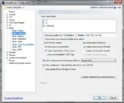
    Check your music settings in Mediaportal:
     

    Attachments

    • music.jpg
      music.jpg
      123.1 KB

    gng

    Portal Member
    January 23, 2012
    5
    0
    As you have written, I do have a file named "folder" (folder.jpg), which is supposed to represent the front album cover. I also think we may have misunderstood each other regarding what I am trying to achieve.

    So, just to make sure we understand each other correctly, and using the screenshot I linked to in the first post:
    - I see that the square picture (the one below "Under my skin" and "2004" texts) represents the artist - a color Avril photo
    - The round picture shows the album cover (black/white picture with red X)

    This is probably whare I went wrong in the first place, assuming that the square picture is the front cover. It's not - it's a picture of the artist. Sorry for the confusion.

    If I place folder.jpg file in the album directory, I get the same picture in both locations. If I allow MediaPortal to go online to get the artist pictures, I also get the artist picture in the square area.

    However, since the square area looks a lot like the CD jewel case, and the round area is, well, just like the CD disc, I wanted MediaPortal to display the front album cover in the square area, and the disc picture in the round area. I can live without the artist picture. I cannot provide a "wanted" screenshot right now, but I hope my explanation is enough.

    Do you know how can I achieve that?
     

    Users who are viewing this thread

    Top Bottom