radio channel logos (1 Viewer)

cbe37

Portal Member
August 18, 2011
23
1
Home Country
England England
MP1.2.1.0 with HTPC

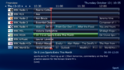
Freeview radio channel logos should be rectangular - at least they are at freeview.co.uk - and are shown as such in the Radio guide and search, but the list of channels shows a large logo which is square and squashed. This is hardly critical, but the logos do look poor. You gave me a simple edit to fix this for TV channel logos - a similar fix for this would be much appreciated.
 

mm1352000

Retired Team Member
  • Premium Supporter
  • September 1, 2008
    21,544
    8,236
    Home Country
    New Zealand New Zealand
    Hi cbe37

    The radio logo thing seems a little weird to me. It looks like the code has come from the music section so the logo is expected to be roughly square like a CD cover image. You can try the attached xml file for 4:3 logos. I'm no skinner though, so make sure you take a backup of the existing file first. ;)

    mm
     

    Attachments

    • myradio.xml
      11.1 KB

    cbe37

    Portal Member
    August 18, 2011
    23
    1
    Home Country
    England England
    Many thanks for this. Your changes unfortunately squashed the MP logo, so I've tinkered around a bit more, now that I know where to tinker! I reverted the heights back to how they were, and retained the keepaspectratios but set them both to yes, and this seems to be OK - radio logos and MP logo in the right proportions. I've attached my changed file.
     

    Attachments

    • myradio.xml
      11.1 KB

    mm1352000

    Retired Team Member
  • Premium Supporter
  • September 1, 2008
    21,544
    8,236
    Home Country
    New Zealand New Zealand
    Hi again

    Yes, I knew I had done that. The awkward thing is that the logo is entirely square. I didn't want to have the size of the placeholder area changing so I decided to go with 4:3 and squash it. Obviously you're able to make your own modifications to suit your taste! :)

    mm
     

    cbe37

    Portal Member
    August 18, 2011
    23
    1
    Home Country
    England England
    Well, up to a point I can!

    I was a bit premature in saying it was fixed. When I play a radio channel, in the bottom left hand corner appear several bits and pieces which, as you say, appear to have been copied from the music section, including a square and squashed channel logo which no matter what I twiddle remains the same. If you can quickly fix it that would be great, otherwise I can live with it!

    Is it possible that this display will be amended to give info. relevant to radio in a forthcoming release?
     

    mm1352000

    Retired Team Member
  • Premium Supporter
  • September 1, 2008
    21,544
    8,236
    Home Country
    New Zealand New Zealand
    If you can quickly fix it that would be great, otherwise I can live with it!
    I will have a look but as I say, I'm not a skinner - I'm just guessing and fiddling until it looks right. :)

    Is it possible that this display will be amended to give info. relevant to radio in a forthcoming release?
    What kind of info are you wanting? Not too many people have access to radio EPG (especially per-song EPG) so I'm not sure what info you think would be useful...
     

    cbe37

    Portal Member
    August 18, 2011
    23
    1
    Home Country
    England England
    Radio info: ideally the info. that scrolls on DAB radios - current program info., track now playing, short synopsis of play, etc.

    I don't know if that's even possible, but, if not, I'd say that the "Info" on the lower left side should simply be deleted, as it's all irrelevant to the radio! Apart from the channel logo squashed to CD-cover size there's a scrolling "Album" = channel name, "Track" and "Year" both blank, a forward button that doesn't do anything, and a time which has no meaning except to tell you how long you've been listening to the station!

    I listen to radio on DAB and more often on Freeview, which seems to be a better quality transmission.

    "Not too many people have access to radio EPG " - if you have Freeview you have the Radio channels and the EPG to go with them; sorry if I'm misunderstanding what you're saying.
     

    mm1352000

    Retired Team Member
  • Premium Supporter
  • September 1, 2008
    21,544
    8,236
    Home Country
    New Zealand New Zealand
    Radio info: ideally the info. that scrolls on DAB radios - current program info., track now playing, short synopsis of play, etc.
    I guess you're talking about RDS or similar - as far as I'm aware that info is simply not available through standard Microsoft WDM or BDA interfaces.

    "Not too many people have access to radio EPG " - if you have Freeview you have the Radio channels and the EPG to go with them; sorry if I'm misunderstanding what you're saying.
    So what does this EPG give you - the show information like "drive home show with bob", or the artist, track name, etc.?
     

    cbe37

    Portal Member
    August 18, 2011
    23
    1
    Home Country
    England England
    The EPG gives show info. - I've attached a screenshot. This is essential what scrolls on DAB radios, although some stations sometimes add track now playing. This guide info. would be a good replacement for the music-style info. on MP's radio channel screen.
     

    Attachments

    • radio-guide-screenshot.png
      radio-guide-screenshot.png
      460.1 KB

    Users who are viewing this thread

    Top Bottom