
- October 16, 2005
- 5
- 0
MediaPortal Version: V1.1
MediaPortal Skin: Streamed MP
Windows Version: Windows XP Home Edition
CPU Type: Pentium
I recently installed a newer version of Team Mediaportal, in which after a while I was able to get everything set up correctly apart from one issue. Currently when I go into the music view: Albums and Album Artists, mediaportal will show a list of all my albums as you would expect by apart from that he also shows all albums that do not have either an album tag or album artist.
I have already been looking for a solution for this problem for a while now, I checked all my tags in MP TagThat to remove wrong album tags or album artist tags. Furthermore I reorganized my entire folder view with MP TagThat according to the what I found on this forum:
I have tried scanning the database with "treat tracks in an individual folder as an album" checked and not checked but this had no influence. Included are three screenshots showing the problem and my individual set up.
MediaPortal Skin: Streamed MP
Windows Version: Windows XP Home Edition
CPU Type: Pentium
I recently installed a newer version of Team Mediaportal, in which after a while I was able to get everything set up correctly apart from one issue. Currently when I go into the music view: Albums and Album Artists, mediaportal will show a list of all my albums as you would expect by apart from that he also shows all albums that do not have either an album tag or album artist.
I have already been looking for a solution for this problem for a while now, I checked all my tags in MP TagThat to remove wrong album tags or album artist tags. Furthermore I reorganized my entire folder view with MP TagThat according to the what I found on this forum:
- For numbers that have no album or are a single track album:
Music\Artist\Album\Tracks (In the case there is nog album assigned to that track he will create a folder called "-")
- For compilation tracks the following folder structure has been set up
Music\Compilations\Album\Tracks
I have tried scanning the database with "treat tracks in an individual folder as an album" checked and not checked but this had no influence. Included are three screenshots showing the problem and my individual set up.
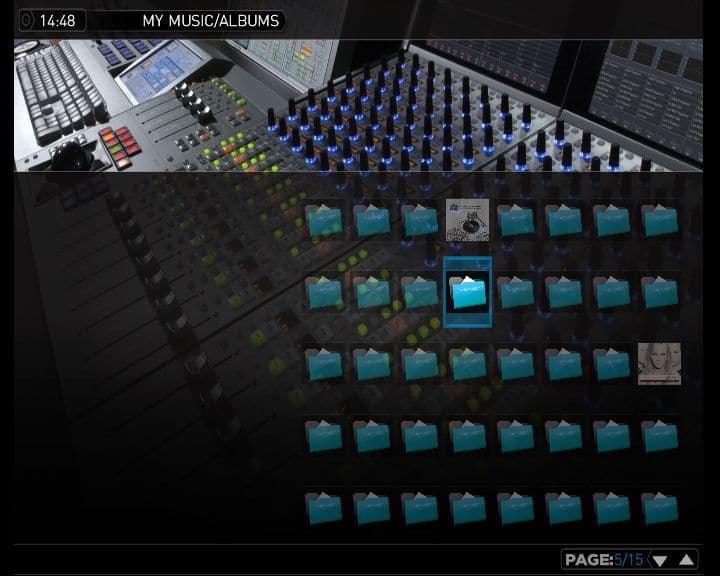
- Album view shows the current view that I am receiving in Mediaportal, with all my albums correctly but then a list with all artists, when you select these he does not show any album name either
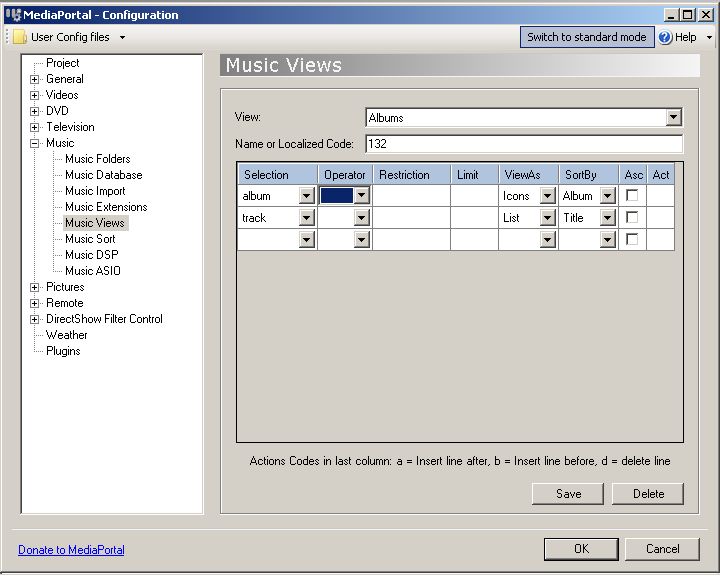
- Music Views: Shows the settings of my music view Albums
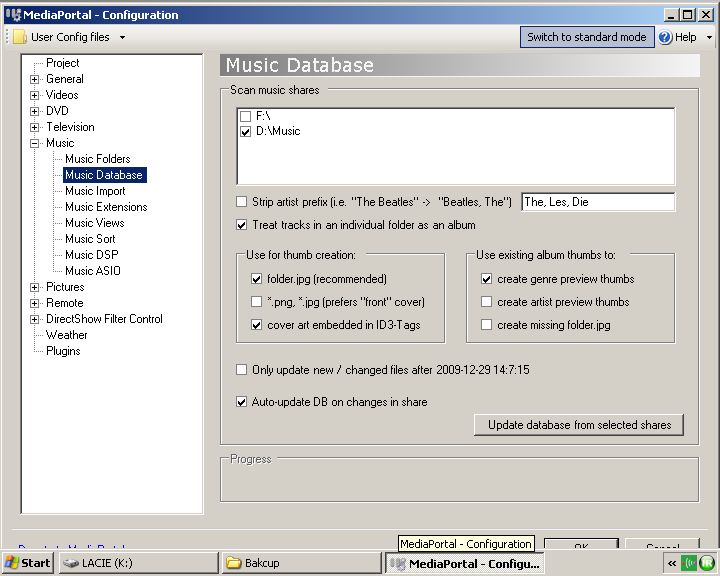
- DB Settings: shows the settings I used to import my music, I tried both with the option "treat tracks in an individual folder as an album" checked and not checked but this had no influence.

 South Africa