

 United Kingdom
I have recently been working on a new theme, for which I needed an 18 point TitanLight font which is not defined in the normal Titan fonts.xml. So I copied the fonts.xml to my theme directory and added it in, however I get the following problem when I change to that theme in the skin setting screen.
Every time I change to the theme or from my theme back to one of the defaults it takes a lot longer to change then normal and then the screen looks like this.....
 or this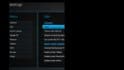
However if I restart MP it all works fine with whichever theme I've selected. If I then change the theme back to one of the default ones or one of my own themes without a changed fonts.xml file the same thing happens again.
I can avoid this by replacing the fonts.xml in the Titan skin directory so that all Titan themes use my updated version - But this stops the theme being a proper theme as it should not modify core titan files.
I can also avoid this if I make a copy of the Titan skin directory into a new directory name, change the titan.version.xml to fit the new directory name and copy all of my theme files over the top of the core Titan files. Of course you would expect this to work, however I can now change between my 'skin' and Titan on the fly with no problems. So clearly MP is able to change the fonts layout on the fly when changing skin without problem, but has this problem when changing Titan theme.
Anyone know if this is a bug? a file that can't be modified on the fly? or if I can fix this in some way?
Attached below is an example of the fonts.xml in my theme (add this to any theme folder in Titan should replicate the problem)
Also below are the log files for theme changing. I ran MP, into skin settings selected a theme and exited. There is a D3D font error in the mediaportal.log
Every time I change to the theme or from my theme back to one of the defaults it takes a lot longer to change then normal and then the screen looks like this.....
or this However if I restart MP it all works fine with whichever theme I've selected. If I then change the theme back to one of the default ones or one of my own themes without a changed fonts.xml file the same thing happens again.
I can avoid this by replacing the fonts.xml in the Titan skin directory so that all Titan themes use my updated version - But this stops the theme being a proper theme as it should not modify core titan files.
I can also avoid this if I make a copy of the Titan skin directory into a new directory name, change the titan.version.xml to fit the new directory name and copy all of my theme files over the top of the core Titan files. Of course you would expect this to work, however I can now change between my 'skin' and Titan on the fly with no problems. So clearly MP is able to change the fonts layout on the fly when changing skin without problem, but has this problem when changing Titan theme.
Anyone know if this is a bug? a file that can't be modified on the fly? or if I can fix this in some way?
Attached below is an example of the fonts.xml in my theme (add this to any theme folder in Titan should replicate the problem)
Also below are the log files for theme changing. I ran MP, into skin settings selected a theme and exited. There is a D3D font error in the mediaportal.log

