
Aeon Wide (1366x768) (9 Viewers)

trevor

Portal Pro
October 17, 2006
1,601
952
Chelmsford
Home Country
United Kingdom United Kingdom
I have a small problem with ForTheRecord.
When I enter the screen for RECORDED PROGRAMS and the view is set on LIST, The left menu keeps focus and I am not able to get to the list with any of the arrow-keys.
If I change to icon view, I can get from the menu to the list with the right arrow.
Now change back to list view without exiting and it will work.
BUT - exit and reopen with list view and it does not work.


Another issue - is it possible to change that the list will have default focus when entering (in stead of the menu)?

Hi rekenaar,

Could not repeat that error but have changed the recordedtv and upcoming screens to deafult to the list instead of the menu..should have always been that way!

Please try the attached and if ok I will refresh the archive.

Thanks
 

Attachments

  • 4TR_RecordedTv.xml
    30.6 KB
  • 4TR_Upcoming.xml
    30.6 KB

rekenaar

Retired Team Member
  • Premium Supporter
  • December 17, 2006
    4,421
    805
    Home Country
    South Africa South Africa
    Hi rekenaar,

    Could not repeat that error but have changed the recordedtv and upcoming screens to deafult to the list instead of the menu..should have always been that way!

    Please try the attached and if ok I will refresh the archive.

    Thanks

    Upcoming is working :D
    RecordedTV starts with the list :D ... but if I press the left arrow it opens the menu OK, but I cannot get out of the menu again?
     

    trevor

    Portal Pro
    October 17, 2006
    1,601
    952
    Chelmsford
    Home Country
    United Kingdom United Kingdom
    Hi rekenaar,

    Could not repeat that error but have changed the recordedtv and upcoming screens to deafult to the list instead of the menu..should have always been that way!

    Please try the attached and if ok I will refresh the archive.

    Thanks
    Upcoming is working :D
    RecordedTV starts with the list :D ... but if I press the left arrow it opens the menu OK, but I cannot get out of the menu again?

    Ah...found it...the list screen did not regain focus when leaving the menu...try this
     

    Attachments

    • 4TR_RecordedTv.xml
      30.6 KB

    trevor

    Portal Pro
    October 17, 2006
    1,601
    952
    Chelmsford
    Home Country
    United Kingdom United Kingdom
    Dialog screens

    I have altered a couple of the dialogs, one is a enhancment of the text dialog and the other is the menu dialog, this seems to cover 80% of what you see - I will finish off the other tomorrow.

    The archive contains the xmls and the required .png file - remember to delete your skin cache

    Trevor
     

    trevor

    Portal Pro
    October 17, 2006
    1,601
    952
    Chelmsford
    Home Country
    United Kingdom United Kingdom
    Music screens

    As I missed the changes to the music screen, removing of the overlay for anything but the list views, came as a shock after I refreshed from SVN this evening...looks good but text unreadable and I like to see the txt and not all of my music has thumnails.....

    I have made some changes to suit me, added an OSD to the bottom of the screen for thumbnail and filmstrip views and rearranged the txt elements in that area, also sorted display if no thumb avaiable so displays the 'no thumb' icon.

    Like I said, my take but thought I would see what others think....
     

    Attachments

    • common.window.music.xml
      30.7 KB
    • common.facade.music.xml
      30.7 KB

    trevor

    Portal Pro
    October 17, 2006
    1,601
    952
    Chelmsford
    Home Country
    United Kingdom United Kingdom
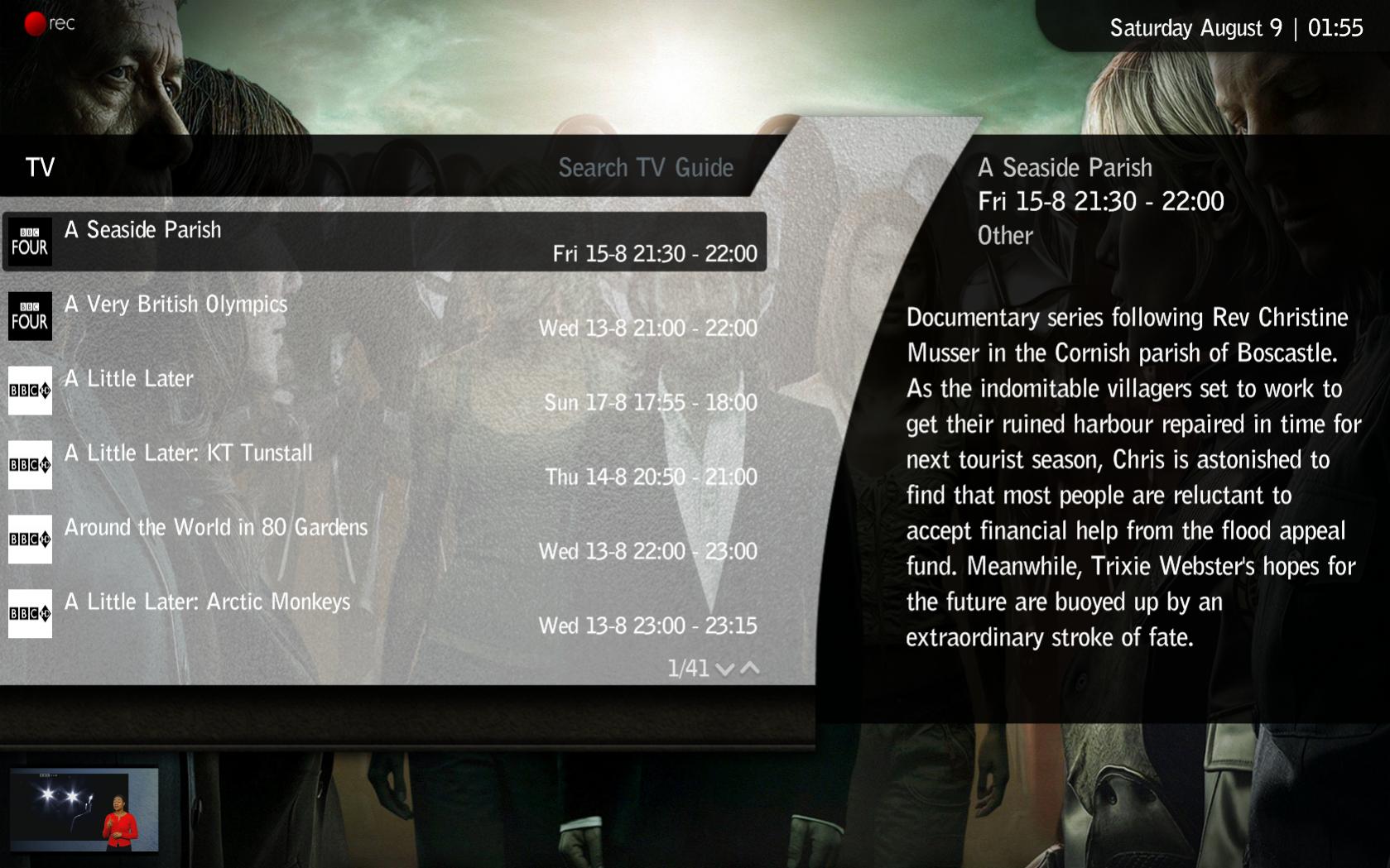
    TvSearch screen

    Fixed the overlapping text on this....time for bed now :)

    Trevor
     

    Attachments

    • 01-55-21.jpg
      01-55-21.jpg
      213 KB
    • mytvsearch.xml
      30.6 KB

    thesystemera

    Portal Pro
    May 26, 2008
    807
    22
    44
    Auckland
    Home Country
    New Zealand New Zealand
    Thanks Trevor... Giood stuff... You guys are really quick on the mark, gotta say :) Hey yeah finally got OnlineVideos going, theres a file that has just been released in the last few days... Search Youtube, you will find it in the third search resault :) If any ones interested...
     

    seco

    Retired Team Member
  • Premium Supporter
  • August 7, 2007
    1,575
    1,239
    Home Country
    Finland Finland
    I have altered a couple of the dialogs, one is a enhancment of the text dialog and the other is the menu dialog, this seems to cover 80% of what you see - I will finish off the other tomorrow.

    The archive contains the xmls and the required .png file - remember to delete your skin cache

    Trevor

    Why is the dialog close "X" flattened in the second picture? Seems like a bug? I've seen that in other dialogs too. In the first picture it seems to be ok :confused:
     

    trevor

    Portal Pro
    October 17, 2006
    1,601
    952
    Chelmsford
    Home Country
    United Kingdom United Kingdom
    I have altered a couple of the dialogs, one is a enhancment of the text dialog and the other is the menu dialog, this seems to cover 80% of what you see - I will finish off the other tomorrow.

    The archive contains the xmls and the required .png file - remember to delete your skin cache

    Trevor

    Why is the dialog close "X" flattened in the second picture? Seems like a bug? I've seen that in other dialogs too. In the first picture it seems to be ok :confused:

    Your right, image defined in skin as non-square - try this version
     

    Users who are viewing this thread

    Top Bottom