- September 18, 2006
- 847
- 53
- Home Country
-
 Belgium
TV-Server Version:
MediaPortal Version: 1.0 RC3
MediaPortal Skin: Blue3
Windows Version: Xp sp3
CPU Type: AMD Athlon 64 X2 4450E
HDD: Samsung 320GB Spinpoint T166 SataII
Memory: Apacer DDR2 PC6400 1024MB Passive
Motherboard: Gigabyte GA-MA78GM-S2H
Video Card: Asus EN8500GT Silent/HTP/256M
Video Card Driver: 6.14.11.7824
Sound Card: Onboard Realtek ALC889A
Sound Card AC3:
Sound Card Driver: 5.10.0.5657
1. TV Card: Hauppauge Win/TV PVR 350
1. TV Card Type: Analog
1. TV Card Driver: 1.18.21.22301
2. TV Card:
2. TV Card Type:
2. TV Card Driver:
3. TV Card:
3. TV Card Type:
3. TV Card Driver:
4. TV Card:
4. TV Card Type:
4. TV Card Driver:
MPEG2 Video Codec:
MPEG2 Audio Codec:
h.264 Video Codec:
Satelite/CableTV Provider:
HTPC Case: Antec Fusion
Cooling: Boxed cpu cooler & 1x120mm case fans (disconnected 2nd 120mm)
Power Supply: Standard
Remote: Hauppauge silver 45 buttons
TV: Sony KV-29FX20B
TV - HTPC Connection: (TV) Scart -> Scart convertor -> S-Video (Integrated TV-out of mobo)
Hi guys, a friend gave me some movies in avi format + srt files.
Now I would like to be able to play them without having to convert them but I don't have a clue what to do.
I did a search and found some information about a plugin but that thread is over a year old so I wonder if this is still the way to achieve it.
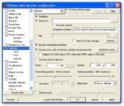
Something else that I tried, is to turn subtitles on in the client configuration (movies) section but that didn't change anything.
Any help is appreciated.
P2
MediaPortal Version: 1.0 RC3
MediaPortal Skin: Blue3
Windows Version: Xp sp3
CPU Type: AMD Athlon 64 X2 4450E
HDD: Samsung 320GB Spinpoint T166 SataII
Memory: Apacer DDR2 PC6400 1024MB Passive
Motherboard: Gigabyte GA-MA78GM-S2H
Video Card: Asus EN8500GT Silent/HTP/256M
Video Card Driver: 6.14.11.7824
Sound Card: Onboard Realtek ALC889A
Sound Card AC3:
Sound Card Driver: 5.10.0.5657
1. TV Card: Hauppauge Win/TV PVR 350
1. TV Card Type: Analog
1. TV Card Driver: 1.18.21.22301
2. TV Card:
2. TV Card Type:
2. TV Card Driver:
3. TV Card:
3. TV Card Type:
3. TV Card Driver:
4. TV Card:
4. TV Card Type:
4. TV Card Driver:
MPEG2 Video Codec:
MPEG2 Audio Codec:
h.264 Video Codec:
Satelite/CableTV Provider:
HTPC Case: Antec Fusion
Cooling: Boxed cpu cooler & 1x120mm case fans (disconnected 2nd 120mm)
Power Supply: Standard
Remote: Hauppauge silver 45 buttons
TV: Sony KV-29FX20B
TV - HTPC Connection: (TV) Scart -> Scart convertor -> S-Video (Integrated TV-out of mobo)
Hi guys, a friend gave me some movies in avi format + srt files.
Now I would like to be able to play them without having to convert them but I don't have a clue what to do.
I did a search and found some information about a plugin but that thread is over a year old so I wonder if this is still the way to achieve it.
Something else that I tried, is to turn subtitles on in the client configuration (movies) section but that didn't change anything.
Any help is appreciated.
P2