- September 1, 2008
- 21,544
- 8,236
- Home Country
-
 New Zealand
Hi again jona78
Your latest logs show errors related to DirectX:
[COLLAPSE]2011-09-21 18:24:57.071223 [Debug][MPMain(1)]: Main: Initializing DirectX
2011-09-21 18:24:57.965274 [Info.][MPMain(1)]: D3D: Starting fullscreen
2011-09-21 18:24:57.967274 [Info.][MPMain(1)]: D3D: Client size: 1360x768 - Screen: 1360x768
2011-09-21 18:24:57.980275 [Info.][MPMain(1)]: d3dapp: Graphic adapter 'NVIDIA Quadro FX 3700' is using driver version '8.17.12.7589'
2011-09-21 18:24:57.981275 [Info.][MPMain(1)]: d3dapp: Pixel shaders supported: 512 (Version: 3.0), Vertex shaders supported: 32 (Version: 3.0)
2011-09-21 18:24:57.983275 [Info.][MPMain(1)]: Creating DirectX9 Ex device
2011-09-21 18:25:00.637427 [Info.][MPMain(1)]: Exception :Error in the application.
-2005530516 (D3DERR_INVALIDCALL)
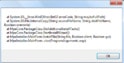
at Microsoft.DirectX.Direct3D.Device.Reset(PresentParameters[] presentationParameters)
at MediaPortal.D3DApp.CreateDirectX9ExDevice(CreateFlags createFlags)
at MediaPortal.D3DApp.InitializeEnvironment()
2011-09-21 18:25:00.638427 [Info.][MPMain(1)]: Exception :Error in the application.
2011-09-21 18:25:00.638427 [Info.][MPMain(1)]: site :Void Reset(Microsoft.DirectX.Direct3D.PresentParameters[])
2011-09-21 18:25:00.638427 [Info.][MPMain(1)]: source :Microsoft.DirectX.Direct3D
2011-09-21 18:25:00.639427 [Info.][MPMain(1)]: stacktrace: at Microsoft.DirectX.Direct3D.Device.Reset(PresentParameters[] presentationParameters)
at MediaPortal.D3DApp.CreateDirectX9ExDevice(CreateFlags createFlags)
at MediaPortal.D3DApp.InitializeEnvironment()
2011-09-21 18:25:00.645427 [Info.][MPMain(1)]: D3D: Exception:
2011-09-21 18:25:00.725428 [Info.][FilterChecker(4)]: FilterChecker: Found quartz.dll from 19/12/2009 located at C:\Windows\system32\quartz.dll
2011-09-21 18:25:00.725428 [Info.][FilterChecker(4)]: FilterChecker: Version of installed quartz.dll: 6.6.7600.16385
2011-09-21 18:25:22.880267 [Info.][MPMain(1)]: d3dapp: Graphic adapter 'NVIDIA Quadro FX 3700' is using driver version '8.17.12.7589'
2011-09-21 18:25:22.880267 [Info.][MPMain(1)]: d3dapp: Pixel shaders supported: 512 (Version: 3.0), Vertex shaders supported: 32 (Version: 3.0)
2011-09-21 18:25:22.880267 [Info.][MPMain(1)]: D3D: Exception: Warning: Nothing will be rendered.
The reference rendering device was selected, but your
computer only has a reduced-functionality reference device
installed. Please check if your graphics card and
drivers meet the minimum system requirements.
2011-09-21 18:25:37.573894 [Info.][MPMain(1)]: Creating DirectX9 Ex device
2011-09-21 18:25:37.605094 [Info.][MPMain(1)]: Exception ystem.NullReferenceException: Object reference not set to an instance of an object.
at Microsoft.DirectX.Direct3D.Device.Reset(PresentParameters[] presentationParameters)
at MediaPortal.D3DApp.CreateDirectX9ExDevice(CreateFlags createFlags)
at MediaPortal.D3DApp.InitializeEnvironment()
2011-09-21 18:25:37.605094 [Info.][MPMain(1)]: Exception :Object reference not set to an instance of an object.
2011-09-21 18:25:37.605094 [Info.][MPMain(1)]: site :Void Reset(Microsoft.DirectX.Direct3D.PresentParameters[])
2011-09-21 18:25:37.605094 [Info.][MPMain(1)]: source :Microsoft.DirectX.Direct3D
2011-09-21 18:25:37.605094 [Info.][MPMain(1)]: stacktrace: at Microsoft.DirectX.Direct3D.Device.Reset(PresentParameters[] presentationParameters)
at MediaPortal.D3DApp.CreateDirectX9ExDevice(CreateFlags createFlags)
at MediaPortal.D3DApp.InitializeEnvironment()[/COLLAPSE]
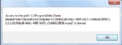
Do you not see a warning about the reference rasterizer (or something like that) when you start MP?
The only thing you can do here I think is ensure that you're using the latest drivers for your video card.
mm
Your latest logs show errors related to DirectX:
[COLLAPSE]2011-09-21 18:24:57.071223 [Debug][MPMain(1)]: Main: Initializing DirectX
2011-09-21 18:24:57.965274 [Info.][MPMain(1)]: D3D: Starting fullscreen
2011-09-21 18:24:57.967274 [Info.][MPMain(1)]: D3D: Client size: 1360x768 - Screen: 1360x768
2011-09-21 18:24:57.980275 [Info.][MPMain(1)]: d3dapp: Graphic adapter 'NVIDIA Quadro FX 3700' is using driver version '8.17.12.7589'
2011-09-21 18:24:57.981275 [Info.][MPMain(1)]: d3dapp: Pixel shaders supported: 512 (Version: 3.0), Vertex shaders supported: 32 (Version: 3.0)
2011-09-21 18:24:57.983275 [Info.][MPMain(1)]: Creating DirectX9 Ex device
2011-09-21 18:25:00.637427 [Info.][MPMain(1)]: Exception :Error in the application.
-2005530516 (D3DERR_INVALIDCALL)
at Microsoft.DirectX.Direct3D.Device.Reset(PresentParameters[] presentationParameters)
at MediaPortal.D3DApp.CreateDirectX9ExDevice(CreateFlags createFlags)
at MediaPortal.D3DApp.InitializeEnvironment()
2011-09-21 18:25:00.638427 [Info.][MPMain(1)]: Exception :Error in the application.
2011-09-21 18:25:00.638427 [Info.][MPMain(1)]: site :Void Reset(Microsoft.DirectX.Direct3D.PresentParameters[])
2011-09-21 18:25:00.638427 [Info.][MPMain(1)]: source :Microsoft.DirectX.Direct3D
2011-09-21 18:25:00.639427 [Info.][MPMain(1)]: stacktrace: at Microsoft.DirectX.Direct3D.Device.Reset(PresentParameters[] presentationParameters)
at MediaPortal.D3DApp.CreateDirectX9ExDevice(CreateFlags createFlags)
at MediaPortal.D3DApp.InitializeEnvironment()
2011-09-21 18:25:00.645427 [Info.][MPMain(1)]: D3D: Exception:
2011-09-21 18:25:00.725428 [Info.][FilterChecker(4)]: FilterChecker: Found quartz.dll from 19/12/2009 located at C:\Windows\system32\quartz.dll
2011-09-21 18:25:00.725428 [Info.][FilterChecker(4)]: FilterChecker: Version of installed quartz.dll: 6.6.7600.16385
2011-09-21 18:25:22.880267 [Info.][MPMain(1)]: d3dapp: Graphic adapter 'NVIDIA Quadro FX 3700' is using driver version '8.17.12.7589'
2011-09-21 18:25:22.880267 [Info.][MPMain(1)]: d3dapp: Pixel shaders supported: 512 (Version: 3.0), Vertex shaders supported: 32 (Version: 3.0)
2011-09-21 18:25:22.880267 [Info.][MPMain(1)]: D3D: Exception: Warning: Nothing will be rendered.
The reference rendering device was selected, but your
computer only has a reduced-functionality reference device
installed. Please check if your graphics card and
drivers meet the minimum system requirements.
2011-09-21 18:25:37.573894 [Info.][MPMain(1)]: Creating DirectX9 Ex device
2011-09-21 18:25:37.605094 [Info.][MPMain(1)]: Exception
ystem.NullReferenceException: Object reference not set to an instance of an object.at Microsoft.DirectX.Direct3D.Device.Reset(PresentParameters[] presentationParameters)
at MediaPortal.D3DApp.CreateDirectX9ExDevice(CreateFlags createFlags)
at MediaPortal.D3DApp.InitializeEnvironment()
2011-09-21 18:25:37.605094 [Info.][MPMain(1)]: Exception :Object reference not set to an instance of an object.
2011-09-21 18:25:37.605094 [Info.][MPMain(1)]: site :Void Reset(Microsoft.DirectX.Direct3D.PresentParameters[])
2011-09-21 18:25:37.605094 [Info.][MPMain(1)]: source :Microsoft.DirectX.Direct3D
2011-09-21 18:25:37.605094 [Info.][MPMain(1)]: stacktrace: at Microsoft.DirectX.Direct3D.Device.Reset(PresentParameters[] presentationParameters)
at MediaPortal.D3DApp.CreateDirectX9ExDevice(CreateFlags createFlags)
at MediaPortal.D3DApp.InitializeEnvironment()[/COLLAPSE]
Do you not see a warning about the reference rasterizer (or something like that) when you start MP?
The only thing you can do here I think is ensure that you're using the latest drivers for your video card.
mm