
Hi,
I'm using MP 1.0 RC2 & TV Server 1.0 RC2.
I was really hoping someone could point me in the right direction in terms of editing a skin.
Out of all the skins I have tried I prefer the default skin BlueTwo, it just seems to display better (has everything sized bigger and layout correctly) on my screen, especially when watching My TV.
There is only one thing I fault the BlueTwo skin on, and that is that in My Movies, when displaying items in List Layout and Title View, it doesn't display the cover art, as it does on other skins such as Monochome 2.
I have attached several screen shots so you can see what I'm talking about.
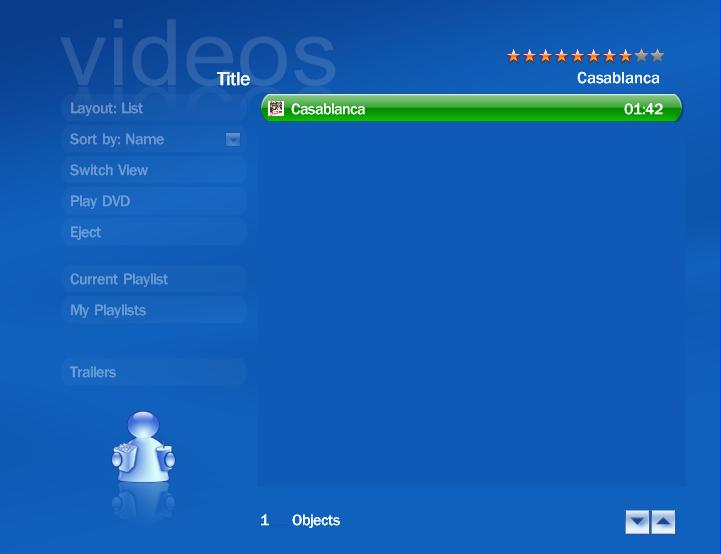
BlueTwo_pic1.jpg shows the My Movies screen, and as you can see there is a left hand menu bar. When a movie is selected it doesn't show the cover art.
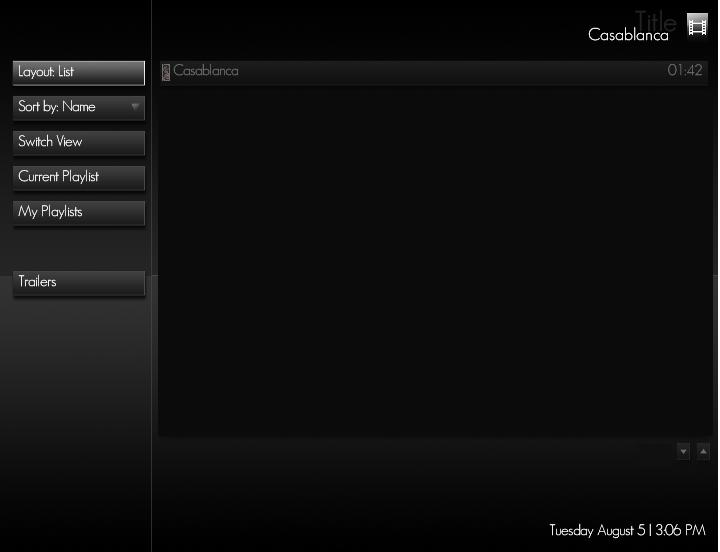
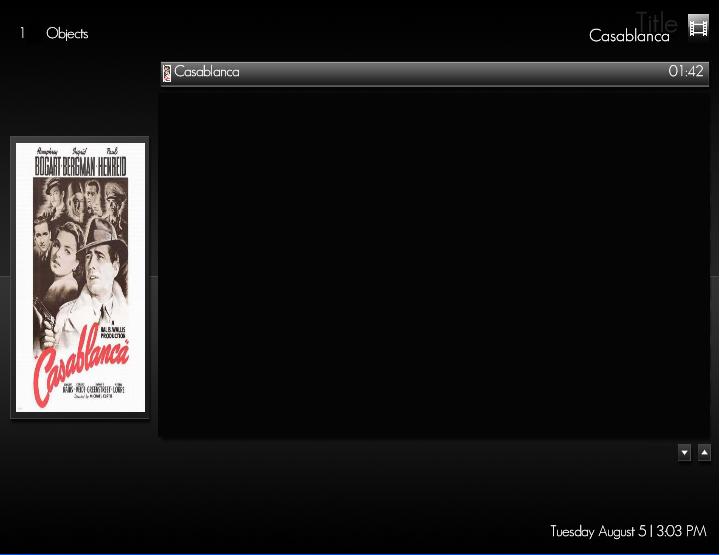
Monochrome_pic1.jpg shows the My Movies screen, and again there is a left hand menu bar. BUT, when a movie is selected it DOES show the cover art, as seen in Monochrome_pic2.jpg.
Can anyone HELP me with directions to edit the BlueTwo skin so that I can display the cover art in List View?

I'm using MP 1.0 RC2 & TV Server 1.0 RC2.
I was really hoping someone could point me in the right direction in terms of editing a skin.
Out of all the skins I have tried I prefer the default skin BlueTwo, it just seems to display better (has everything sized bigger and layout correctly) on my screen, especially when watching My TV.
There is only one thing I fault the BlueTwo skin on, and that is that in My Movies, when displaying items in List Layout and Title View, it doesn't display the cover art, as it does on other skins such as Monochome 2.
I have attached several screen shots so you can see what I'm talking about.
BlueTwo_pic1.jpg shows the My Movies screen, and as you can see there is a left hand menu bar. When a movie is selected it doesn't show the cover art.
Monochrome_pic1.jpg shows the My Movies screen, and again there is a left hand menu bar. BUT, when a movie is selected it DOES show the cover art, as seen in Monochrome_pic2.jpg.
Can anyone HELP me with directions to edit the BlueTwo skin so that I can display the cover art in List View?
 Netherlands