

 Denmark
- Moderator
- #1
TV-Server Version: RC3
MediaPortal Version: RC3
MediaPortal Skin: Monochrome 16:9
Windows Version: XP Pro SP3
CPU Type: AMD x2 4850e 2.5 GHz 45w
HDD: Samsung Spinpoint 250GB 2.5"
Memory: 4 GB DDR2 800 MHz Dual-Channel
Motherboard: Gigabyte GA-MA78GM-S2H (rev 1.0)
Video Card: Onboard AMD Radeon HD 3200
Video Card Driver: Catalyst 8.8 official
Sound Card: Onboard ALC889A
Sound Card AC3:
Sound Card Driver:
1. TV Card: Terratec Cinergy 2400i DT
1. TV Card Type: DVB-T
1. TV Card Driver:
2. TV Card:
2. TV Card Type:
2. TV Card Driver:
3. TV Card:
3. TV Card Type:
3. TV Card Driver:
4. TV Card:
4. TV Card Type:
4. TV Card Driver:
MPEG2 Video Codec:
MPEG2 Audio Codec:
h.264 Video Codec:
Satelite/CableTV Provider:
HTPC Case:
Cooling:
Power Supply: picuPSU 120W
Remote: Logitech 885
TV: LG 42PM1MA
TV - HTPC Connection: HDMI
Monochrome, Titanium, Indigo, Aeon Wide and all other skins gives me quite a blurry screen, compared to earlier versions. see attached screenshots. Looks like the skin is stretched, somehow.
Bad screen:
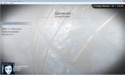
Good screen:
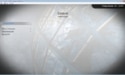
In SVN revision 20227 everything looks fine. I don't know if it makes any difference, but I use the "autosize window mode to skin (breaks teletext)" option in "General settings".
MediaPortal Version: RC3
MediaPortal Skin: Monochrome 16:9
Windows Version: XP Pro SP3
CPU Type: AMD x2 4850e 2.5 GHz 45w
HDD: Samsung Spinpoint 250GB 2.5"
Memory: 4 GB DDR2 800 MHz Dual-Channel
Motherboard: Gigabyte GA-MA78GM-S2H (rev 1.0)
Video Card: Onboard AMD Radeon HD 3200
Video Card Driver: Catalyst 8.8 official
Sound Card: Onboard ALC889A
Sound Card AC3:
Sound Card Driver:
1. TV Card: Terratec Cinergy 2400i DT
1. TV Card Type: DVB-T
1. TV Card Driver:
2. TV Card:
2. TV Card Type:
2. TV Card Driver:
3. TV Card:
3. TV Card Type:
3. TV Card Driver:
4. TV Card:
4. TV Card Type:
4. TV Card Driver:
MPEG2 Video Codec:
MPEG2 Audio Codec:
h.264 Video Codec:
Satelite/CableTV Provider:
HTPC Case:
Cooling:
Power Supply: picuPSU 120W
Remote: Logitech 885
TV: LG 42PM1MA
TV - HTPC Connection: HDMI
Monochrome, Titanium, Indigo, Aeon Wide and all other skins gives me quite a blurry screen, compared to earlier versions. see attached screenshots. Looks like the skin is stretched, somehow.
Bad screen:
Good screen:
In SVN revision 20227 everything looks fine. I don't know if it makes any difference, but I use the "autosize window mode to skin (breaks teletext)" option in "General settings".


