
- October 8, 2007
- 15
- 0
- Home Country
-
 Netherlands
MediaPortal Version: 1.1 RC1
MediaPortal Skin: StreamedMP
Windows Version: Windows 7 Ultimate x64
CPU Type: AMD Phenom II X4 955 @ 3400Mhz
HDD: 1x Samsung Spinpoint F1, 1x 250GB
Memory: 2x2GB
Motherboard: Gigabyte MA-790XT-UD4P
Video Card: ATI Radeon 4890
Video Card Driver: Catalyst 10.2
Sound Card: Soundblaster X-Fi XtemeMusic
1. TV Card: Anysee DVBTC
1. TV Card Type: DVB-C
MPEG2 Video Codec: ffdshow
MPEG2 Audio Codec: ffdshow
h.264 Video Codec: ffdshow
Satelite/CableTV Provider: Caiway
Remote: Microsoft MCE Remote
For some reason my Mediaportal won't play MKV/H264 files anymore, I'm getting the error as shown in the attachment. I can play the files fine in MPC-HC
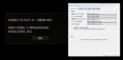
I've been trying to solve this issue all day, to no avail so any help would be greatly appreciated. I've tried installing SAF 4.00 and have tried a number of codecs (including ATi Avivo, ffdshow, DivX h264 and others) but it still won't play MKV/h264 files. However my TV HD channels are working fine, and I've set videos and tv to use the same codecs. I've also tried switching between EVR and VMR9 and disabling subtitles.
MediaPortal Skin: StreamedMP
Windows Version: Windows 7 Ultimate x64
CPU Type: AMD Phenom II X4 955 @ 3400Mhz
HDD: 1x Samsung Spinpoint F1, 1x 250GB
Memory: 2x2GB
Motherboard: Gigabyte MA-790XT-UD4P
Video Card: ATI Radeon 4890
Video Card Driver: Catalyst 10.2
Sound Card: Soundblaster X-Fi XtemeMusic
1. TV Card: Anysee DVBTC
1. TV Card Type: DVB-C
MPEG2 Video Codec: ffdshow
MPEG2 Audio Codec: ffdshow
h.264 Video Codec: ffdshow
Satelite/CableTV Provider: Caiway
Remote: Microsoft MCE Remote
For some reason my Mediaportal won't play MKV/H264 files anymore, I'm getting the error as shown in the attachment. I can play the files fine in MPC-HC
I've been trying to solve this issue all day, to no avail so any help would be greatly appreciated. I've tried installing SAF 4.00 and have tried a number of codecs (including ATi Avivo, ffdshow, DivX h264 and others) but it still won't play MKV/h264 files. However my TV HD channels are working fine, and I've set videos and tv to use the same codecs. I've also tried switching between EVR and VMR9 and disabling subtitles.

 Basically tried all the codecs I have.