- February 26, 2011
- 23
- 10
Hi,
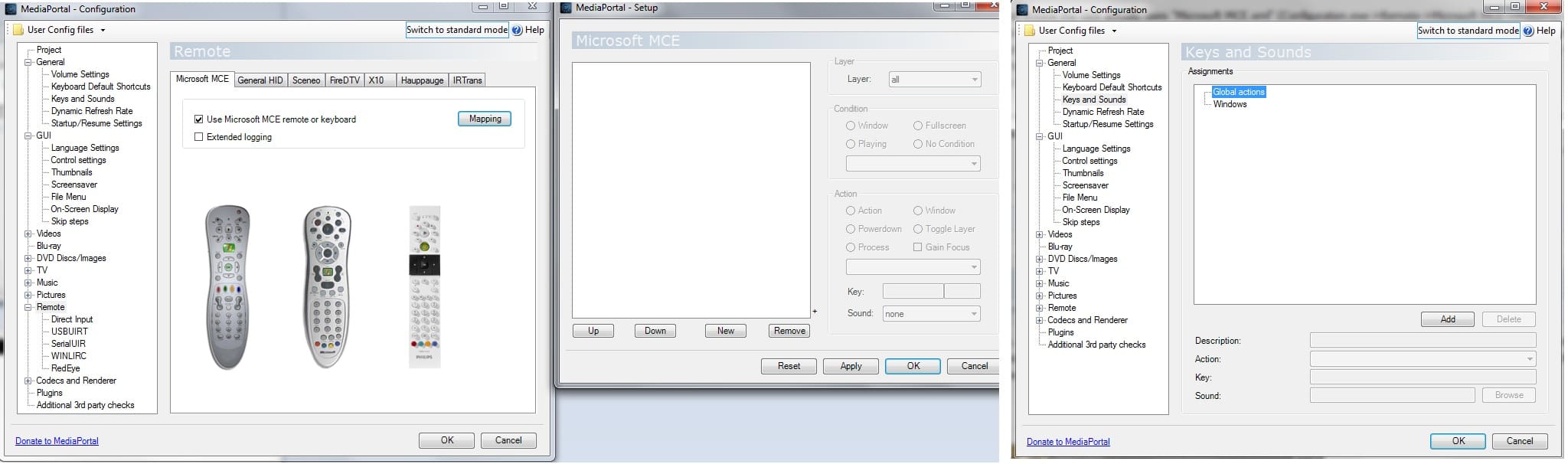
i want to change the behaviour of Mediaportal (in fullscreen video playback mode) when i press the hash key on my MCE remote. On my system (Win 7, MP 1.3) pressing # on the remote changes the aspect ratio of the fullscreen video. Since i created a program with autohotkey which opens the windows task switcher (executing "ctrl+win+tab") when i press "Shift+3" (which equals the # key on the MCE remote outside of MP), the windows task switcher opens as well as the aspect ratio of the fullscreen video is changed. I tried to edit "keymap.xml" as well as "Microsoft MCE.xml" (remove some actions and remove all actions inside that files), but with no luck.
I have chosen the # key of the remote because its (at least for me) the most unimportant key on the remote, so changing the button in the autohotkey program is not really an option for me.
Any ideas how i can solve this problem?
i want to change the behaviour of Mediaportal (in fullscreen video playback mode) when i press the hash key on my MCE remote. On my system (Win 7, MP 1.3) pressing # on the remote changes the aspect ratio of the fullscreen video. Since i created a program with autohotkey which opens the windows task switcher (executing "ctrl+win+tab") when i press "Shift+3" (which equals the # key on the MCE remote outside of MP), the windows task switcher opens as well as the aspect ratio of the fullscreen video is changed. I tried to edit "keymap.xml" as well as "Microsoft MCE.xml" (remove some actions and remove all actions inside that files), but with no luck.
I have chosen the # key of the remote because its (at least for me) the most unimportant key on the remote, so changing the button in the autohotkey program is not really an option for me.
Any ideas how i can solve this problem?
Last edited:

 Sweden