Changing Watched Colors (1 Viewer)

daithos

Portal Member
November 26, 2007
18
0
First of all what a great skin. clean, tidy, professional. Love it.

Would just like to make a small change (dont mind doing it just for myself) but im having a little difficulty and was wonrdering if someone could point me in the right direction.

Im trying to changed the color of the episodes in the TVSeries.xml file based on watched (green)/not watched (white so no change) /missing (bright red so I know I have to get them) as currently missing files are simply white meaning I have no idea they are missing until I try to play it. When every I change the highlighed values in the xml file nothing changes. Is this the correct file and section, what am I doing wrong?

Cheers
Zak


<control>
<description>graphical thumbpanel banners(series and seasons if set)</description>
<type>thumbnailpanel</type>
<id>50</id>
<posX>40</posX>
<posY>110</posY>
<height>338</height>
<!-- Textures -->
<imageFolder>icon_empty_nofocus.png</imageFolder>
<imageFolderFocus>icon_empty_focus.png</imageFolderFocus>
<!-- Text -->
<selectedColor>00ffffff</selectedColor>
<remoteColor>FF868686</remoteColor>
<!-- watched color -->
<downloadColor>FF008000</downloadColor>
<!-- not watched color (normal) -->
<textcolor>FFdddddd</textcolor>
<!-- local file not present color -->
<textcolor2>FFFF0000</textcolor2>
<!-- local file not present color column 2-->
<textcolor3>FFFF0000</textcolor3>
<!-- local file not present color column 3-->
<suffix>|</suffix>
<!-- Groups -->
 

Dadeo

Docs Group Manager
  • Premium Supporter
  • November 26, 2006
    5,340
    3,321
    Himalayas, India
    Home Country
    Canada Canada
    Hi daithos
    The code you display above is for icons layouts (thumbnailpanel) - is that what you wanted? aMPed does not display the icon text below each icon (too small to read on most screens). If you want to change the colors in the lists, then go to the section that says 'Text List' (type listcontrol)

    If you meant something else just post a screen shot showing which text you want to change.

    Tip: aMPed 3.3.2 uses the watch icon in the status area (top right) for most video windows that support it (like TVS). so you might want to change the color of the watch icon as well to match if you are using aMPed SVN or when v 3.3.2 is released in a few days.

    In v3.4 hopefully you will have a theme editor that lets you define colors throughout amped like the played/watched color for text.
     

    daithos

    Portal Member
    November 26, 2007
    18
    0
    thanks for the quick reply Dadeo. Funnily enough when you edit the correct section it works perfectly.. :)

    One last question. On the List view for episodes is it possible to have a the episode thumb where the season cover is currently displayed. Currently you have fanart in the middle with a season case in the bottom right corner if the episode is unwatched, and if the episode is watched then the fanart becomes a large and blurry episode thumb instead. Is this changeable? Can you please point me in the right direction?


    Cheers in advance.
    Zak
     

    Dadeo

    Docs Group Manager
  • Premium Supporter
  • November 26, 2006
    5,340
    3,321
    Himalayas, India
    Home Country
    Canada Canada
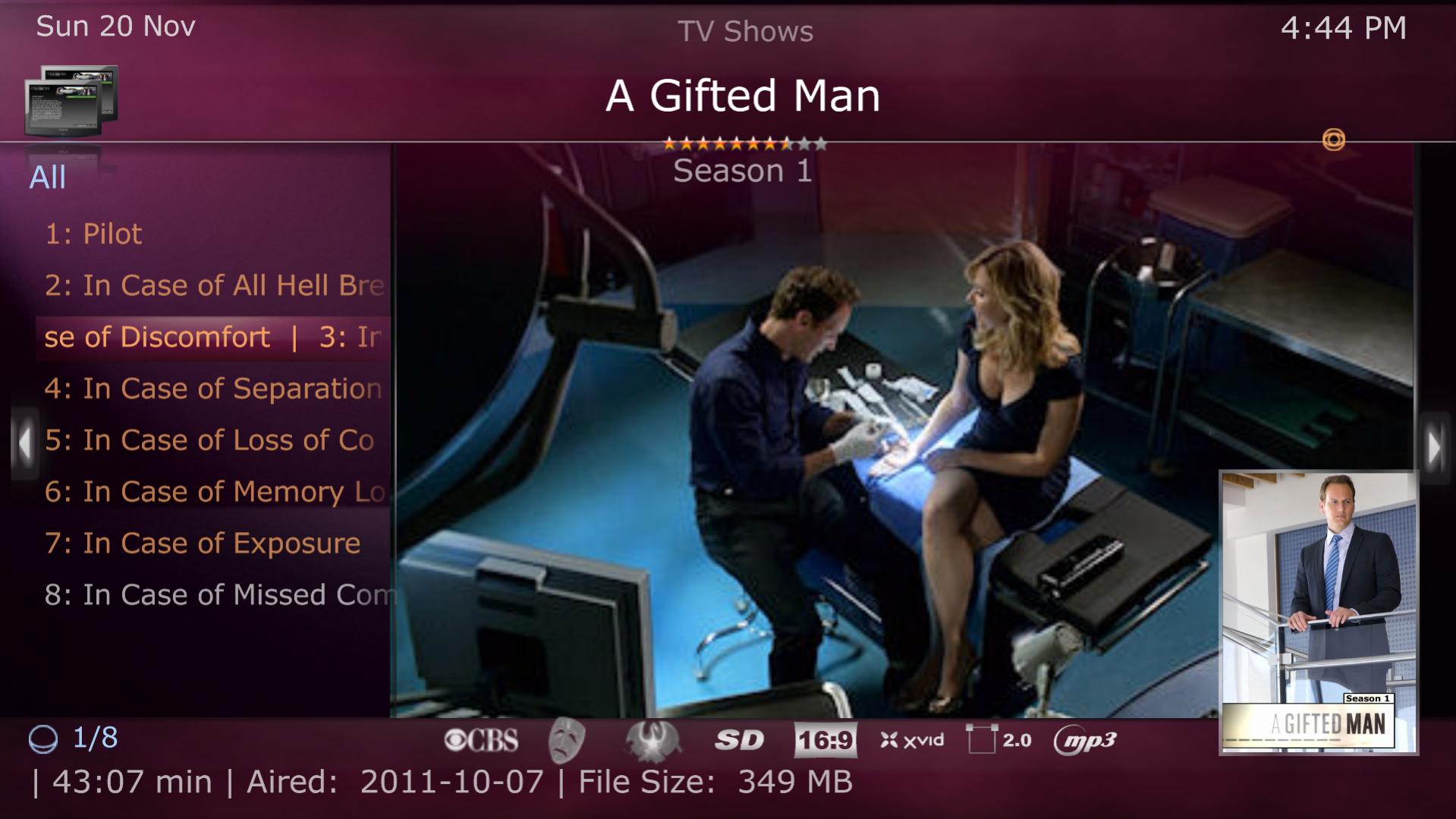
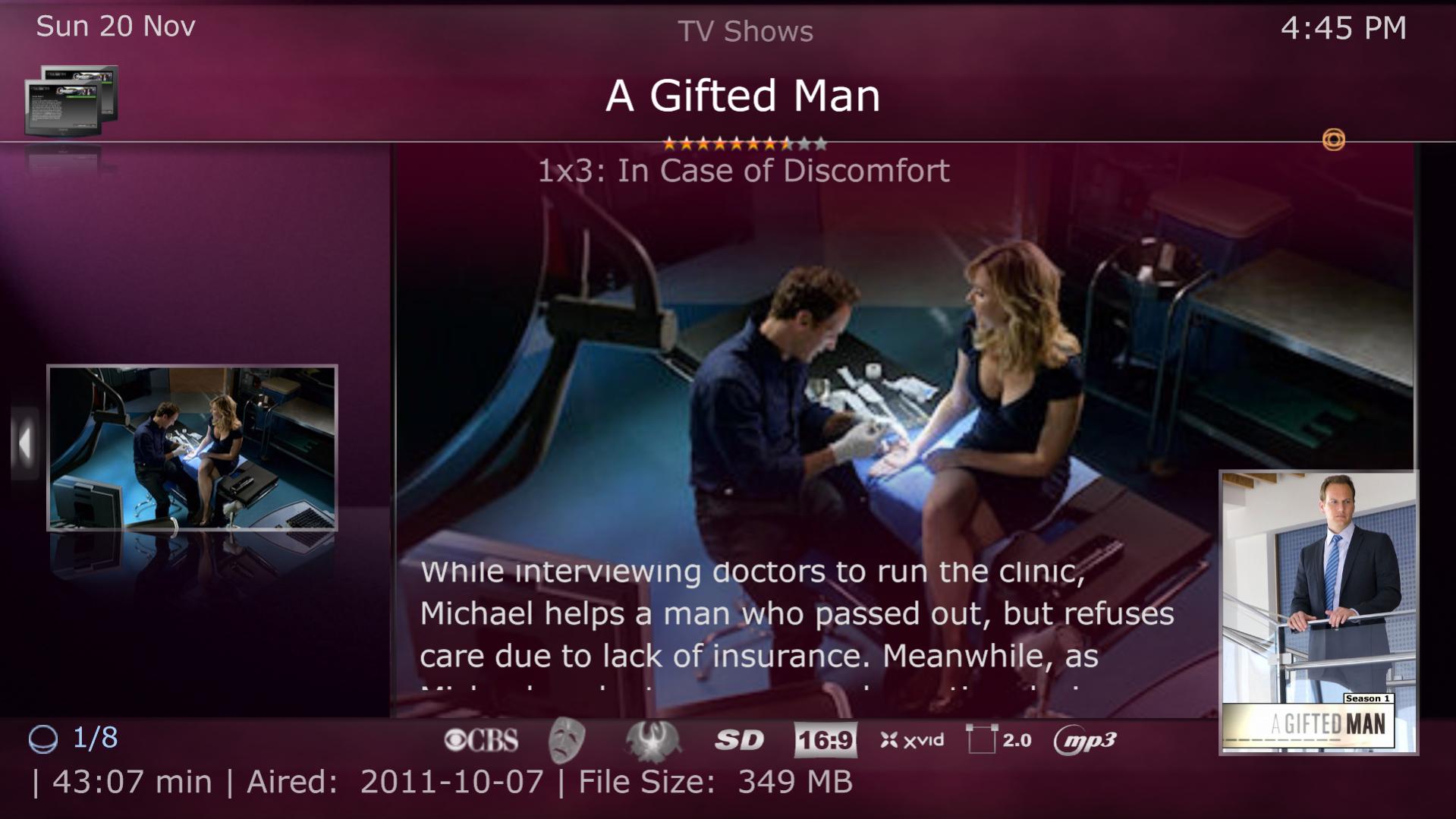
    Hey Zak, you are not the first to mention the episode images as backdrops. I admit they are not the best hi-res images, but I don't find them that bad (see screenshots on my 1920x1080p screen). The small episode image does show in Details view (when you press right arrow - see 2nd screenshot). You have to keep them quite small to fit on the lower right as they are usually 16x9 images.

    Unfortunately TV Series xml is a bit complex. If you want to give it a go, the main Cover images are at the top under Season Covers and you need to remove the Control.IsVisible(1239) (for Episodes Layout) from the visible tag on all the Season cover controls. Then go to near the end of TVSeries.xml under Episode Panel and you will see the control for the episode thumb image. Remove the +Control.hasfocus(4444) (to display only in Details view) and adjust the posX/Y and width/height to get it where you want. You can start by removing them all and use the defaults if that works for you.

    If you want to revert to the usual fanart, that is much easier. Just remove the Episode image control (last one) from TVSeries.Fanart.Backdrops.xml. But you have to do that in all the TVSeries.Fanart.Backdrops.xmls in the Layout\Lists sub folders as there is one for each screensize/list layout (\Fanart, \Wide Fanart (16x9) and \No Fanart) just in case you select those options in aMPed Config (as it will overwrite the one in main skin folder)
     

    Attachments

    • 16-44-58.jpg
      16-44-58.jpg
      169 KB
    • 16-45-42.jpg
      16-45-42.jpg
      168.9 KB

    daithos

    Portal Member
    November 26, 2007
    18
    0
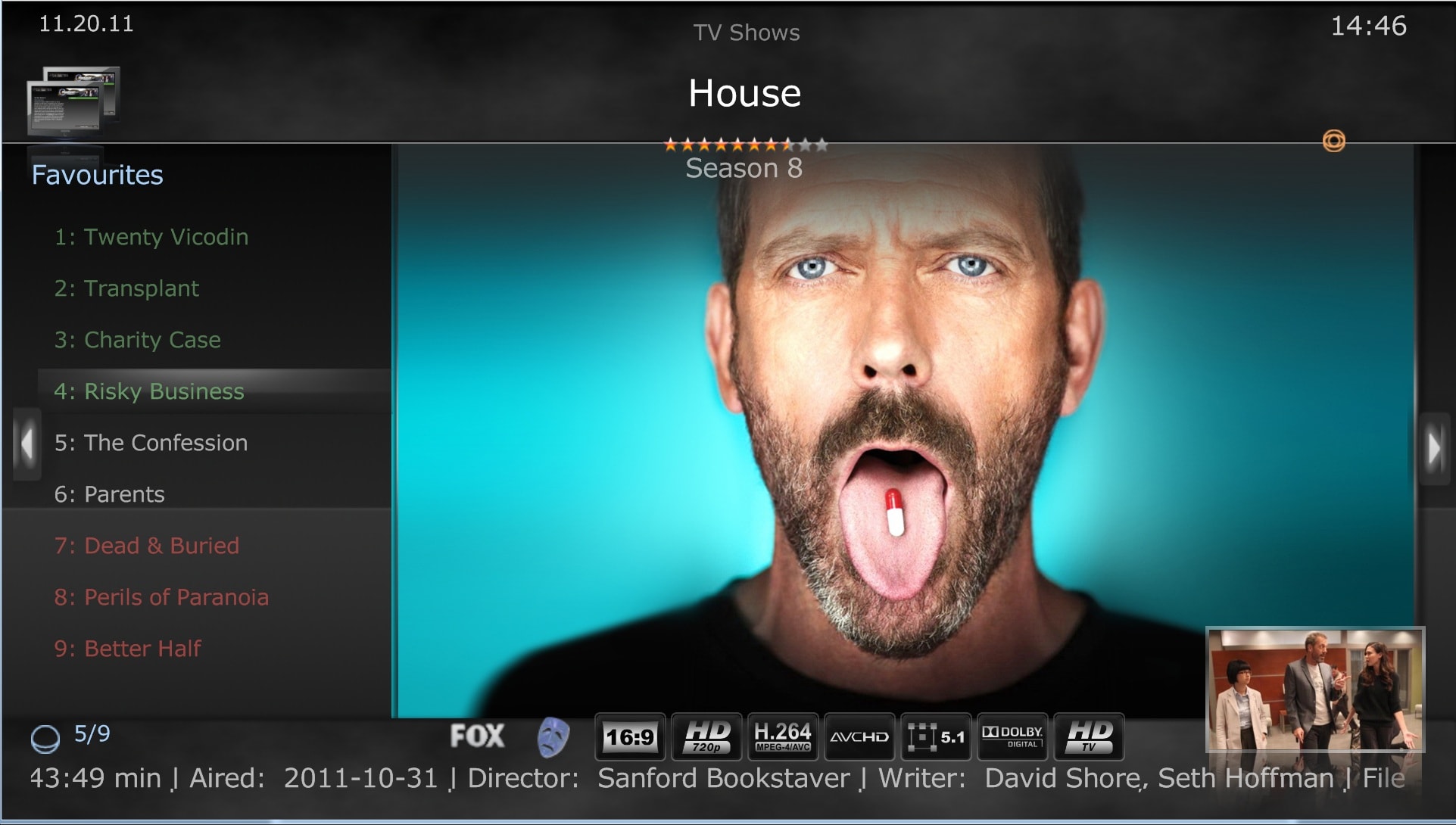
    Thanks for all your help. Here is what I managed to come up with. Nice and easy to tell what I have/watch am missing and I can see the thumb without an extra key press.

    Still need to do some work with the episode screen now that the image has moved, looks a bit funny.

    Thanks heap!!
     

    Attachments

    • Untitled.jpg
      Untitled.jpg
      363.2 KB

    daithos

    Portal Member
    November 26, 2007
    18
    0
    That was easy to correct. Just make a new episode section with a !Control.hasfocus(4444) and the new location for the episode image.

    Any idea why some of the episode images show for a second and then fade away? about 30% of them currently do it???
     

    Dadeo

    Docs Group Manager
  • Premium Supporter
  • November 26, 2006
    5,340
    3,321
    Himalayas, India
    Home Country
    Canada Canada
    Still need to do some work with the episode screen now that the image has moved, looks a bit funny.
    I'm guessing you mean the details view as now the left panel is blank? You could try adding the season poster there using the same code that the ep thumb used originally.

    Any idea why some of the episode images show for a second and then fade away? about 30% of them currently do it???
    I would need more info to be able to guess. I have never seen that. The fade is likely due to a style, but it means there is something wrong with visibility conditions. Do you mean in the original or in your mod? If in your mod, then post the code you used for the ep image and maybe I can spot it. If you mean in the original, in details view, only the small ep thumb fades but not the backdrop image?

    Do the 30% have guest stars? If so, the ep image fades out and guest stars fade in. But there might be some cases I don't have where I need to fix the visibility on that, so let me know if anything displays when the ep thumb fades out.
     

    daithos

    Portal Member
    November 26, 2007
    18
    0
    Do you mean in the original or in your mod? If in your mod, then post the code you used for the ep image and maybe I can spot it. If you mean in the original, in details view, only the small ep thumb fades but not the backdrop image?

    In the original, ive tested it on the latest release and the same issue is showing up (3.3.2). Yes only the small episode fades not the backdrop


    Do the 30% have guest stars? If so, the ep image fades out and guest stars fade in. But there might be some cases I don't have where I need to fix the visibility on that, so let me know if anything displays when the ep thumb fades out.

    No guest stars at all. 30% fade to nothing, and the other 70% just stay on the episode image (this is in the details view). Dont worry about it for me Dadeo (unless you want to look into it for yourself), ive simply removed the whole fade in out thing anyway, so it always stays with the ep image. (By removing the bit in red).

    <control Style="Thumb">
    <description>Episode Thum (and big tumb)b</description>
    <visible>!string.equals(#TVSeries.Episode.InfoPanelLine15Value)+!Control.hasfocus(4444)+Control.IsVisible(1239)</visible>

    Cheers
     

    Dadeo

    Docs Group Manager
  • Premium Supporter
  • November 26, 2006
    5,340
    3,321
    Himalayas, India
    Home Country
    Canada Canada
    Hey daithos - can you give me an example of an episode (or a few) that fades to nothing so I can try to reproduce it and make sure I correct it properly? Your solution sounds good though, I find I rarely get guest stars for episodes anyway.
     

    Users who are viewing this thread

    Top Bottom