Codec Issue? (1 Viewer)

clarkey2r

Portal Pro
February 9, 2009
215
3
Home Country
United Kingdom United Kingdom
clarkey2r - you have groups of 'Scheduling sample from the past' lines in the evr.log - that's usually a sign of something stealing CPU/GPU time occasionally (or data not arriving in time).

It means the video processing has got delayed, so that the decoded frames are too late by the time they reach the renderer - and have to be discarded, causing the stutter.

Tony

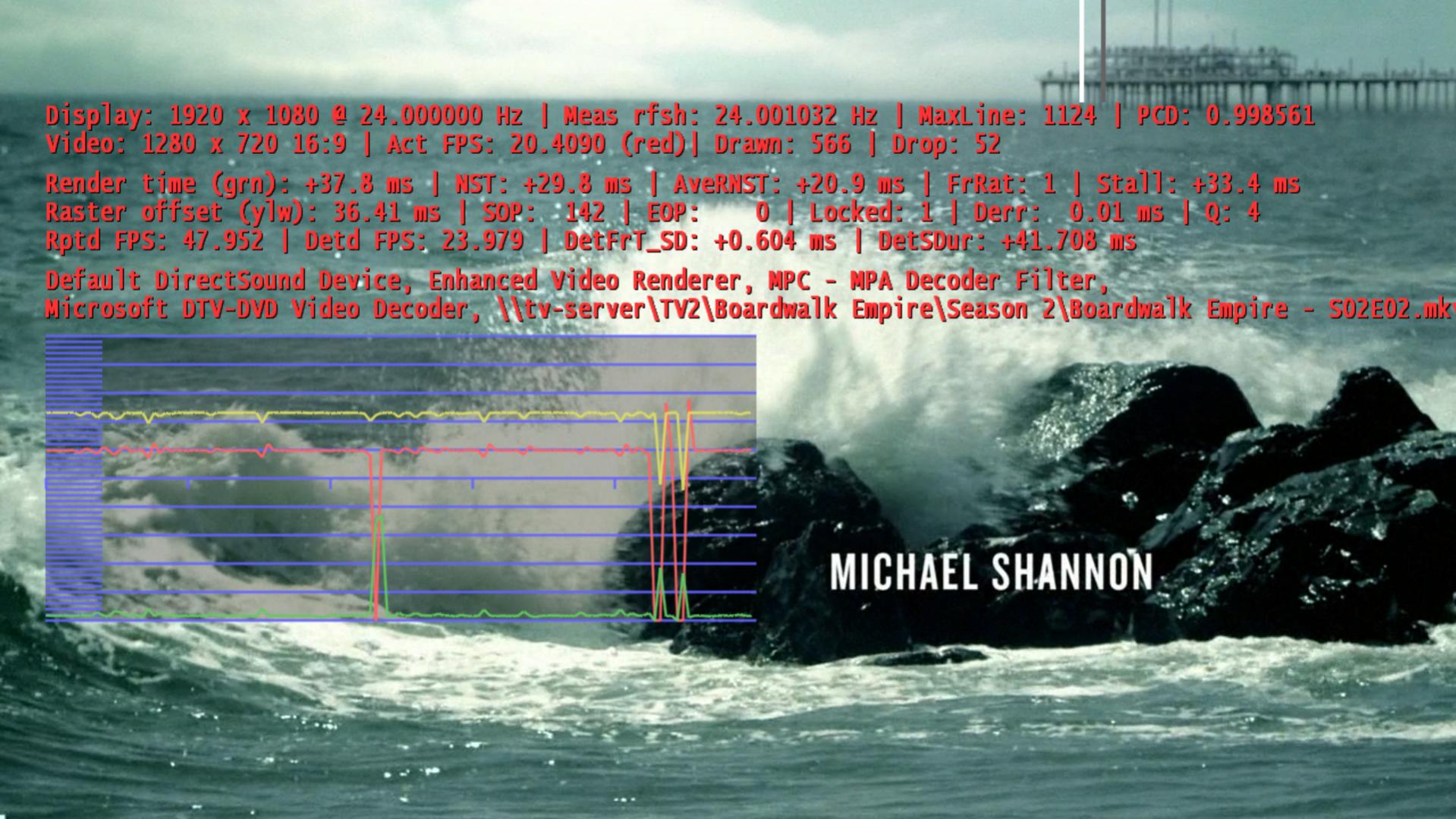
Interesting.... I don't know what can be stealing cpu or gpu, do you? CPU reports in task manager less than 40% utilization.

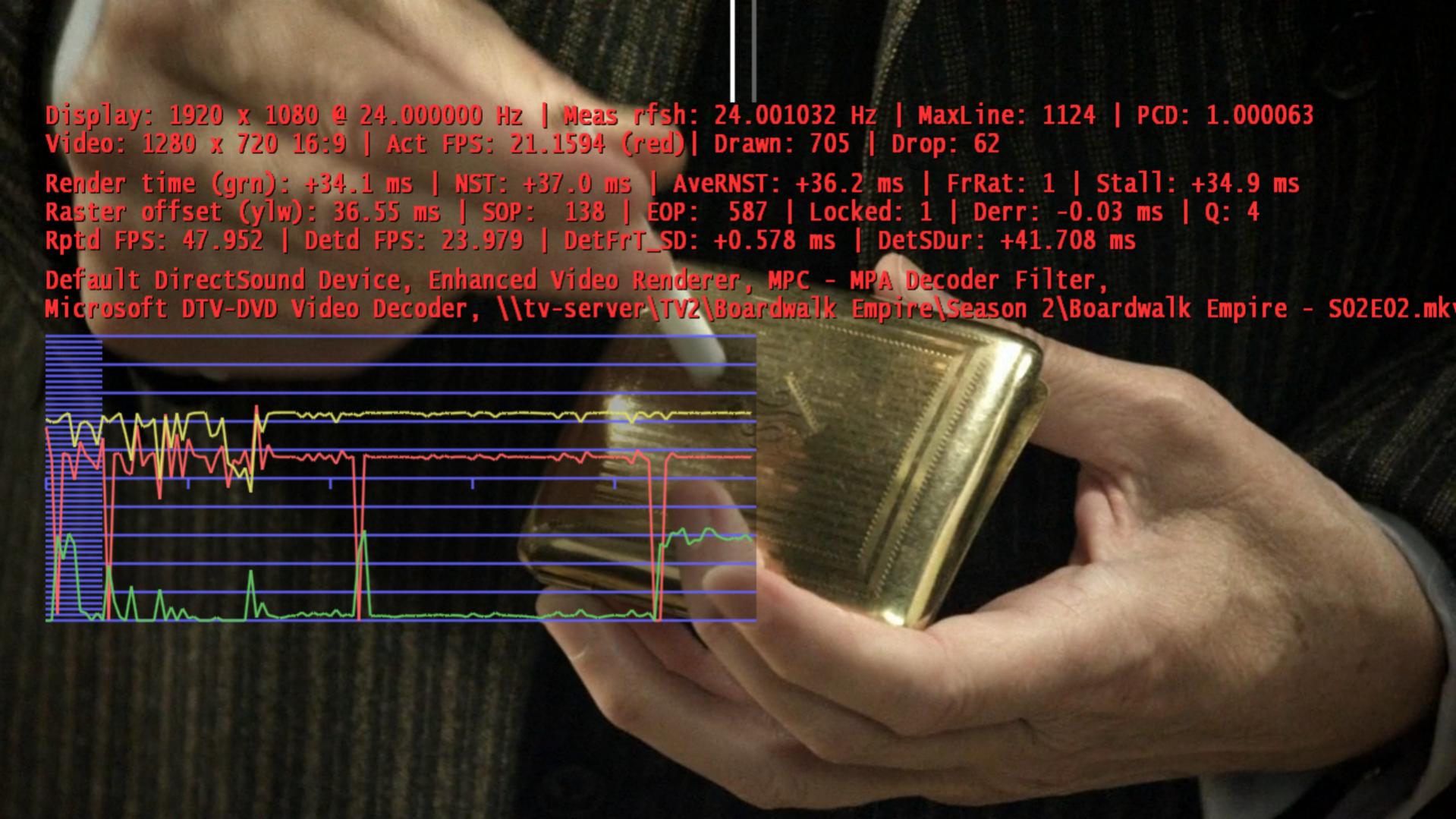
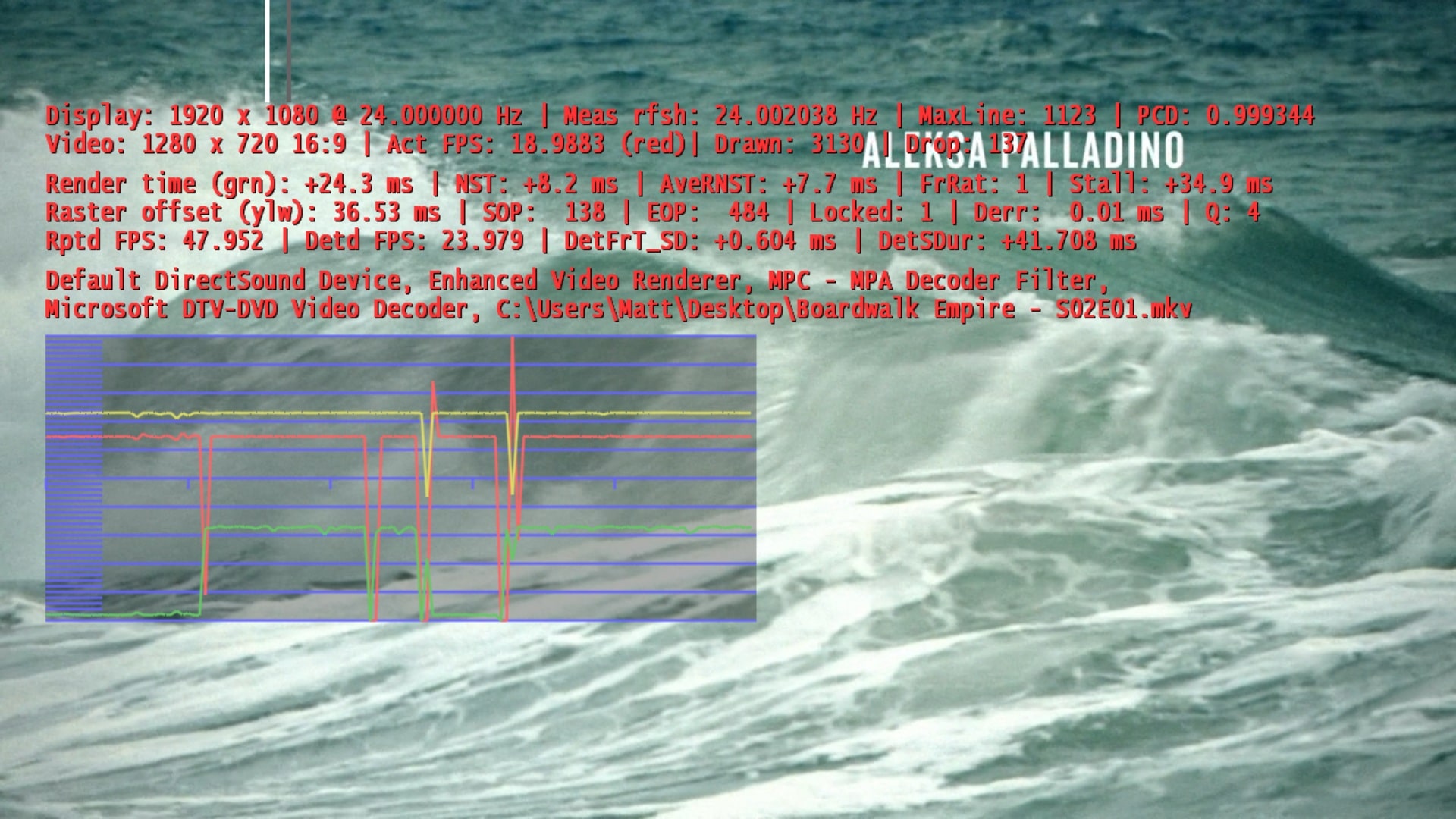
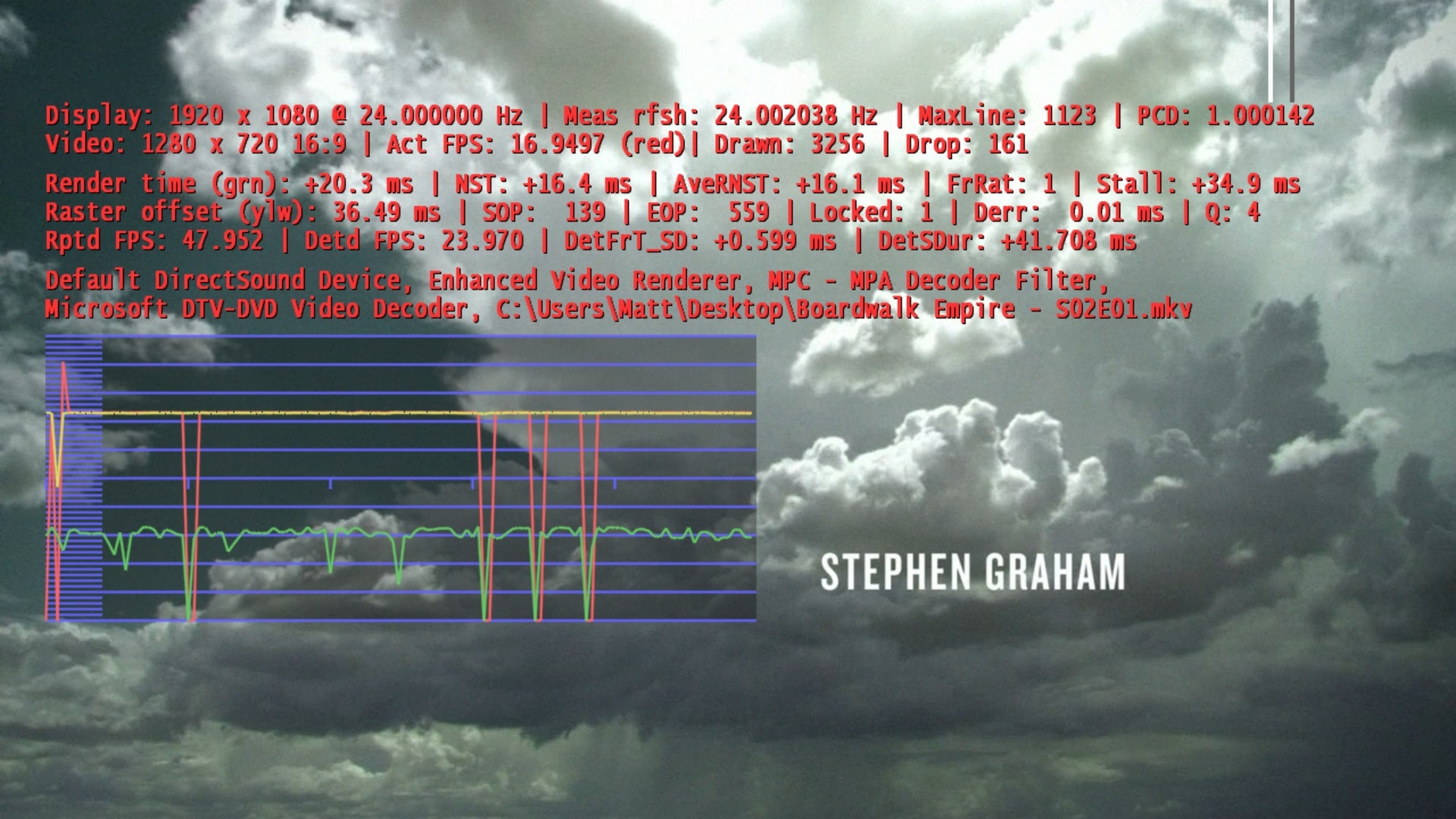
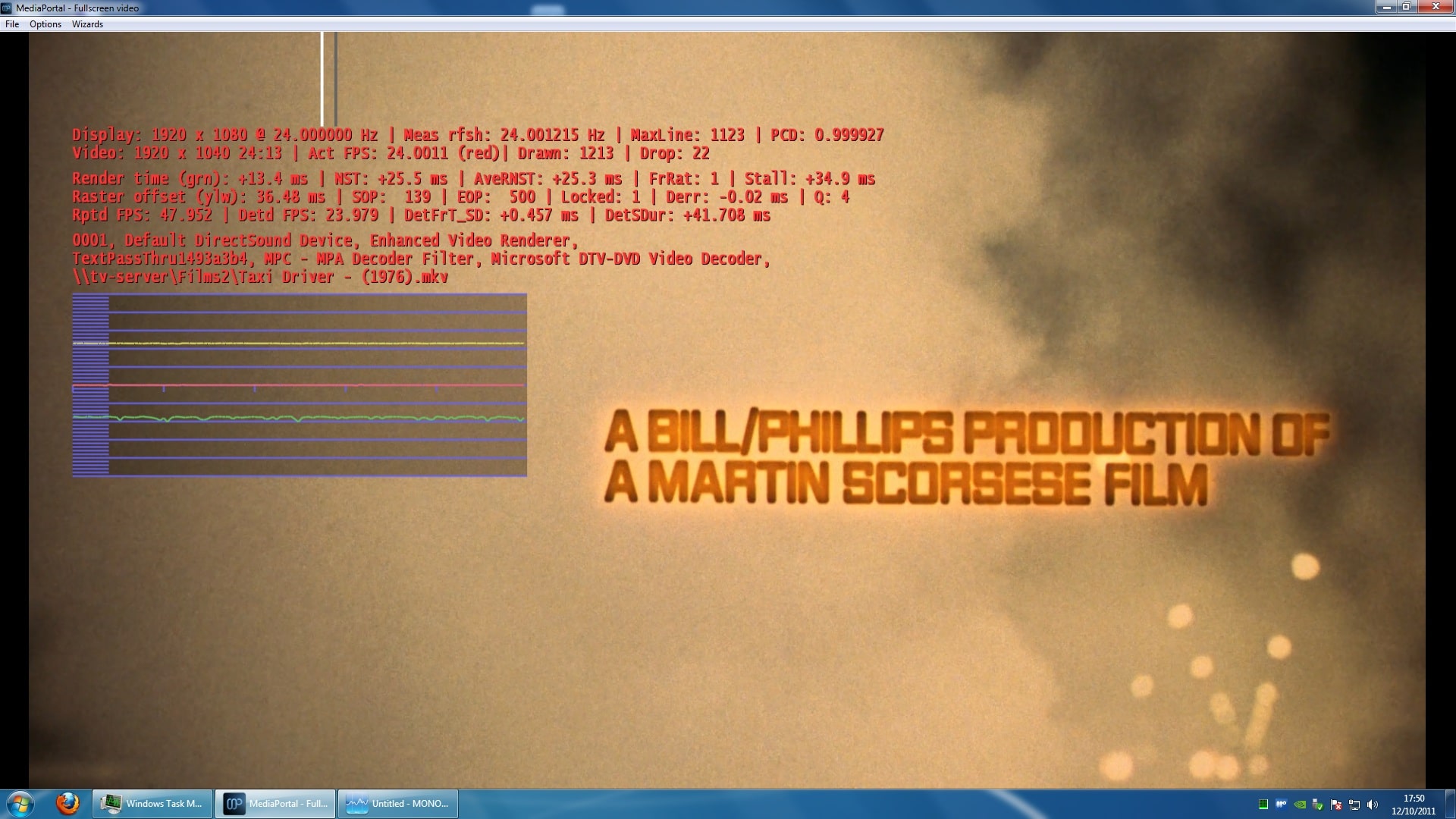
Attached are the frame rate screen shots!
 

Attachments

  • 20-42-23.jpg
    20-42-23.jpg
    263.3 KB
  • 20-42-29.jpg
    20-42-29.jpg
    228.7 KB

Owlsroost

Retired Team Member
  • Premium Supporter
  • October 28, 2008
    5,539
    5,038
    Cambridge
    Home Country
    United Kingdom United Kingdom
    I think you're just going to have to try disabling things like third party MP plugins one at a time until you find what's causing the problem...

    Also try playing the file from a local disk if you can, in case it's a networking issue.

    Tony
     

    clarkey2r

    Portal Pro
    February 9, 2009
    215
    3
    Home Country
    United Kingdom United Kingdom
    I think you're just going to have to try disabling things like third party MP plugins one at a time until you find what's causing the problem...

    Also try playing the file from a local disk if you can, in case it's a networking issue.

    Tony

    I have a strange feeling that it's a networking issue... I created another thread about stuttering with live HD channels, I didn't really get much help as i was using mdapi but I have just tried again with out it and I get similar results, see log attached!
     

    clarkey2r

    Portal Pro
    February 9, 2009
    215
    3
    Home Country
    United Kingdom United Kingdom
    The TV issue might be network related but playing the MKV locally was still an issue.
     

    Attachments

    • 18-05-02.jpg
      18-05-02.jpg
      542.1 KB
    • 18-05-09.jpg
      18-05-09.jpg
      527.9 KB

    Owlsroost

    Retired Team Member
  • Premium Supporter
  • October 28, 2008
    5,539
    5,038
    Cambridge
    Home Country
    United Kingdom United Kingdom
    You said that 1080p mkv played OK - can you post screen shots/logs for one of those, for comparison ?

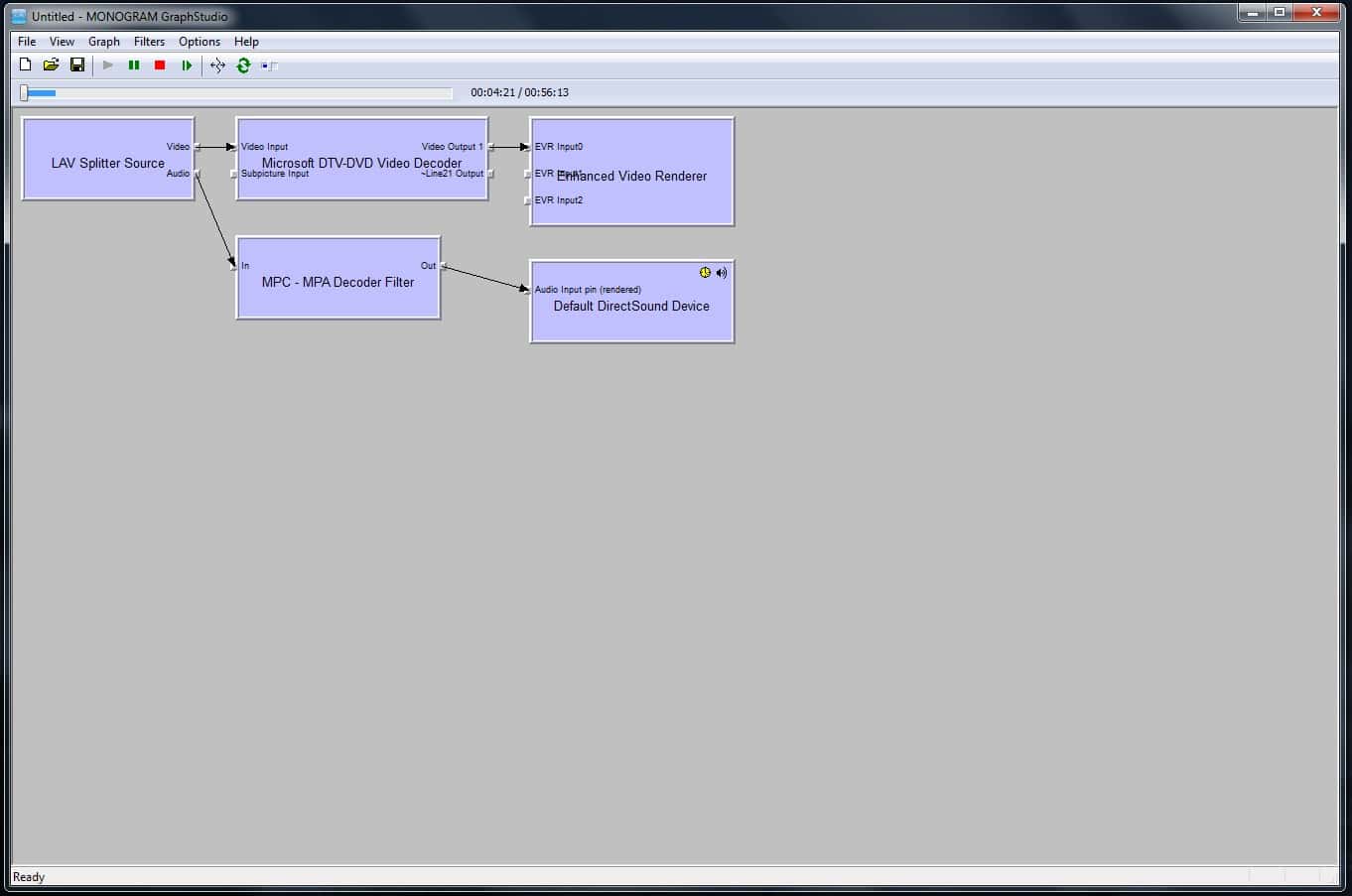
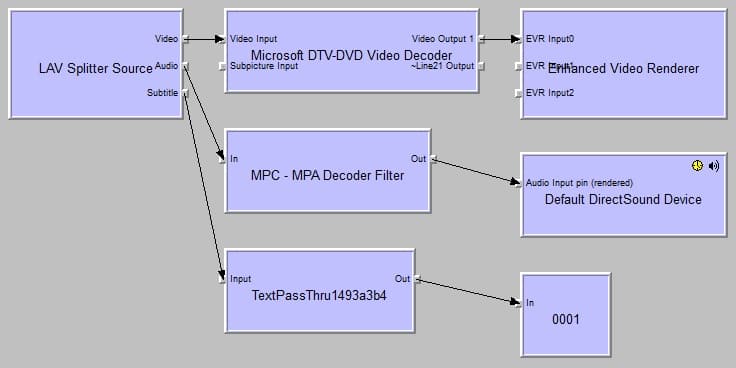
    I'd also run MP in windowed mode and do some 'connect to remote graph' snooping with GraphStudio - to check if it's builiding the same graph/using DXVA etc in the 720p/1080p situations.

    Tony
     

    Paranoid Delusion

    Moderation Manager
  • Premium Supporter
  • June 13, 2005
    13,052
    2,978
    Cheshire
    Home Country
    United Kingdom United Kingdom
    Those video's could have been corrupted, might be worth running either through handbrake or freemake video converter (cuda if nvidia gpu) and see if problem solved.
     

    clarkey2r

    Portal Pro
    February 9, 2009
    215
    3
    Home Country
    United Kingdom United Kingdom
    Files plays fine in media player! Attached is the graph studio print screen.

    EDIT : Added 1080p screenshots!
     

    Attachments

    • mp -be.jpg
      mp -be.jpg
      119 KB
    • 1080p graph screenshot.jpg
      1080p graph screenshot.jpg
      46.2 KB
    • 1080p frame stats.jpg
      1080p frame stats.jpg
      485.4 KB

    Paranoid Delusion

    Moderation Manager
  • Premium Supporter
  • June 13, 2005
    13,052
    2,978
    Cheshire
    Home Country
    United Kingdom United Kingdom
    Wonder if that could be the mpc audio filter, you could try nevcariels lav filter instead, media player will use MS audio codec for playback, that may be why its works there.
     

    Users who are viewing this thread

    Top Bottom