Sweden
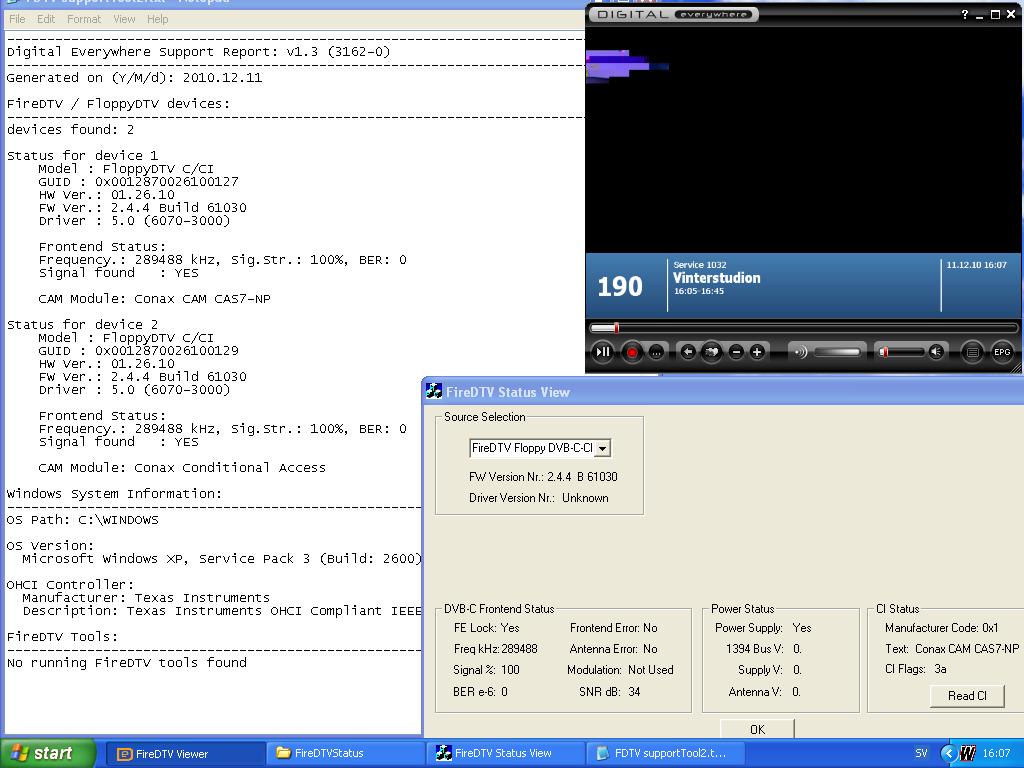
After installing two new Floppydtv-c/ci with cams I can not get the tv-server to work. If I de-select the two cards and disconnect the firewire cable, the tv-server seems to work. I did a complete uninstall of MP and database, re-installed the floppydtv drivers (v5.7), MP and database. Did not help. I don't know what to do now.
Logs attached
MediaPortal Version: MP 1.1.2
MediaPortal Skin: Blue3 wide
Windows Version: Win XP pro SP3
CPU Type: Intel Q9450 2,66GHz
HDD: Seagate Barracuda 7200.9 500 GB IDE, Samsung T166 500GB SataII
Memory: Corsair XMS2 DHX 4GB
Motherboard: Gigabyte GA-X48-DQ6
Video Card: Sapphire Radeon HD 3870 Ultimate
Video Card Driver: Catalyst 8.11
Sound Card: Realtek ALC889
Sound Card AC3: MB inbuilt optical out
Sound Card Driver: Realtek HD Audio v2.01
1. TV Card: Hauppauge PVRUSB2 MCE
1. TV Card Type: Analog
1. TV Card Driver: WinTV 4.6b
2. TV Card: Hauppauge HVR-2200
2. TV Card Type: Analog, dual tuner
2. TV Card Driver: WinTV 4.6b
3. TV Card: Hauppauge NOVA-T-500 HD
3. TV Card Type: DVB-T
3. TV Card Driver: WinTV 4.6b
4. TV Card:
4. TV Card Type:
4. TV Card Driver:
MPEG2 Video Codec: ATI avivo
MPEG2 Audio Codec: MPA
h.264 Video Codec: ATI avivo
Satelite/CableTV Provider: cable/COMHEM
HTPC Case: Antec P182B
Cooling: Noctua NH-U12P
Power Supply: Corsair HX620
Remote: Microsoft Remote Keyboard & Remote
TV: Panasonic 42PV60 plasma
TV - HTPC Connection: VGA
Logs attached
MediaPortal Version: MP 1.1.2
MediaPortal Skin: Blue3 wide
Windows Version: Win XP pro SP3
CPU Type: Intel Q9450 2,66GHz
HDD: Seagate Barracuda 7200.9 500 GB IDE, Samsung T166 500GB SataII
Memory: Corsair XMS2 DHX 4GB
Motherboard: Gigabyte GA-X48-DQ6
Video Card: Sapphire Radeon HD 3870 Ultimate
Video Card Driver: Catalyst 8.11
Sound Card: Realtek ALC889
Sound Card AC3: MB inbuilt optical out
Sound Card Driver: Realtek HD Audio v2.01
1. TV Card: Hauppauge PVRUSB2 MCE
1. TV Card Type: Analog
1. TV Card Driver: WinTV 4.6b
2. TV Card: Hauppauge HVR-2200
2. TV Card Type: Analog, dual tuner
2. TV Card Driver: WinTV 4.6b
3. TV Card: Hauppauge NOVA-T-500 HD
3. TV Card Type: DVB-T
3. TV Card Driver: WinTV 4.6b
4. TV Card:
4. TV Card Type:
4. TV Card Driver:
MPEG2 Video Codec: ATI avivo
MPEG2 Audio Codec: MPA
h.264 Video Codec: ATI avivo
Satelite/CableTV Provider: cable/COMHEM
HTPC Case: Antec P182B
Cooling: Noctua NH-U12P
Power Supply: Corsair HX620
Remote: Microsoft Remote Keyboard & Remote
TV: Panasonic 42PV60 plasma
TV - HTPC Connection: VGA