
You are using an out of date browser. It may not display this or other websites correctly.
You should upgrade or use an alternative browser.
You should upgrade or use an alternative browser.
EPG (1 Viewer)
- Thread starter lcdfreeek
- Start date
- September 1, 2008
- 21,515
- 8,256
- Home Country
-
 New Zealand
Progress report...
Within the last few minutes I've been able to successfully reproduce the problem with the provided raw_packet_dump.ts file on my local PC. This is a good first step.
It does indeed take a fair amount of memory to grab the EPG:

Then when TV Server tries to store the EPG I get the same error as you:
Hopefully it'll just be a matter of time now before I can find a solution...
Within the last few minutes I've been able to successfully reproduce the problem with the provided raw_packet_dump.ts file on my local PC. This is a good first step.
It does indeed take a fair amount of memory to grab the EPG:
Then when TV Server tries to store the EPG I get the same error as you:
[2016-01-14 22:31:21,795] [EPG ] [5 ] [INFO ] - dvb:dvb ready.EPG 7255 channels
[2016-01-14 22:32:25,311] [Log ] [5 ] [ERROR] - Exception
at System.String.InternalSubString(Int32 startIndex, Int32 length, Boolean fAlwaysCopy)
at System.String.TrimHelper(Int32 trimType)
at TvLibrary.Implementations.DVB.TvCardDvbBase.get_Epg()
[2016-01-14 22:32:26,170] [Log ] [5 ] [ERROR] - Exception
at TvLibrary.Interfaces.DvbTextConverter.Convert(IntPtr ptr, String lang)
at TvLibrary.Implementations.DVB.TvCardDvbBase.get_Epg()
[2016-01-14 22:32:26,936] [Log ] [5 ] [ERROR] - Exception
at System.TimeZoneInfo.GetDaylightTime(Int32 year, AdjustmentRule rule)
at System.TimeZoneInfo.GetIsDaylightSavingsFromUtc(DateTime time, Int32 Year, TimeSpan utc, AdjustmentRule rule, Boolean& isAmbiguousLocalDst)
at System.TimeZoneInfo.GetDateTimeNowUtcOffsetFromUtc(DateTime time, Boolean& isAmbiguousLocalDst)
at System.DateTime.get_Now()
at TvLibrary.Implementations.DVB.TvCardDvbBase.get_Epg()
Hopefully it'll just be a matter of time now before I can find a solution...
- September 1, 2008
- 21,515
- 8,256
- Home Country
-
New Zealand
Okay.
I've confirmed that the cause of this issue is that TV Server is running into the process memory limit on the given system. The exact limit varies depending on whether the process is 32 or 64 bit (TV Server has always been 32 bit), whether the OS is 32 or 64 bit, how much memory (RAM) the system has, and perhaps also how much memory other software is using. If you're interested, the following link gives a bit of background info:
http://blogs.msdn.com/b/tom/archive...y-limits-for-32-bit-and-64-bit-processes.aspx
All of this means that some systems may be able to collect EPG from your provider without any hassles, while other systems like yours will run into trouble.
I've been able to apply and test some fairly minimal tweaks which seem to halve TV Server's memory usage during EPG processing. This enabled my system to collect the full 14 days x ~7250 channels worth of EPG data which your provider is broadcasting. Considering that my system - XP 32 bit, 4 GB memory - is fairly modest these days, and considering that your provider is almost certain to be the provider with the most EPG data on the planet, I'm hoping that my tweaks will be "good enough". Trying to reduce the memory footprint further... well, let's just say it's not going to happen easily or in a hurry.
Without further ado, patched versions of a couple of TV Server's files are attached. All you have to do to apply the patches is:
Note the attached files are probably compatible with MediaPortal 1.6 and newer (...though I can't guarantee that they'll work with anything less than MP 1.12). Also, you'll have to re-apply this patch each time you update TV Server unless/until the patch is accepted for inclusion in TV Server.
Please let me know if the patch works for you.
Regards,
mm
I've confirmed that the cause of this issue is that TV Server is running into the process memory limit on the given system. The exact limit varies depending on whether the process is 32 or 64 bit (TV Server has always been 32 bit), whether the OS is 32 or 64 bit, how much memory (RAM) the system has, and perhaps also how much memory other software is using. If you're interested, the following link gives a bit of background info:
http://blogs.msdn.com/b/tom/archive...y-limits-for-32-bit-and-64-bit-processes.aspx
All of this means that some systems may be able to collect EPG from your provider without any hassles, while other systems like yours will run into trouble.
I've been able to apply and test some fairly minimal tweaks which seem to halve TV Server's memory usage during EPG processing. This enabled my system to collect the full 14 days x ~7250 channels worth of EPG data which your provider is broadcasting. Considering that my system - XP 32 bit, 4 GB memory - is fairly modest these days, and considering that your provider is almost certain to be the provider with the most EPG data on the planet, I'm hoping that my tweaks will be "good enough". Trying to reduce the memory footprint further... well, let's just say it's not going to happen easily or in a hurry.
Without further ado, patched versions of a couple of TV Server's files are attached. All you have to do to apply the patches is:
- Open TV Server Configuration.
- Go to the "manual control" section.
- Click "stop service".
- Close TV Server Configuration.
- Open Windows Explorer.
- Navigate to your TV Server install directory (typically c:\Program Files (x86)\Team MediaPortal\MediaPortal TV Server).
- Take a backup of TsWriter.ax and TVLibrary.dll.
- Download and extract the attached replacements into the TV Server install directory.
- Open TV Server Configuration (click "yes" to start the TV service).
Note the attached files are probably compatible with MediaPortal 1.6 and newer (...though I can't guarantee that they'll work with anything less than MP 1.12). Also, you'll have to re-apply this patch each time you update TV Server unless/until the patch is accepted for inclusion in TV Server.
Please let me know if the patch works for you.
Regards,
mm
Attachments
- September 1, 2008
- 21,515
- 8,256
- Home Country
-
New Zealand
By the way, we don't hear from people such as yourself very often. I'm interested to know how you found the TV Server setup experience. Comments on what we do well and what we could do to improve would be appreciated. Also, if you happen to have access to 91W (or 82W), I'd be keen to grab another raw_packet_dump.ts for Bell TV. A subscription is not required - just a dish that can receive the signals.
- Thread starter
- #17
mm...
I apply the patched files after stopping the service and restarted the TV Server, an Idle State was indicated in the Manual Control, and a "No Signal" indication was displayed when tried to preview a channel. So wasn't possible to test the EPG grabbing. Aafter that I re-copied the original files and was able to preview the channels again. [DOUBLEPOST=1452898976][/DOUBLEPOST]My setup experience its been up and down because there are no straight details for each case and as you said my case is not usual. But no so different as where I come from, a CW3000HD looking for help in MP because after 7 years my CW3KHD motherboard died, and there is no replacement for it and since the Linux system doesn't have support since few years ago that system doesn't run on a different hardware. Regarding the 91W or 82W I could give it a try ahead but will like to have the current system running stable before I go to the roof to aim additional birds.
I apply the patched files after stopping the service and restarted the TV Server, an Idle State was indicated in the Manual Control, and a "No Signal" indication was displayed when tried to preview a channel. So wasn't possible to test the EPG grabbing. Aafter that I re-copied the original files and was able to preview the channels again. [DOUBLEPOST=1452898976][/DOUBLEPOST]My setup experience its been up and down because there are no straight details for each case and as you said my case is not usual. But no so different as where I come from, a CW3000HD looking for help in MP because after 7 years my CW3KHD motherboard died, and there is no replacement for it and since the Linux system doesn't have support since few years ago that system doesn't run on a different hardware. Regarding the 91W or 82W I could give it a try ahead but will like to have the current system running stable before I go to the roof to aim additional birds.
Last edited:
- September 1, 2008
- 21,515
- 8,256
- Home Country
-
New Zealand
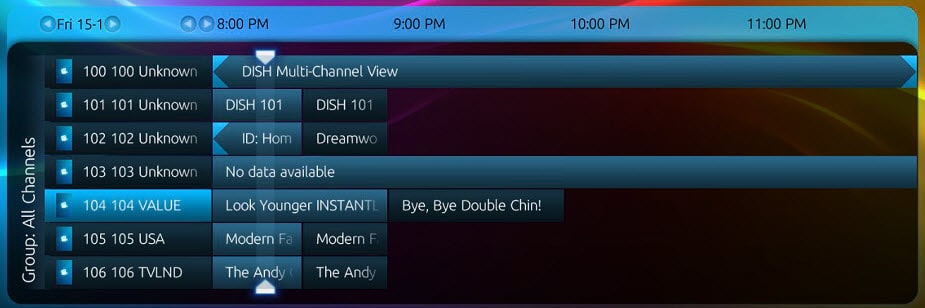
Hmmm, I can't imagine any changes that I made causing "no signal". Nevertheless I've updated the patch. Could you please try again, and this time please provide the TV Server log files if the patch doesn't work. It's hard to know what's wrong without them.I apply the patched files after stopping the service and restarted the TV Server, an Idle State was indicated in the Manual Control, and a "No Signal" indication was displayed when tried to preview a channel. So wasn't possible to test the EPG grabbing. Aafter that I re-copied the original files and was able to preview the channels again.
- September 1, 2008
- 21,515
- 8,256
- Home Country
-
New Zealand
Okay, small progress then.
Please do the following:
Please do the following:
- Close MediaPortal.
- Open TV Server Configuration.
- Navigate to the DVB EPG -> TV EPG Grabber section.
- Ensure all channels except 239 are unticked.
- Navigate to the "manual control" section.
- Click "refresh DVB EPG".
- Close TV Server Configuration.
- Wait 10 minutes.
- Open MediaPortal and check the guide again. If you still don't have more than current/next programs for most channels, please provide the TV Server log files.
Last edited:
Users who are viewing this thread
Online now: 2 (members: 0, guests: 2)