
the bug from previous thread
https://forum.team-mediaportal.com/1-0-rc1-svn-builds-270/bug-folder-jpg-does-not-display-properly-when-root-movie-folder-39414/#post276140
has almost been completely fixed in rc2. the bug has been fixed once you go inside a shared folder from the main videos menu
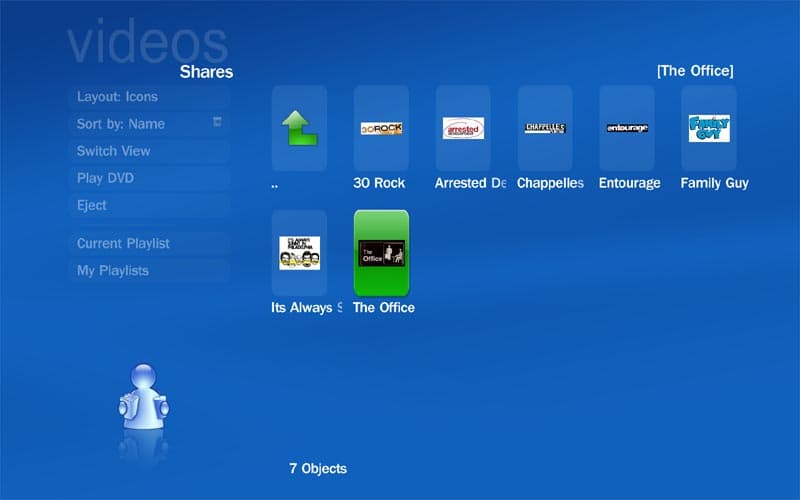
(in this case click into the "tv" folder and all folders with pics show up properly; look at picture3)
all folders inside of that folder display a picture icon correctly now.
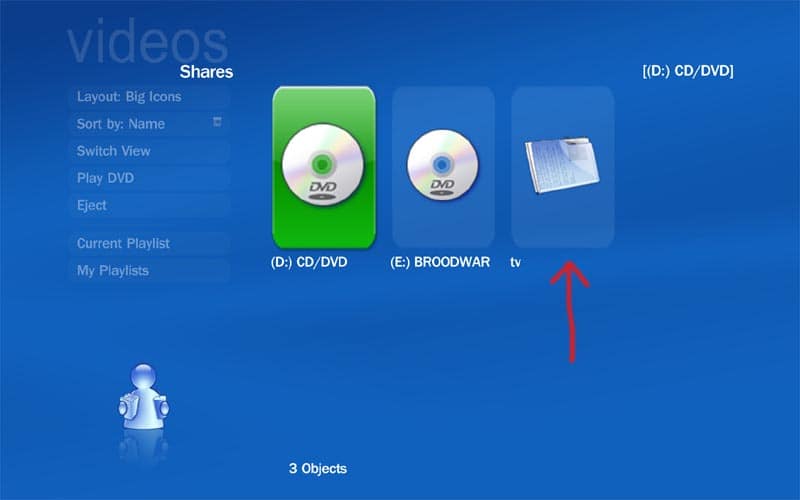
however, the only place it still does not display correctly is in the main video share menu.
the actual icon is missing and is instead replaced with default icon when in "icon, big icon, filmstrip views"
(look at attached picture1)
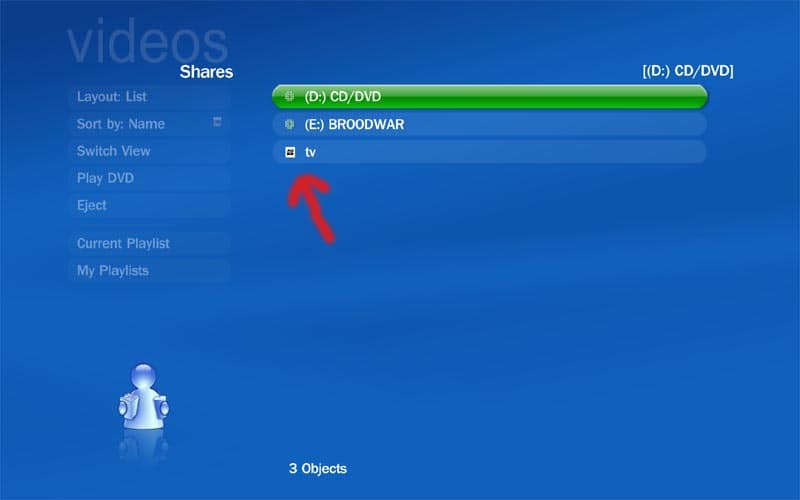
only in "list" view is the icon showing up
(look at attached picture2)
https://forum.team-mediaportal.com/1-0-rc1-svn-builds-270/bug-folder-jpg-does-not-display-properly-when-root-movie-folder-39414/#post276140
has almost been completely fixed in rc2. the bug has been fixed once you go inside a shared folder from the main videos menu
(in this case click into the "tv" folder and all folders with pics show up properly; look at picture3)
all folders inside of that folder display a picture icon correctly now.
however, the only place it still does not display correctly is in the main video share menu.
the actual icon is missing and is instead replaced with default icon when in "icon, big icon, filmstrip views"
(look at attached picture1)
only in "list" view is the icon showing up
(look at attached picture2)

 Austria
