Google Calendars Plugin (2 Viewers)

thlucas

Portal Pro
February 11, 2011
133
146
Omaha, NE
Home Country
United States of America United States of America
I would love google calendar availability with x factor and really do appreciate the efforts in getting this plug in operating across various skins

Is there a download package to get this working with x factor yet?

I was finally able to get the XFactor skin support in - turns out that the XFactor skin was missing the "White.bmp" image in its Media folder, which was causing the text in the VirtualKeyboard control to be black with no background. There is a "White.png" file in there, but the VirtualKeyboard is specifically looking for the "White.bmp" file.

Anyway, I updated the main-page download to v1.0.3.0 - choose custom install type to install XFactor support.

Cheers!
 

edterbak

Portal Pro
March 4, 2008
2,114
1,176
Home Country
Netherlands Netherlands
Fantastic !!!! :D :D :D

Thank you ! :D

Ill report back how it goes.. after I can sit in front of the tv.

[edit]

I installed on x64 W7, icw xfactor. All is well. flawless install.

The layout feels a little bit un-natural. Ive got a couple of questions.

1 - can you make it posible, just as in web based calander, to enable multiple calendars at once? work with predefined colors to distinguish
2 - is it possible to edit the fields without using f9? Maybe use the arrows to select a field, OK to edit.
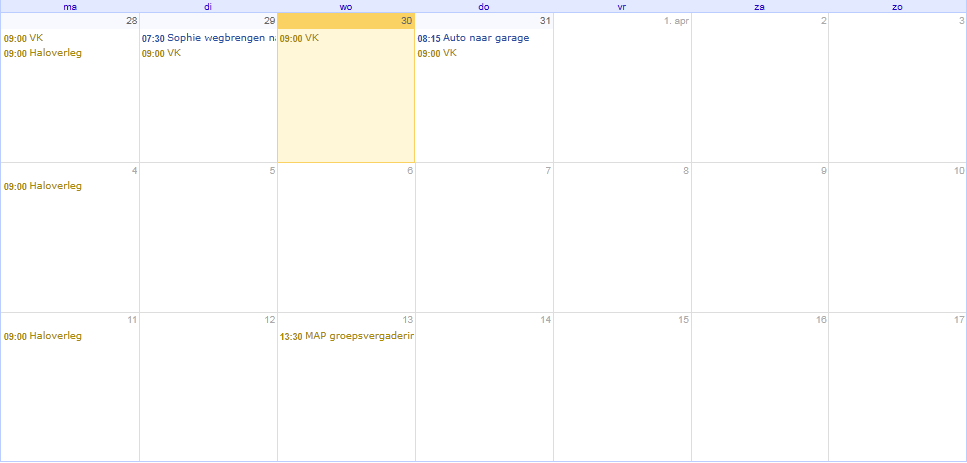
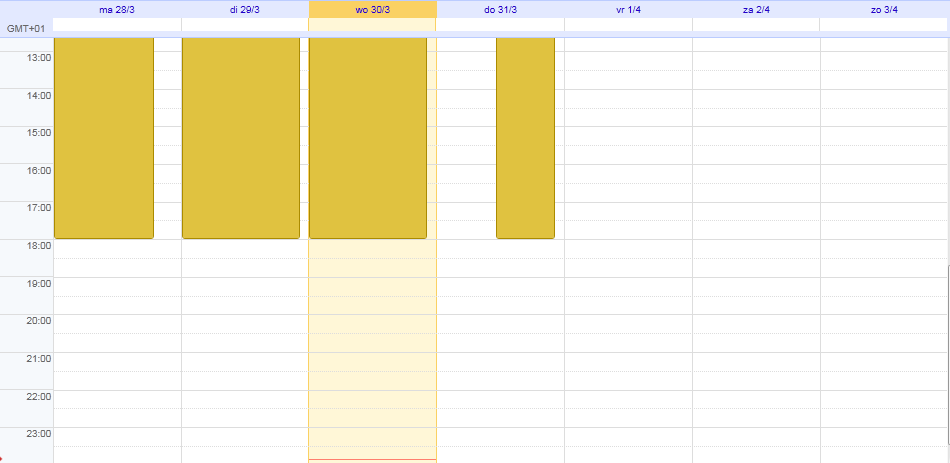
3 - Is it possible to create a graphical layout, like attached


regards and again.. thanks for the awesome work!
 

Attachments

  • calendar_example1.png
    calendar_example1.png
    18.8 KB
  • calendar_example2.png
    calendar_example2.png
    17.2 KB

Eeyore

Portal Pro
April 2, 2006
260
4
Newcastle, Australia
Home Country
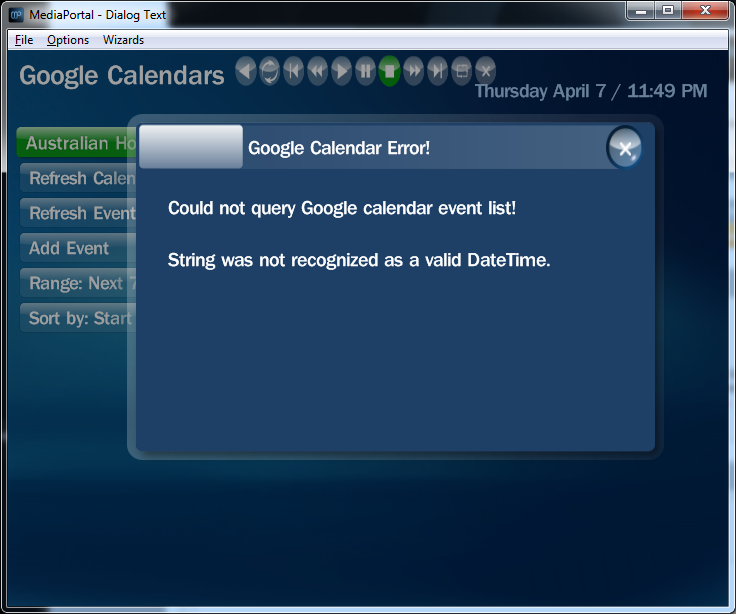
Hi, I love the idea of this plugin, but I'm having an issue as attached.

It doesnt matter if I load my primary calendar, or any of my other linked calendars, I get the attached error.
I have tried setting 24hour time, but that does not fix the issue.

My calendar is actually linked to my Google Apps account, so my username is my email address (eg: myname@mydomain.com.au) not sure if that's an issue.
 

Attachments

  • Untitled.png
    Untitled.png
    195.5 KB

davidforder

MP Donator
  • Premium Supporter
  • February 7, 2011
    5
    0
    Home Country
    I am having the same error myself.. was going to spend some time this weekend trying to find what I did wrong. I too have a Google apps account rather than a plain google mail account
     

    thlucas

    Portal Pro
    February 11, 2011
    133
    146
    Omaha, NE
    Home Country
    United States of America United States of America
    Hi, I love the idea of this plugin, but I'm having an issue as attached.

    It doesnt matter if I load my primary calendar, or any of my other linked calendars, I get the attached error.
    I have tried setting 24hour time, but that does not fix the issue.

    My calendar is actually linked to my Google Apps account, so my username is my email address (eg: myname@mydomain.com.au) not sure if that's an issue.

    It looks like the error occured after you selected a calendar and it tried to retrieve the list of events. A few questions for you ...
    1) what steps did you take before the error was generated? ie I clicked here, selected that, pressed ENTER, etc. Please be as detailed as possible.
    2) did you see your list of calendars before the error?
    3) after entering your account name and password in the plugin config, did you click the "Test" button? And did it display your list of calendars?

    I'm not for sure how the Google Apps link plays into this. If you did test your authentication credentials in the plugin config and saw your list of calendars then it should not be an issue. I'm leaning more toward a date formatting issue, as you (and the other person having the issue) live outside the US. I will try changing my date / timezone settings and see if I can reproduce the issue. In the interim, please get back to me with answers to the questions above.

    Thanks - TL
     

    thlucas

    Portal Pro
    February 11, 2011
    133
    146
    Omaha, NE
    Home Country
    United States of America United States of America
    I have found and fixed the problem relating to invalid dates. I uploaded a new version (1.0.4.0) to the installer page, and updated the change log. The problem was that I was hardcoding a USA-specific date formatting string, which did not recognize dates formatted with dd/mm/yyyy format.

    One thing that I did find quite odd was the Label returned from a GUIFadeLabel control contained a tilde (~) value when I changed my regional settings. The GUIFadeLabel.Label value returned "Location Value ~" for Australian regional settings, but would be "Location Value" for USA regional settings - kinda weird! Note that the virtual keyboard "Text" property value contained "Location Value" for both regions, and I then move that value to the GUIFadeLabel.Label value. So it is something in the GUIFadeLabel that is adding the tilde! I had to add special filtering to remove the tilde. If any MP developers are reading this, can you tell me why the tilde character is appearing in GUIFadeLabel.Label values for different regional settings?

    Thanks - TL
     

    Eeyore

    Portal Pro
    April 2, 2006
    260
    4
    Newcastle, Australia
    Home Country
    Hi, I love the idea of this plugin, but I'm having an issue as attached.

    It doesnt matter if I load my primary calendar, or any of my other linked calendars, I get the attached error.
    I have tried setting 24hour time, but that does not fix the issue.

    My calendar is actually linked to my Google Apps account, so my username is my email address (eg: myname@mydomain.com.au) not sure if that's an issue.

    It looks like the error occured after you selected a calendar and it tried to retrieve the list of events. A few questions for you ...
    1) what steps did you take before the error was generated? ie I clicked here, selected that, pressed ENTER, etc. Please be as detailed as possible.
    2) did you see your list of calendars before the error?
    3) after entering your account name and password in the plugin config, did you click the "Test" button? And did it display your list of calendars?

    I'm not for sure how the Google Apps link plays into this. If you did test your authentication credentials in the plugin config and saw your list of calendars then it should not be an issue. I'm leaning more toward a date formatting issue, as you (and the other person having the issue) live outside the US. I will try changing my date / timezone settings and see if I can reproduce the issue. In the interim, please get back to me with answers to the questions above.

    Thanks - TL

    1. Downloaded and installed the lastest version as of yesterday. Opened MediaPortal Config and configured the plugin with my Google Apps account and clicked OK. Closed MediaPortal Config by clicking ok. Started Mediportal, when to Google Calendar and selected one of my calendars from the the list. All 3 show the same issue.

    2. Yes, I am presented with all 3 of my calendars (Personal calendar synced from Outlook2007, Google shared 'Australian Holidays' and Twit.TV Schedule)

    3. Yes. it worked fine.
     

    Eeyore

    Portal Pro
    April 2, 2006
    260
    4
    Newcastle, Australia
    Home Country
    I have found and fixed the problem relating to invalid dates. I uploaded a new version (1.0.4.0) to the installer page, and updated the change log. The problem was that I was hardcoding a USA-specific date formatting string, which did not recognize dates formatted with dd/mm/yyyy format.


    Thanks - TL


    The new version works fine, thanks 1000
     

    Users who are viewing this thread

    Top Bottom