Grey blacks with internal player + EVR (2 Viewers)

pilehave

Community Skin Designer
  • Premium Supporter
  • April 2, 2008
    2,566
    521
    Hornslet
    Home Country
    Denmark Denmark
    Testing against my Lenovo D221 LCD monitor gives me same results as HomeY (using the files he supplied BTW). When we say "correct levels", then it means that I should only see bars 17-25 flashing, right?

    With the original dshowhelper.dll I see 2-25 flashing.

    SP1 evr.dll + original dshowhelper.dll == incorrect levels
    SP1 evr.dll + dshowhelper_nominal_range_0_255 == correct levels
    SP2 evr.dll + original dshowhelper.dll == incorrect levels
    SP2 evr.dll + dshowhelper_nominal_range_0_255 == correct levels

    If it makes any difference I'm only on SP1 on my Vista32 Danish.

    I have Nvidia graphics (Quadro NVS 140)
     

    pilehave

    Community Skin Designer
  • Premium Supporter
  • April 2, 2008
    2,566
    521
    Hornslet
    Home Country
    Denmark Denmark
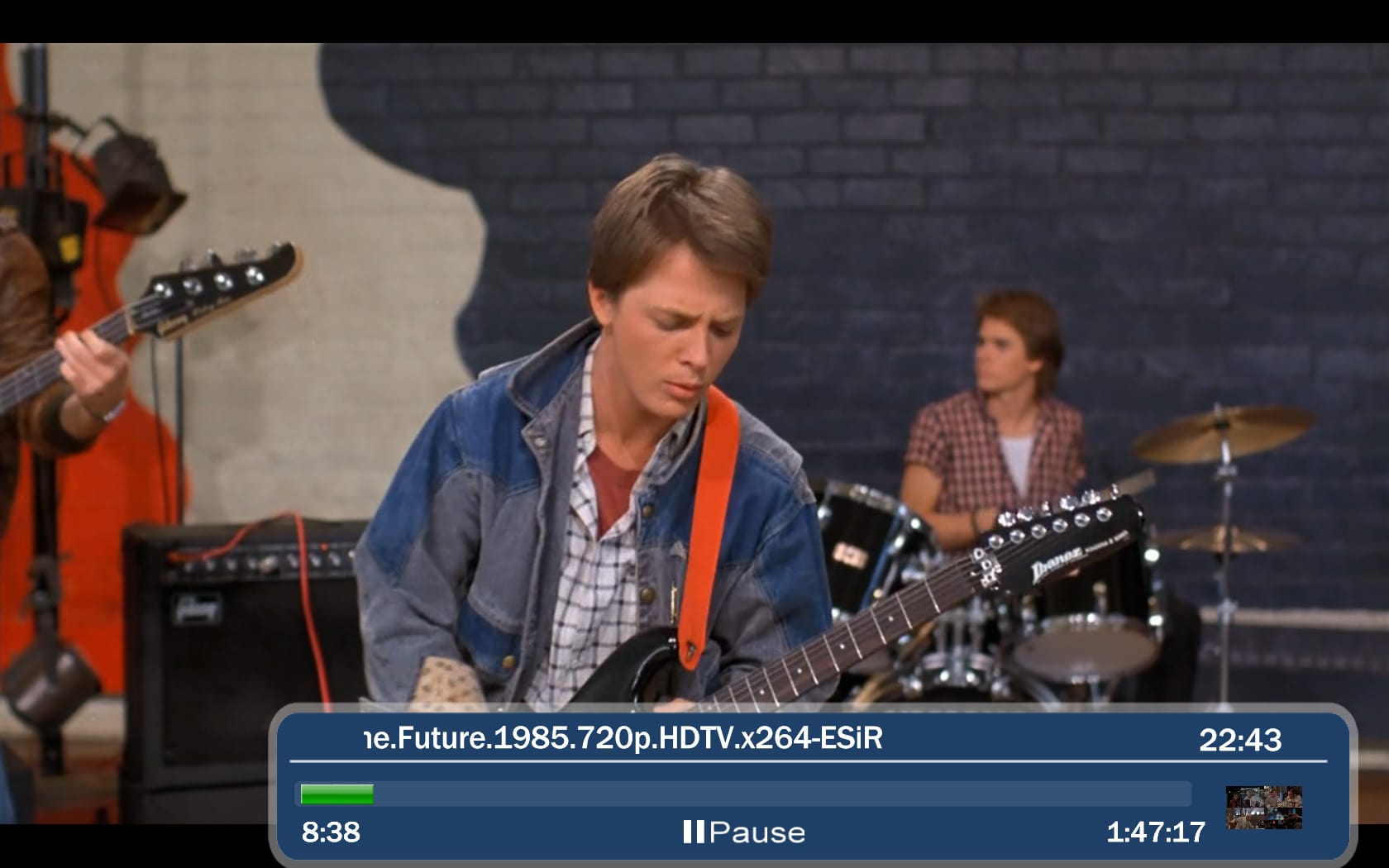
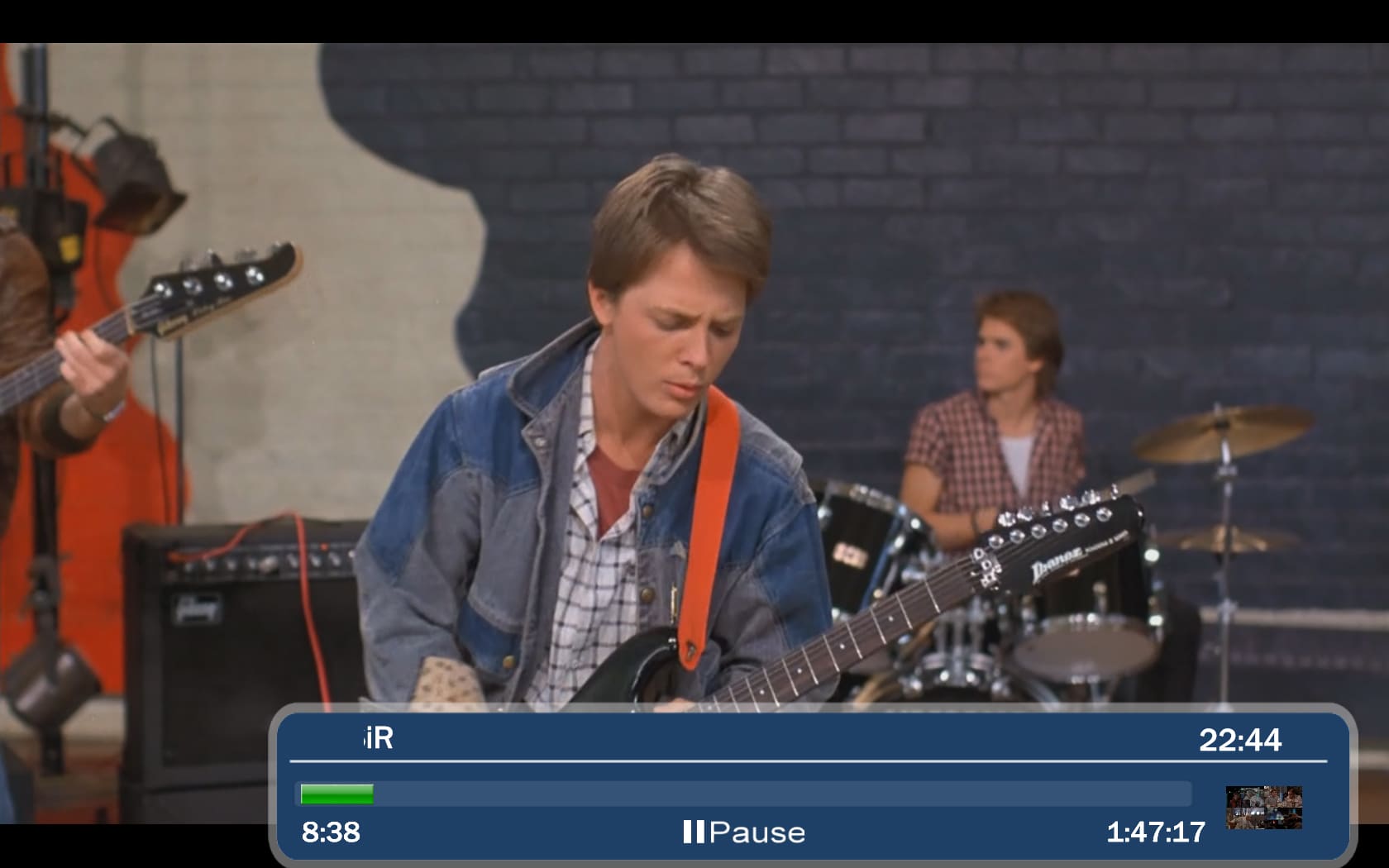
    Here are two screenshots with bad and good black. I think I had bad blacks before as I now think the picture is much more vivid and alive.

    Bad to the left, good to the right.
     

    Attachments

    • future_faulty.jpg
      future_faulty.jpg
      549.4 KB
    • future_correct.jpg
      future_correct.jpg
      624 KB

    HomeY

    Test Group
  • Team MediaPortal
  • February 23, 2008
    6,418
    4,717
    50
    ::1
    Home Country
    Netherlands Netherlands
    When we say "correct levels", then it means that I should only see bars 17-25 flashing, right?

    Correct.

    And those 2 screenshots do show a difference (especially the speaker from the guitar looks washed out!), but the only way to test it properly is with the testpatterns (which you have done).

    Good to hear that also NVidia users experience incorrect blacklevels without the updated dshowhelper.dll!
     

    neo2001

    Portal Member
    December 26, 2008
    37
    0
    Home Country
    Germany Germany
    I tried the 'dshowhelper_nominal_range_0_255.dll' and MP crashes almost immediately when playing the video test file - logs attached. The Windows application log entry is "Faulting application MediaPortal.exe, version 1.0.2.22555, time stamp 0x4a04b3db, faulting module unknown, version 0.0.0.0, time stamp 0x00000000, exception code 0xc0000005, fault offset 0xe8001cc2, process id 0x%9, application start time 0x%10."

    This is really weird. Such change shouldn't cause any crashes. Anyone else seen this?

    Yes, I have the same problem!

    As soon as I start a video, MP crashes (no video/picture at all, audio continues).

    I'm using Vista 32Bit Ultimate SP2 with MP 1.0.2

    Video Hardware is a ATI HD 3200 (OnBoard).

    My logs are attached!

    EDIT: The error message in the event log seems to be same like the one reported before:
    Fehlerhafte Anwendung MediaPortal.exe, Version 1.0.2.22555, Zeitstempel 0x4a04b3db, fehlerhaftes Modul unknown, Version 0.0.0.0, Zeitstempel 0x00000000, Ausnahmecode 0xc0000005, Fehleroffset 0xe8001cc2, Prozess-ID 0x%9, Anwendungsstartzeit %10.
     

    HomeY

    Test Group
  • Team MediaPortal
  • February 23, 2008
    6,418
    4,717
    50
    ::1
    Home Country
    Netherlands Netherlands
    I tried the 'dshowhelper_nominal_range_0_255.dll' and MP crashes almost immediately when playing the video test file - logs attached. The Windows application log entry is "Faulting application MediaPortal.exe, version 1.0.2.22555, time stamp 0x4a04b3db, faulting module unknown, version 0.0.0.0, time stamp 0x00000000, exception code 0xc0000005, fault offset 0xe8001cc2, process id 0x%9, application start time 0x%10."

    Before this, I did try the two 'video range' settings in the nVidia control panel 'Adjust video color settings' section (set to 'with nVidia settings' i.e. override player settings) :

    0-255 => correct grey levels.
    16-235 => incorrect levels.

    With it set to 'with video player settings' the original MP dshowhelper gives incorrect grey levels, so it looks like the 0-255 setting is the correct one.

    (Vista32 SP2 with all MS update patches, nVidia 9500GT with 182.50 drivers, tried with PDVD7 & MPC-HC h.264 codecs - new dll crashes with both)

    Tony

    I'm not good with logfiles but what i can see in your logs is the following:

    2009-07-14 09:40:45.612000 [ERROR][MPMain]: failed:unable to add filter:ffdshow Audio Decoder to graph
    2009-07-14 09:40:45.612000 [ERROR][MPMain]: failed filter:ffdshow Audio Decoder not found
    2009-07-14 09:40:45.639000 [ERROR][MPMain]: failed:unable to add filter:ffdshow Audio Decoder to graph
    2009-07-14 09:40:45.639000 [ERROR][MPMain]: failed filter:ffdshow Audio Decoder not found

    So no graph is being created because of a missing audio codec?

    Tony, could you confirm using ffdshow as audio codec? If so, could you try and test the new .dll file with AC3 filter as audio codec (that's what i've tested it with)?

    It looks like an audio-codec issue.


    In neo2001 logs i'm seeing:
    2009-07-15 01:04:14.762474 [ERROR][MPMain]: Control has invalid animation type [ on thumbAnimation] (error.log)
    2009-07-15 01:04:00.948474 [Warn.][MPMain]: GraphicContext: NO screen calibration file found for resolution 1920x1080! (MediaPortal.log)

    No idea what that's related to... Maybe a mod could clear some things up about the logs?
     

    AgeOfPanic

    MP Donator
  • Premium Supporter
  • July 9, 2008
    89
    6
    Milwaukee, WI
    Home Country
    Netherlands Netherlands
    I have the same problem using a Nvidia 9400 setup on Windows 7. Washed out blacks in MP 1.0.2, while MPC-HC is fine. I use the MPC video codec with the Cyberlink audio decoder. Have tried the new dshowhelper, but it immediately crashes the player.
     

    Owlsroost

    Retired Team Member
  • Premium Supporter
  • October 28, 2008
    5,539
    5,038
    Cambridge
    Home Country
    United Kingdom United Kingdom
    I've tried various audio codecs, & disabling various plug-ins - MP1.0.2 still crashes every time with the modified dshowhelper.dll (and the standard 1.1.0 version) whenever it tries to play a video file or live TV.

    It does get as far as building the graph (and displays at least one frame) - I checked the graph with GraphStudio and it looks OK.

    Attached are log files generated in 'debug' mode leading up to a crash.

    Tony
     

    Owlsroost

    Retired Team Member
  • Premium Supporter
  • October 28, 2008
    5,539
    5,038
    Cambridge
    Home Country
    United Kingdom United Kingdom
    I have the same problem using a Nvidia 9400 setup on Windows 7. Washed out blacks in MP 1.0.2, while MPC-HC is fine. I use the MPC video codec with the Cyberlink audio decoder. Have tried the new dshowhelper, but it immediately crashes the player.

    On my 9500GT system, selecting 'with nVidia settings' and 'full range (0-255)' in the 'Adjust video color settings' section of the nVidia control panel fixes the problem.

    Tony
     

    HomeY

    Test Group
  • Team MediaPortal
  • February 23, 2008
    6,418
    4,717
    50
    ::1
    Home Country
    Netherlands Netherlands
    Can anyone get the modified dshowhelper.dll to run with MP 1.0.2?

    So far it seems only you and me.

    On my 9500GT system, selecting 'with nVidia settings' and 'full range (0-255) RGB' in the 'Adjust video color settings' section of the nVidia control panel fixes the problem.

    Tony

    So it seems we've tracked the problem, now a solid fix needs to be found.
    I must say i'm pretty disappointed by the number of responses so far..... :(
    Doesn't anybody bother about the most important thing of his HTPC?? PQ!!

    Tourettes: Did you test it yourself? Having crashes? See any differences?
     

    Users who are viewing this thread

    Top Bottom