United States of America
My name is Brandon, my fiancees name is Daisy and both of us are pretty much clueless when it comes to this media center stuff 
But finally, and after a long time I am ready to build my Media Center.
However, we do not even know where to start it seems LOL. It is rather daunting to be honest.
After reading and researching for a few weeks I have decided to start this thread and get the best minds together to build me the perfect system.
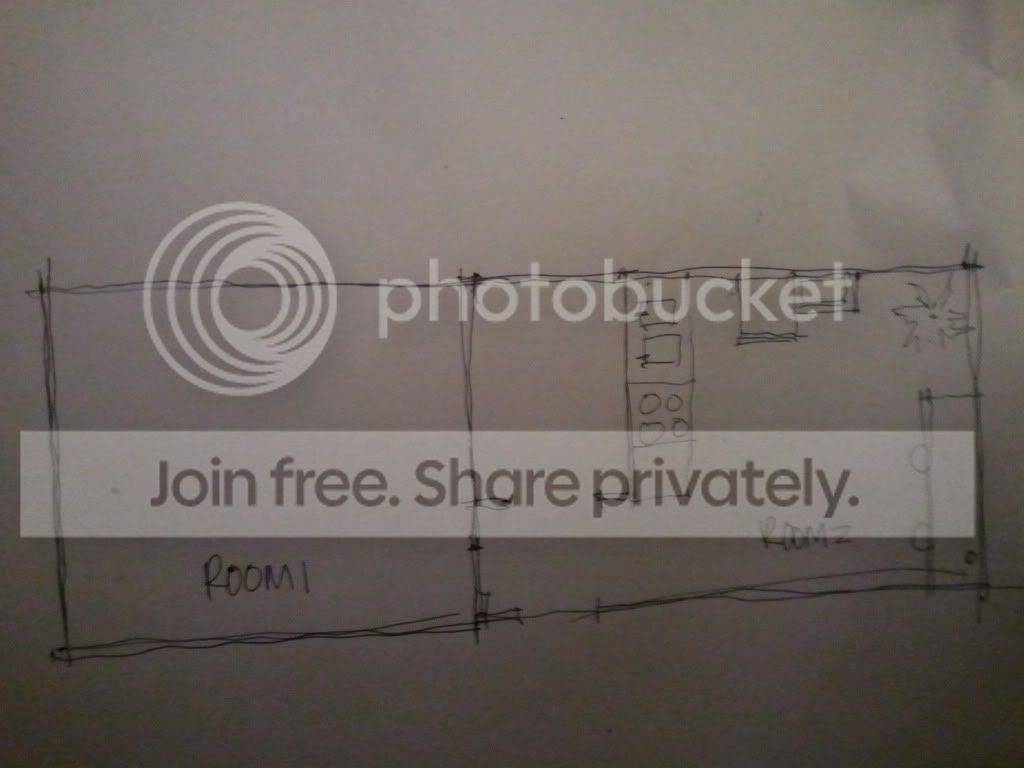
I will make a layout of my small flat here in Sunny San Diego, California and then list what I am looking to do. I only have the slightest idea.
For now, I can tell you that I have:
-(1) sony NSX-40GT1 google tv [main tv]
-(1) desktop [i7 2600k x giga Z68a d3h b3 x 1 evga gtx 570hd sc 1280mb x 8gb ram x 300gb hard drive x cat6 connection]
-(1) sony eb series vaio laptop
-(1) cheap walmart laptop used for internet ONLY
-(1) cisco dpc3010 cable modem
-(1) cisco lynksys -N home router
-(1) 25ft cat6 network cable
-(1) samsung galaxy s running android 2.2 [i think]
-(1) sony playstation 3
I do know that I am going to want one VERY large data storage to put all of my media on. I currently use IPtorrents and download about 1TB a month. I would like to be able to:
-keep my 40 inch tv in room 1, watch movies on that, surf the web, no gaming though
-put desktop in room 2, buy new monitor for that set up a good gaming/school desk
-use my laptops to watch movies, play music, surf web, anywhere in house wifi
I will sketch out and detail the floor plan to give you guys a better idea of what is going on here.
Also, I have an account with newegg and pick up locally here in SoCal so I would like to buy as many parts as possible through them.
Newegg.com - Networking, Wireless Networking
I have at most, a few months to complete this project but funding IS quite adequate.
I do not mind paying more for better stuff.
MediaPortal Version:
MediaPortal Skin:
Windows Version:
CPU Type:
HDD:
Memory:
Motherboard:
Video Card:
Video Card Driver:
Sound Card:
Sound Card AC3:
Sound Card Driver:
1. TV Card:
1. TV Card Type:
1. TV Card Driver:
2. TV Card:
2. TV Card Type:
2. TV Card Driver:
3. TV Card:
3. TV Card Type:
3. TV Card Driver:
4. TV Card:
4. TV Card Type:
4. TV Card Driver:
MPEG2 Video Codec:
MPEG2 Audio Codec:
h.264 Video Codec:
Satelite/CableTV Provider:
HTPC Case:
Cooling:
Power Supply:
Remote:
TV:
TV - HTPC Connection:
But finally, and after a long time I am ready to build my Media Center.
However, we do not even know where to start it seems LOL. It is rather daunting to be honest.
After reading and researching for a few weeks I have decided to start this thread and get the best minds together to build me the perfect system.
I will make a layout of my small flat here in Sunny San Diego, California and then list what I am looking to do. I only have the slightest idea.
For now, I can tell you that I have:
-(1) sony NSX-40GT1 google tv [main tv]
-(1) desktop [i7 2600k x giga Z68a d3h b3 x 1 evga gtx 570hd sc 1280mb x 8gb ram x 300gb hard drive x cat6 connection]
-(1) sony eb series vaio laptop
-(1) cheap walmart laptop used for internet ONLY
-(1) cisco dpc3010 cable modem
-(1) cisco lynksys -N home router
-(1) 25ft cat6 network cable
-(1) samsung galaxy s running android 2.2 [i think]
-(1) sony playstation 3
I do know that I am going to want one VERY large data storage to put all of my media on. I currently use IPtorrents and download about 1TB a month. I would like to be able to:
-keep my 40 inch tv in room 1, watch movies on that, surf the web, no gaming though
-put desktop in room 2, buy new monitor for that set up a good gaming/school desk
-use my laptops to watch movies, play music, surf web, anywhere in house wifi
I will sketch out and detail the floor plan to give you guys a better idea of what is going on here.
Also, I have an account with newegg and pick up locally here in SoCal so I would like to buy as many parts as possible through them.
Newegg.com - Networking, Wireless Networking
I have at most, a few months to complete this project but funding IS quite adequate.
I do not mind paying more for better stuff.
MediaPortal Version:
MediaPortal Skin:
Windows Version:
CPU Type:
HDD:
Memory:
Motherboard:
Video Card:
Video Card Driver:
Sound Card:
Sound Card AC3:
Sound Card Driver:
1. TV Card:
1. TV Card Type:
1. TV Card Driver:
2. TV Card:
2. TV Card Type:
2. TV Card Driver:
3. TV Card:
3. TV Card Type:
3. TV Card Driver:
4. TV Card:
4. TV Card Type:
4. TV Card Driver:
MPEG2 Video Codec:
MPEG2 Audio Codec:
h.264 Video Codec:
Satelite/CableTV Provider:
HTPC Case:
Cooling:
Power Supply:
Remote:
TV:
TV - HTPC Connection: