How do you organise your music collection for the best visuals? (1 Viewer)

ramyad

Portal Pro
November 21, 2011
63
1
Home Country
United Kingdom United Kingdom
I think my structure works on an organisational level but not for a visual treat in MP.

My folder structure of my CD's when I ripped them is like this, and I haven't really had to change it:

[Artists name] > [Album name] > Songs

For multi CD's:
[Artists name] > [Album name] > [CDx] > Songs

So as you can see, my songs are atleast two folders down. But it looks terrible in MP compared to my MovingPictures and MyAnime2 and other plugins. I get the blue folder logos, no artist info etc. Not until I get into the "albums" folder then it looks OK.

It is slightly embarrasing going into my music collection after showing off my movies. Know what I mean ;-)

How would you advise I organise my music for a visual treat straight from the get go? How do you organise yours?

Should I have a flat structure from the top such as [Artist - Album Title] and then all songs in the single folder?

Can you recommend any decent music plugins, I can't seem to find any decent ones.

Thanks
Ram
 

mbuzina

Retired Team Member
  • Premium Supporter
  • April 11, 2005
    2,839
    726
    Germany
    Home Country
    Germany Germany
    How about tagging your music, scanning it to the music db and switching to the views you prefer? I have full artist, album coverart and full fanart. Other also get clear art (cd images) but that is old fashioned for me ;-)
     

    ramyad

    Portal Pro
    November 21, 2011
    63
    1
    Home Country
    United Kingdom United Kingdom
    How about tagging your music, scanning it to the music db and switching to the views you prefer? I have full artist, album coverart and full fanart. Other also get clear art (cd images) but that is old fashioned for me ;-)

    I don't understand, How do I do the tagging you are referring to? By switching views, do you mean changing the view from the right menu in MP? If so then that still shows the blue folders.
     

    Paranoid Delusion

    Moderation Manager
  • Premium Supporter
  • June 13, 2005
    13,052
    2,978
    Cheshire
    Home Country
    United Kingdom United Kingdom
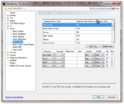
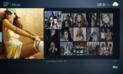
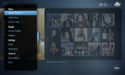
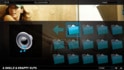
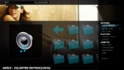
    My folder setup is the same as yours, so you should get pictures of album or artist, could it be a view setting.

    sshot-8.jpg

    09-31-11.jpg

    09-31-22.png

    ps. take it you have music thumbnails etc enabled in fanarthandler plugin, having already scanned music files so they are in MP's database.
     

    mbuzina

    Retired Team Member
  • Premium Supporter
  • April 11, 2005
    2,839
    726
    Germany
    Home Country
    Germany Germany
    ramyad, tags are extra bits of information embedded in mp3 (or other) files. They define the album name, artist, album artist, genre, year, etc. Of the track. Mediaportal scans this information, stores it in its database and allows you to switch the view from the right.

    There are several ways of getting album art. Use the fanart plugin to scan, if still some are missing use the last.fm plugin to scan and do the last ones manually (files in the thumbs directory in ProgramData\team mediaportal\mediaportal\thumbs\music ).
     

    ramyad

    Portal Pro
    November 21, 2011
    63
    1
    Home Country
    United Kingdom United Kingdom
    Hi Ray,

    Thanks for the screenshots, it helps, that is the way I would like mine to look, and also to be able to switch to a view of the CD cover art.

    I don't see anything like that, no pictures etc, just the big blue folder icons. I've checked the Fanart Handler and I do have it setup to download artwork etc.

    If I go into the folders, all the way down to the track view and play a song then I do get to see the CD cover and artwork downloading. Just nothing at the top folder level if that makes sense.

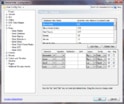
    Attached are pictures from mine and I have the StreamedMP skin.

    Thanks
    Ram
     

    Attachments

    • music_view_config.jpg
      music_view_config.jpg
      187.1 KB
    • big_icon_view.jpg
      big_icon_view.jpg
      293.1 KB
    • music_view_menu.jpg
      music_view_menu.jpg
      281.6 KB
    • track_view.jpg
      track_view.jpg
      326.5 KB

    Paranoid Delusion

    Moderation Manager
  • Premium Supporter
  • June 13, 2005
    13,052
    2,978
    Cheshire
    Home Country
    United Kingdom United Kingdom
    Does WMP11\12 show artwork, for some strange reason until I used that if I remember correctly did not get a lot of artwork myself showing :confused:

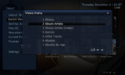
    Also make sure your view is set for album\artist.

    10-57-59.png

    I know I had about 12 artists that I had to put a folder.jpg to get to show up artist instead of folder icon, Queen was one of these, they were all properly tagged.
     

    ramyad

    Portal Pro
    November 21, 2011
    63
    1
    Home Country
    United Kingdom United Kingdom
    ramyad, tags are extra bits of information embedded in mp3 (or other) files. They define the album name, artist, album artist, genre, year, etc. Of the track. Mediaportal scans this information, stores it in its database and allows you to switch the view from the right.

    There are several ways of getting album art. Use the fanart plugin to scan, if still some are missing use the last.fm plugin to scan and do the last ones manually (files in the thumbs directory in ProgramData\team mediaportal\mediaportal\thumbs\music ).

    Ah OK, the standard stuff, yes I tagged them as I rip them. I buy albums online now and they all come well tagged. I do have the Fanart handler setup and I do get to see the artwork when I am at the track level, just not higher up. Thanls for the feedback.

    Does WMP11\12 show artwork, for some strange reason until I used that if I remember correctly did not get a lot of artwork myself showing :confused:

    Also make sure your view is set for album\artist.

    View attachment 93610

    I know I had about 12 artists that I had to put a folder.jpg to get to show up artist instead of folder icon, Queen was one of these, they were all properly tagged.

    WMP was my library of choice before MP and it does show the artwork. I have folders (Artist name) were multiple sub folders are used for their albums. What do I put in the artists folder, nothing really as there are multiple albums. Maybe a picture of the artist? I'll give that a try. Thanks.
     

    Paranoid Delusion

    Moderation Manager
  • Premium Supporter
  • June 13, 2005
    13,052
    2,978
    Cheshire
    Home Country
    United Kingdom United Kingdom
    Ok narrowed down where I had to use folder.jpg, any artist that you have that has multiple albums inside, Single artist\album does not need folder.jpg.
     

    Users who are viewing this thread

    Top Bottom