Is there a way to start Moving Pictures with a category? (1 Viewer)

Lehmden

Retired Team Member
  • Premium Supporter
  • December 17, 2010
    12,584
    3,973
    Lehmden
    Home Country
    Germany Germany
    Hello.
    As most Skins has ability to edit Basic Home menu to fit personal needs it would be nice to have a way starting Moving Pictures with a given category as an argument. So we can have a Menu similar to the MyTV Menu with eg. "Unseen Movies", "Recently added Movies", "High Resolution Movies",... to have a direct access to a single category strait from Basic Home.

    Is this possible with actual version or can this be added in future as a new feature?
     

    fforde

    Community Plugin Dev
    June 7, 2007
    2,667
    1,702
    44
    Texas
    Home Country
    United States of America United States of America
    Sorry this is not documented yet, but this is possible in version 1.2+. StreamedMP allows you to setup links in it's Basic Home editor. If you dont mind manually editing your skin files you could set something up with any skin. A bit more info is provided here, if you need further help jump on IRC.
     

    Lehmden

    Retired Team Member
  • Premium Supporter
  • December 17, 2010
    12,584
    3,973
    Lehmden
    Home Country
    Germany Germany
    AW: Is there a way to start Moving Pictures with a category?

    Hello.
    Many Thanks for your answer. That was exact what I'm looking for...

    I have tried to implement Moving Pictures Categories to my BasicHome. It's really simple if you know how...
    First generate as much "Moving Pictures" Menu items as you like. Just give them clear labels like "All Movies" or "Unseen Movies" as you have to find them later in xml with Notepad.
    Then generate a new Basic Home. Open the newly created BasicHome.xml in Notepad or any other text editor of your choice. Search for your Moving Pictures menu entries... Then find a line
    Code:
    <hyperlink>96742</hyperlink>
    just under this line add another line similar to:
    Code:
    <hyperlinkParameter>categoryid:xxx</hyperlinkParameter>
    were xxx is the category ID...
    The Id you can find inside the movingpictures.db3. Browse the database with SQliteBrowser and find the IDs in the "node" table. If you want to have a "normal" Moving Pictures entry just don't add the "hyperlinkParameter" line to this menu item....

    This should work with all skins that have customizable Basic Home Menus, I think...

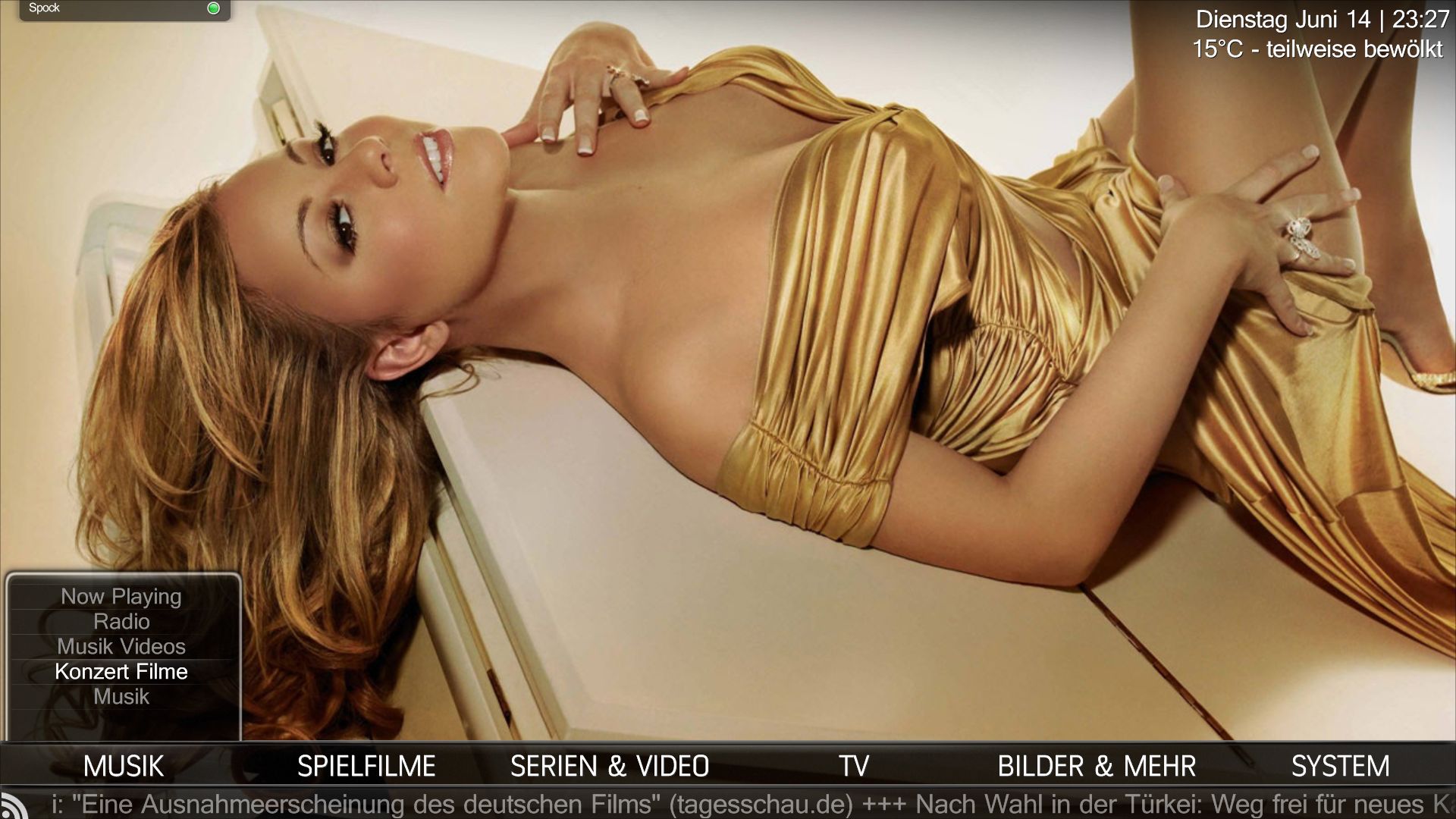
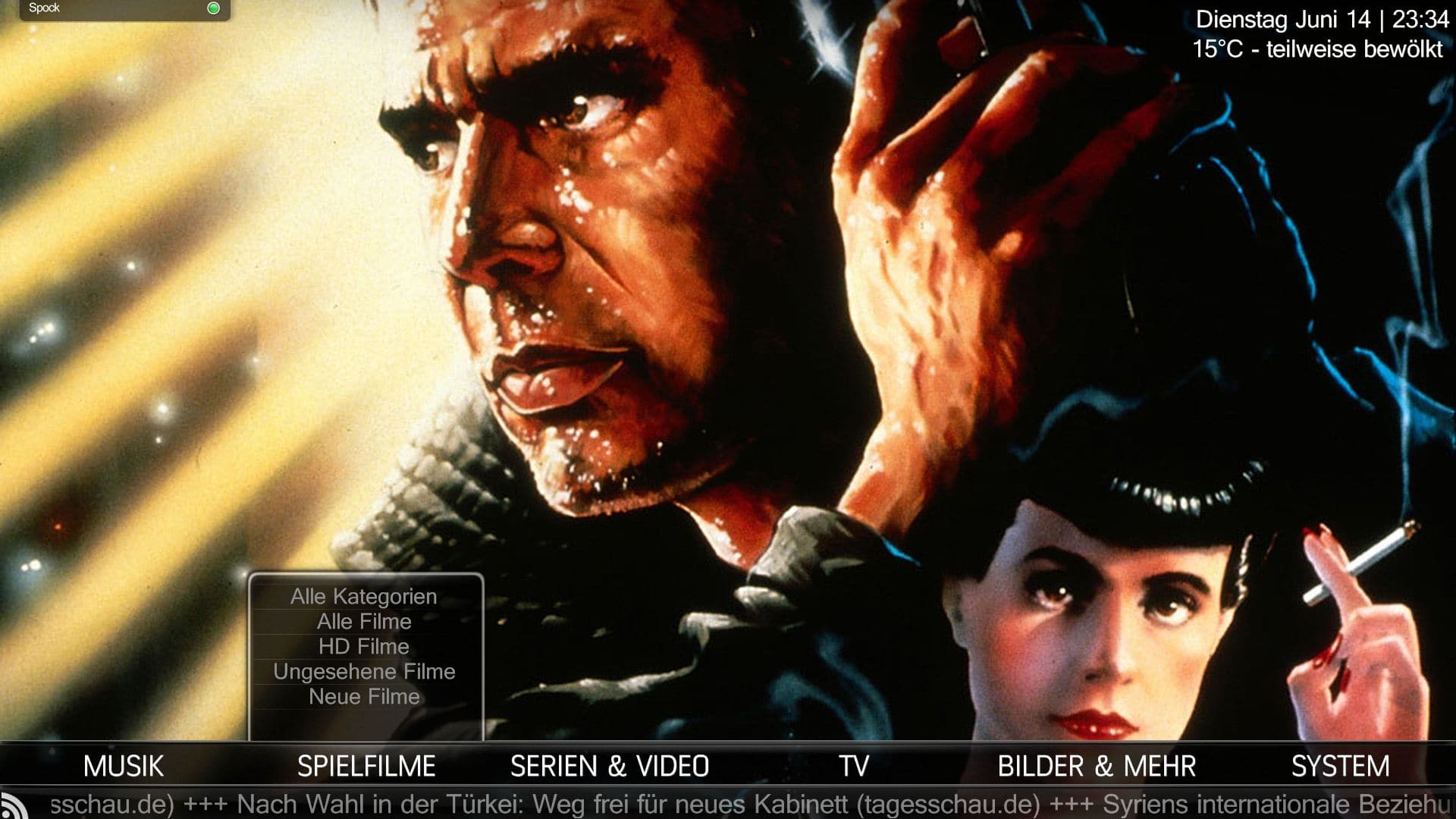
    I've attached my new BasicHome.xml (Backdrop Skin) as an code- example and two screenshots. First shows the Music Menu with a extra "Concert Movie" Item linked to all Concert Movies I have inside Moving Pictures. Second one is the "Moving Pictures" Menu with all important categories and at top a "normal" link to Moving Pictures Main Menu...
     

    Attachments

    • MovPic-1.jpg
      MovPic-1.jpg
      251.9 KB
    • MovPic-2.jpg
      MovPic-2.jpg
      261.7 KB
    • BasicHome.xml.zip
      4.9 KB

    Users who are viewing this thread

    Top Bottom