Live TV works in config, but not from frontend (1 Viewer)

mkdevo

Portal Member
February 13, 2010
14
0
Hello all,

Been using MP for a couple years now, but just trying it with live TV for the first time, running coax in from an antenna.

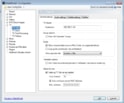
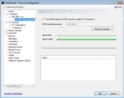
In my TV Server Config, everything is working fine - card is detected, strong signal shown, all channels identified, and channel preview works.

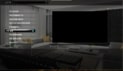
However, once I get to the MP front end, I can't get things working. I select 'Watch TV', which takes me to another menu (with options on the left and a black box (TV) on the right). I then click "TV ON", but nothing happens.

Also, when I select TV Guide, it pauses about 10 seconds before taking me to a TV setup screen asking for the hostname/ip address of the tv server.

What could I be missing here? Why is it working in config, but not through the front end?

I've attached screenshots of my config and frontend. Can provide other config screens/logs too if needed (just let me know which).

MP 1.2.2.0
StreamedMP skin
Hauppauge 1196 WinTV-HVR-1250
Windows 7 x64

Thanks!
mp1.jpgmp2.jpgmp3.jpgmp4.jpg
 

elliottmc

Retired Team Member
  • Premium Supporter
  • August 7, 2005
    14,927
    6,061
    Cardiff, UK
    Home Country
    United Kingdom United Kingdom
    Hi,

    All logs (server and client, use the "MediaPortal Debug-Mode" shortcut from your start menu) are needed.

    This will run without plugins and with the default skin, but at least will provide information.

    Mark
     

    mkdevo

    Portal Member
    February 13, 2010
    14
    0
    Mark - thank you. Logs are attached.

    Note: Single PC setup - Client and Server are the same PC.
     

    Jay_UK

    Test Group
  • Team MediaPortal
  • October 6, 2009
    1,780
    283
    Derby
    Home Country
    United Kingdom United Kingdom
    Hi there,

    If your single seat...change your IP address in MePo config\TV Client setup to use the hostname of your PC instead of IP.

    Can you post your:

    C:\Program Files (x86)\Team MediaPortal\MediaPortal\MediaPortal.exe.Config file
    c:\ProgramData\Team MediaPortal\MediaPortal\gentle.config
    c:\ProgramData\Team MediaPortal\MediaPortal TV Server\gentle.config

    Cheers,

    J.
     

    mkdevo

    Portal Member
    February 13, 2010
    14
    0
    J - I've tried both the ip address and hostname (and even localhost), but none have worked for me.

    Attached are files 1 and 3 you mentioned. Note that I don't have this:

    c:\ProgramData\Team MediaPortal\MediaPortal\gentle.config

    I see one of those if one of my backup folders, but that was from before I upgraded to 1.2.2.0.
     

    Attachments

    • MPConfig.zip
      2.5 KB

    mkdevo

    Portal Member
    February 13, 2010
    14
    0
    Is there a way I can generate that? Should I just move the one from the old backup to there??
     

    elliottmc

    Retired Team Member
  • Premium Supporter
  • August 7, 2005
    14,927
    6,061
    Cardiff, UK
    Home Country
    United Kingdom United Kingdom
    Is there a way I can generate that? Should I just move the one from the old backup to there??

    You should not need to copy this file. It should copy it from the server if it can connect.

    Are you running MediaPortal on the same computer as the TV server?
     

    elliottmc

    Retired Team Member
  • Premium Supporter
  • August 7, 2005
    14,927
    6,061
    Cardiff, UK
    Home Country
    United Kingdom United Kingdom
    I have had a look at your logs, and there are a lot of errors. I suspect a network problem, possibly a firewall issue. Does your router have a built-in firewall? It could be blocking the necessary ports.

    The first thing I would do is a complete uninstall and reinstall of MediaPortal, making sure you delete all directories after uninstalling to make sure there are no config files left over.

    Mark
     

    Users who are viewing this thread

    Top Bottom