MCE Remote doesn't work in Media Portal (1 Viewer)

kokoman

Portal Member
December 20, 2008
15
1
Hello,

I'm a newbie in media portal, got everything to work except for the remote.
I have a MCE remote that I got when I bought my
Hauppauge WinTV PVR 150 MCE KIT.
I installed the IR Server suite and configured the TV3 blaster plugin
I think I configured it correctly because when I press the test button
in the STB setup screen the channels change,
but for some reason this doesn't work inside mediaportal,
when I go to My TV and try to change a channel the channel isn't changed
(just the channel info changes).

any ideas what could be the problem?
 

rekenaar

Retired Team Member
  • Premium Supporter
  • December 17, 2006
    4,421
    805
    Home Country
    South Africa South Africa
    Sounds like your remote is working, but the channel blasting to STB does not work.
    What version of IRSS did you install?
    There was a blaster problem in 1.0.4.1. This fixed file is in post #12.
     

    kokoman

    Portal Member
    December 20, 2008
    15
    1
    unfortunately the channel blasting to STB still does not work
    after installing the mentioned fix :mad:

    I also found out that I have another problem,
    when the input service is running the remote control
    doesn't behave nice in mediaportal
    (when i press the up key in mediaportal it acts like I pressed the up key twice)
    probably those problems are connected but I don't know how

    now I tried to install IR Server Suite - Test Build 1.4.2.2391
    that fixed the last problem I mentioned (now when i press up it goes up only once like it should),
    but still I have a problem with changing channels inside media portal,
    the test in STB Setup is successful but the IR is not blasting in media portal.
     

    rekenaar

    Retired Team Member
  • Premium Supporter
  • December 17, 2006
    4,421
    805
    Home Country
    South Africa South Africa
    Are you using TV Server?

    Can you give an example of how your channels is set up.

    Also, do you have the plugin "MP Control plugin for IR Server" active in MP Configuration, Plugins, Process?
     

    kokoman

    Portal Member
    December 20, 2008
    15
    1
    yes, I'm using the tv server

    The plugin "MP Control plugin for IR Server" is active in MP Configuration

    I set up my channels manually through "TV Channels" in "TV Server Configuration":
    Add -> Analog -> entered channel number -> source CVBS #1
    then I mapped the channels to the tv card through "TV Mapping"
    (if I press preview in the the "TV Channels" it shows me the channel that is currently selected in my set box,
    it does not change to the channel I selected to preview, should it act like that?)

    by the way, thanks for the fast responses
     

    rekenaar

    Retired Team Member
  • Premium Supporter
  • December 17, 2006
    4,421
    805
    Home Country
    South Africa South Africa
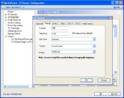
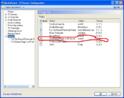
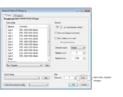
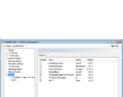
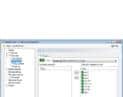
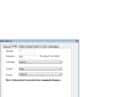
    Here is a few screenshots from my working setup. Maybe you can compare with yours.
    BTW, YES, preview from TV Server should change the STB channel just before showing the preview. Mine does that.
     

    Attachments

    • tvs1.JPG
      tvs1.JPG
      62.7 KB
    • tvs2.JPG
      tvs2.JPG
      58.7 KB
    • tvs3.JPG
      tvs3.JPG
      54.8 KB

    rekenaar

    Retired Team Member
  • Premium Supporter
  • December 17, 2006
    4,421
    805
    Home Country
    South Africa South Africa
    I just saw that I pointed you to the wrong post previously. See post #33-35 from the IRSS thread. But I would think that since you installed the 1.0.4.2 beta, it should not be applicable...
     

    kokoman

    Portal Member
    December 20, 2008
    15
    1
    I looked at the screenshots, tried a few stuff but it didn't help.

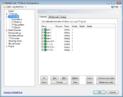
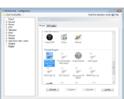
    here are some screenshots from my computer, maybe you'll see the problem
     

    Attachments

    • services.jpg
      services.jpg
      68.5 KB
    • STB setup.jpg
      STB setup.jpg
      59.1 KB
    • plugins.jpg
      plugins.jpg
      41.5 KB
    • tv mapping.jpg
      tv mapping.jpg
      43.6 KB
    • edit channel.jpg
      edit channel.jpg
      27.5 KB
    • tv channels.jpg
      tv channels.jpg
      58.2 KB
    • mp control.jpg
      mp control.jpg
      47 KB

    Users who are viewing this thread

    Top Bottom