MP1 EVR Presenter/dshowhelper community development (13 Viewers)

mcrob83

MP Donator
  • Premium Supporter
  • November 10, 2009
    206
    12
    St.Marienkirchen, Eferding
    Home Country
    Austria Austria
    AW: MP1 EVR Presenter/dshowhelper community development

    I'm currently trying ver.013 - no stuttering so far....runs like a charm(Sky Cinema HD 1080i and ORF1 HD 720i).
    Also mkv Material with 720p and 1080p is running fine from the first second. Vote for integration into svn ;).
     

    mironicus

    Portal Pro
    March 9, 2008
    688
    44
    AW: MP1 EVR Presenter/dshowhelper community development

    Unfortunately I found out a problem regarding the new dll. I have many videos that have 29,97 fps but actually are playing with 23,97 fps (the fps changes dynamically during video playback). These files are now stuttering with the new dll. With the default dshowhelper the playback is fine.
     

    Owlsroost

    Retired Team Member
  • Premium Supporter
  • October 28, 2008
    5,539
    5,038
    Cambridge
    Home Country
    United Kingdom United Kingdom
    Re: AW: MP1 EVR Presenter/dshowhelper community development

    Unfortunately I found out a problem regarding the new dll. I have many videos that have 29,97 fps but actually are playing with 23,97 fps (the fps changes dynamically during video playback). These files are now stuttering with the new dll. With the default dshowhelper the playback is fine.

    So these are broken video files.....What monitor refresh rate do you use with these files ?

    Tony
     

    mironicus

    Portal Pro
    March 9, 2008
    688
    44
    Unfortunately I found out a problem regarding the new dll. I have many videos that have 29,97 fps but actually are playing with 23,97 fps (the fps changes dynamically during video playback). These files are now stuttering with the new dll. With the default dshowhelper the playback is fine.

    So these are broken video files.....What monitor refresh rate do you use with these files ?

    Tony

    59,94 Hz and 60 Hz.

    No, I don't think those files are broken. If you have film-based material that were converted to NTSC (23,97->29,97) you'll get this stutter on all those videos with the new dll. I tried many videos (music videos, films and Anime with 29,97 fps) - the same behaviour on all files. Those videos runs fine if you play them normally on the desktop using MPC Cinema or using Mediaportal with the default dshowhelper.dll.
     

    Owlsroost

    Retired Team Member
  • Premium Supporter
  • October 28, 2008
    5,539
    5,038
    Cambridge
    Home Country
    United Kingdom United Kingdom
    Unfortunately I found out a problem regarding the new dll. I have many videos that have 29,97 fps but actually are playing with 23,97 fps (the fps changes dynamically during video playback). These files are now stuttering with the new dll. With the default dshowhelper the playback is fine.

    So these are broken video files.....What monitor refresh rate do you use with these files ?

    Tony

    59,94 Hz and 60 Hz.

    No, I don't think those files are broken. If you have film-based material that were converted to NTSC (23,97->29,97) you'll get this stutter on all those videos with the new dll. I tried many videos (music videos, films and Anime with 29,97 fps) - the same behaviour on all files. Those videos runs fine if you play them normally on the desktop using MPC Cinema or using Mediaportal with the default dshowhelper.dll.

    Can you attach logs and a screen capture with the render stats enabled please ?

    Is there somewhere I could (legally) download a short file that displays the problem ?

    Tony

    Hi Owlsroost,
    I attached my log...I sopped when mp crashed..

    Please try the attached dll

    Tony

    nothing...it happened again...this time when I started a new movie....

    I attached a new log..

    thx for your job

    ps: I'm using rc3

    What happens when it crashes - does it hang or crash to the desktop ?

    Could you try disabling the IFC plugin ?

    Tony
     

    mironicus

    Portal Pro
    March 9, 2008
    688
    44
    AW: MP1 EVR Presenter/dshowhelper community development

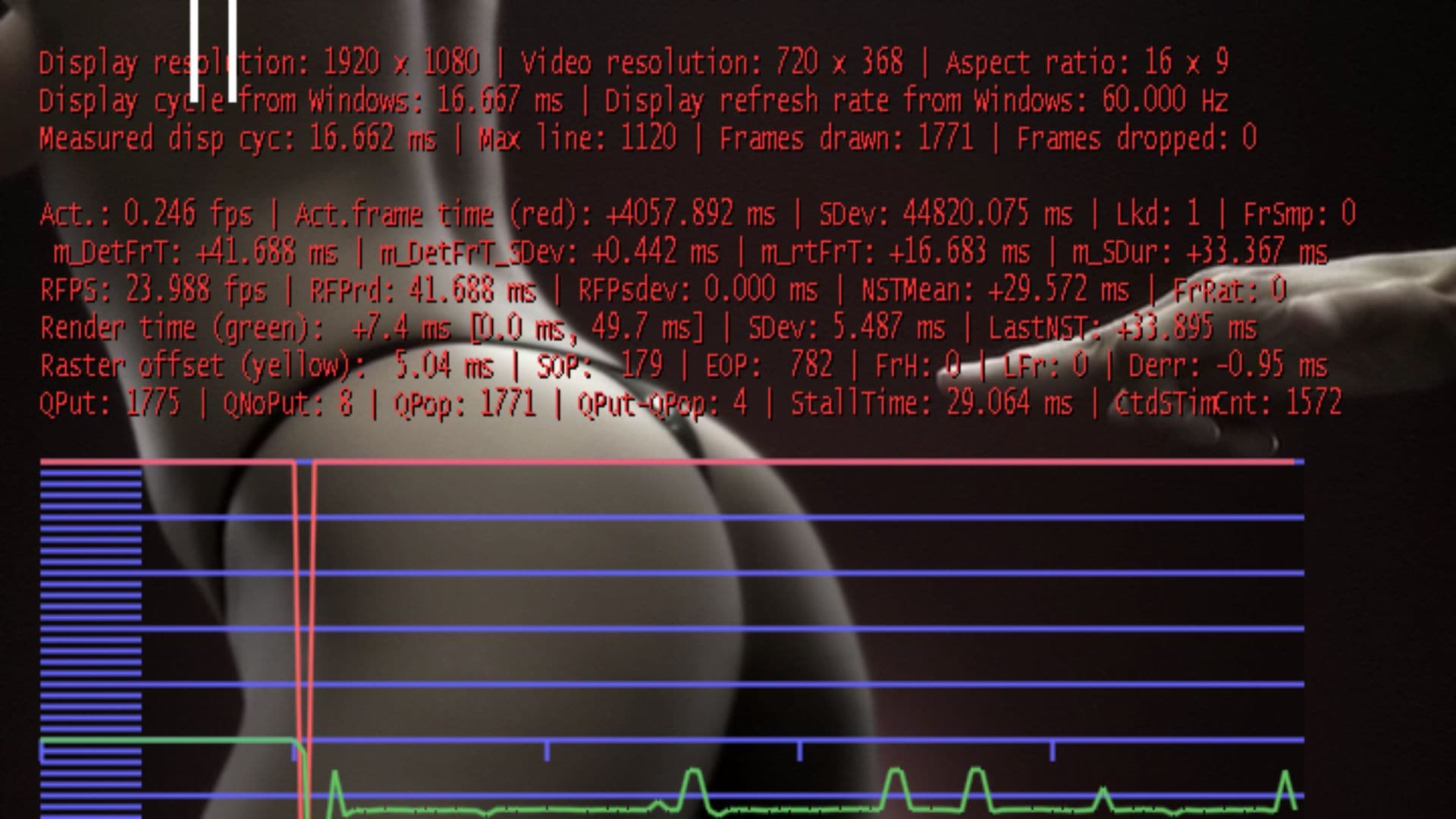
    Here is a picture and a log. I mailed you a link to the video file. I used v13 for testing.

    The stutter seems only to be present in full screen mode.
     

    Attachments

    • Stutter-pic.jpg
      Stutter-pic.jpg
      222.9 KB

    cecet23

    MP Donator
  • Premium Supporter
  • March 18, 2009
    137
    16
    Perugia
    Home Country
    Italy Italy
    Re: AW: MP1 EVR Presenter/dshowhelper community development

    I receive a windows message that say that mp is crashed with two button: "Debug", "Close program"..
    with this message the audio continue but the video hangup...
    than if I click on one button i return on desktop.

    I will try with ifc disabled, but I don't use ifc on movies...
     

    Owlsroost

    Retired Team Member
  • Premium Supporter
  • October 28, 2008
    5,539
    5,038
    Cambridge
    Home Country
    United Kingdom United Kingdom
    Re: AW: MP1 EVR Presenter/dshowhelper community development

    I receive a windows message that say that mp is crashed with two button: "Debug", "Close program"..
    with this message the audio continue but the video hangup...
    than if I click on one button i return on desktop.

    I will try with ifc disabled, but I don't use ifc on movies...

    OK - it's crashing out to the desktop - can you use the MP logs collector please (in the MP program group on the Start menu) so I get the system event logs etc. and the MP logs in one package.

    Tony

    Added v0015 dll to first post - fixes issue I found with one video file not starting properly (black screen + audio).

    If anyone else is experiencing crashes like cecet23, please report them (with logs etc)....

    Tony
     

    Users who are viewing this thread

    Top Bottom