My Anime 2 (2 Viewers)

bert_r

Portal Pro
April 7, 2009
110
16
Home Country
Belgium Belgium
thanks here is my log, excuse my spelling but i cant speak english so well, :D

It looks as if you're missing the ICSharpCode.SharpZipLib.dll. Strange, because the new installer should take care of that. I"ve attached it to this post, extract the zip and put it in your main MediaPortal directory (Default C:\Program Files\Team MediaPortal\MediaPortal).
 

Attachments

  • ICSharpCode.SharpZipLib.dll.zip
    30.7 KB

bert_r

Portal Pro
April 7, 2009
110
16
Home Country
Belgium Belgium
where is the calendar? i didnt find it
It's in the main menu, completely at the borrom. In most skins this menu is hidden, and can be accessed by repeatedly clicking left (or right). Here's a screenshot of the StreamedMP skin:
calendar.jpg
 

linkinstg

Portal Member
September 7, 2009
8
0
Home Country
thanks here is my log, excuse my spelling but i cant speak english so well, :D

It looks as if you're missing the ICSharpCode.SharpZipLib.dll. Strange, because the new installer should take care of that. I"ve attached it to this post, extract the zip and put it in your main MediaPortal directory (Default C:\Program Files\Team MediaPortal\MediaPortal).

i copy the ICSharpCode.SharpZipLib.dll but still no login in anidb, the only version of myanime plugin that can login was the 2.11 and only a few times, any idea of how i can solve this problem? im triying abot 3 weeks to configure my anime collection in the plugin and the only way i found was imput one by one all my cap :confused:, if someone can help me with this i can give access to my pc with logmein or another remote client, i dont know what to do with this prolbem :(

thanks
 

lwerndly

Portal Pro
January 14, 2008
702
278
Home Country
Australia Australia
thanks here is my log, excuse my spelling but i cant speak english so well, :D

It looks as if you're missing the ICSharpCode.SharpZipLib.dll. Strange, because the new installer should take care of that. I"ve attached it to this post, extract the zip and put it in your main MediaPortal directory (Default C:\Program Files\Team MediaPortal\MediaPortal).

i copy the ICSharpCode.SharpZipLib.dll but still no login in anidb, the only version of myanime plugin that can login was the 2.11 and only a few times, any idea of how i can solve this problem? im triying abot 3 weeks to configure my anime collection in the plugin and the only way i found was imput one by one all my cap :confused:, if someone can help me with this i can give access to my pc with logmein or another remote client, i dont know what to do with this prolbem :(

thanks

After you copy the DLL are you still getting the same errors?
If so you can try copying the DLL into the same folder as the plugin "..\plugins\windows".

Do this and attach your logs again.

i dont have that option :confused:

Looks like the skin files haven't been copied properly.

Download the ZIP and try and copy them manually
 

linkinstg

Portal Member
September 7, 2009
8
0
Home Country
It looks as if you're missing the ICSharpCode.SharpZipLib.dll. Strange, because the new installer should take care of that. I"ve attached it to this post, extract the zip and put it in your main MediaPortal directory (Default C:\Program Files\Team MediaPortal\MediaPortal).

i copy the ICSharpCode.SharpZipLib.dll but still no login in anidb, the only version of myanime plugin that can login was the 2.11 and only a few times, any idea of how i can solve this problem? im triying abot 3 weeks to configure my anime collection in the plugin and the only way i found was imput one by one all my cap :confused:, if someone can help me with this i can give access to my pc with logmein or another remote client, i dont know what to do with this prolbem :(

thanks

After you copy the DLL are you still getting the same errors?
If so you can try copying the DLL into the same folder as the plugin "..\plugins\windows".

Do this and attach your logs again.

i dont have that option :confused:

Looks like the skin files haven't been copied properly.

Download the ZIP and try and copy them manually


thanks, here is the log, and now ill will download the zip file and copy all manually and ill try again


well i donwloaded the zip file and i had te calendar option, but i still getting te login failed error on anidb i dont know what to do with this problem :( i like so much the plugin
 

pur_berger

Super User
  • Team MediaPortal
  • Super User
  • May 14, 2007
    1,678
    312
    53
    Vienna
    Home Country
    Austria Austria
    Basically works great .... but

    as already mentioned -the installer doesn't do his job.

    -> the xml's for the skin are copied to the c:\Program Files\ ... instead of c:\ProgramData\...
    -> the dll's - only one of them was changed

    -> in the Config-menue - Manager - on the Epsiode column it writes at the to the series - which overlays with the Buttons
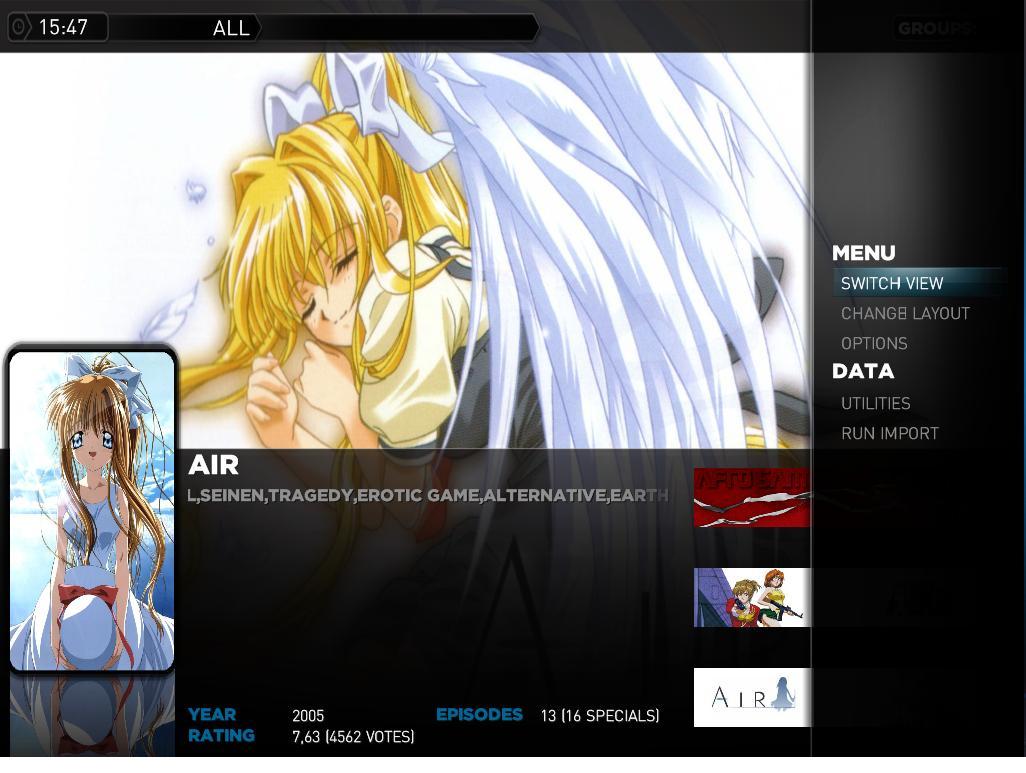
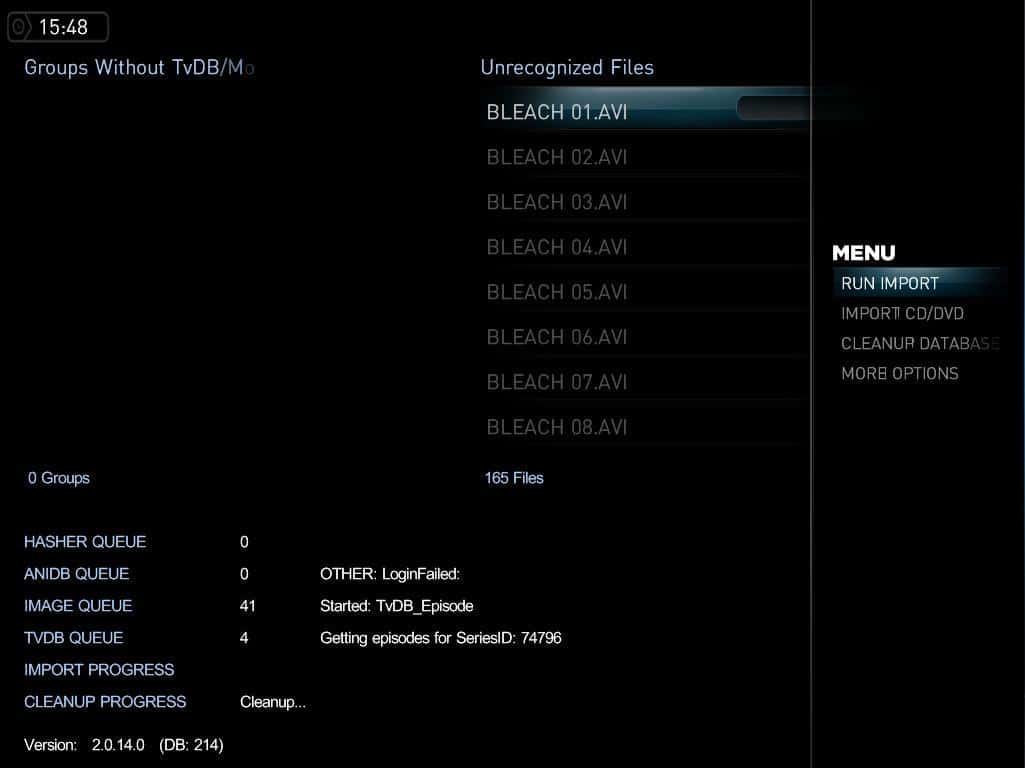
    But - great Plugin - THX (Yeah -I love the calendar too :))
     

    lwerndly

    Portal Pro
    January 14, 2008
    702
    278
    Home Country
    Australia Australia
    linkinstg said:
    thanks, here is the log, and now ill will download the zip file and copy all manually and ill try again

    well i donwloaded the zip file and i had te calendar option, but i still getting te login failed error on anidb i dont know what to do with this problem :( i like so much the plugin

    Ok you have now fixed the problem with ICSharpCode.SharpZipLib.dll.
    And it is now sending a message to AniDB to login (which it wasn't doing before).

    However you are getting a timeout when waiting on the response.
    This could be a temporary problem but most likely your firewall is blocking it.

    pur_berger said:
    as already mentioned -the installer doesn't do his job.

    -> the xml's for the skin are copied to the c:\Program Files\ ... instead of c:\ProgramData\...
    -> the dll's - only one of them was changed

    Ah I don't think we have catered for MP 1.1.0.
    The location of the skin files was changed (no longer part of the MP install directory)

    pur_berger said:
    -> in the Config-menue - Manager - on the Epsiode column it writes at the to the series - which overlays with the Buttons

    Not sure what you mean here. Can you provide a screenshot?
     

    Users who are viewing this thread

    Top Bottom
